
Photoshop 20.0.4 brush/mask problem
Hey,
I noticed this problem and wanted to know if there was a solution or if that was a bug:
in Photoshop 20.0.4 (the latest version on the day I'm writing this), let's say that I'm drawing a red shape with my brush tool, then, if I want to erase some of it with a mask, using the brush tool on the mask, I will get that:
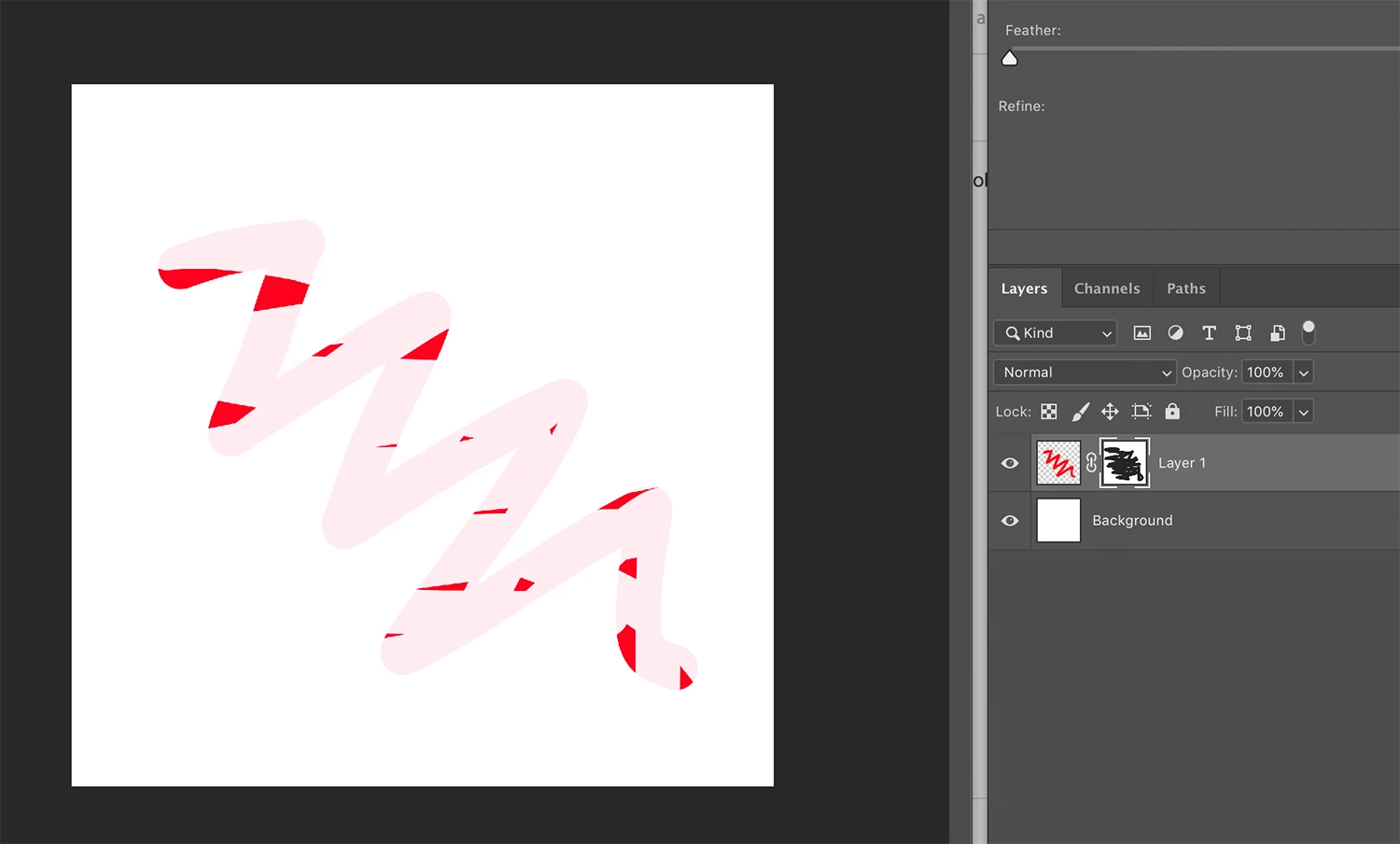
SO even with everything at 100% opacity, it seems that this is not erasing everything and leaves something like a 10% opacity of the original shape.
This will do the same with a photo or anything...
I tried to reset all the tools, I also re-installed the App and nothing is changing...
I then downloaded one of the previous version of Photoshop (19.1.8), did exactly the same thing and:
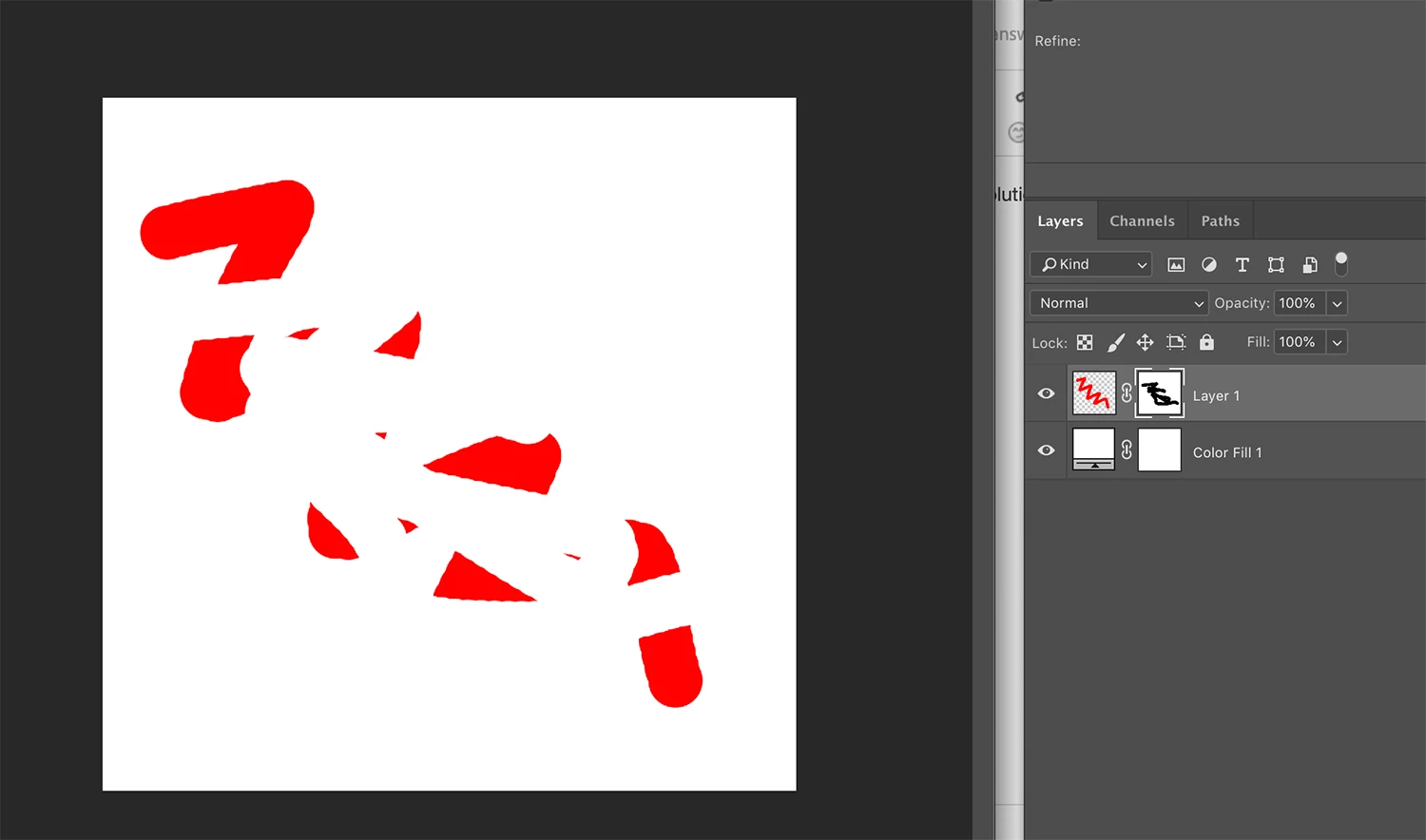
It worked perfectly!
SO, I guess this is due to a bug on the new version OR a new feature that I didn't discover yet and that I would like to turn off 
Thanks for your support 
 AdChoices