
Known Participant
November 1, 2018
Answered

Photoshop 2019 bugs

  • November 1, 2018
  • 1 reply
  • 820 views

I have a huge problem with my older Photoshop files wich I open in 2019 version.
This is how the original file looks like in 2015 version:


This is the same file in 2019:

Other files like this bellow make Photoshop 2019 to crash.

They are working in Photoshop 2015 perfectly. This is just terrible! I should have 2 versions of Photoshop in the same time because of buggy update.
I can share these PSD files too.


This is my PC configuration:
Windows 10 Pro 64-bit
Intel Core i3 4170
ATI AMD Radeon R7 200 Series
8 GB DDR RAM
This topic has been closed for replies.
Correct answer Muqqarib Hassan

Hi, It seems like issue with GPU Please try following methods.

Troubleshoot Photoshop graphics processor (GPU) and graphics driver issues

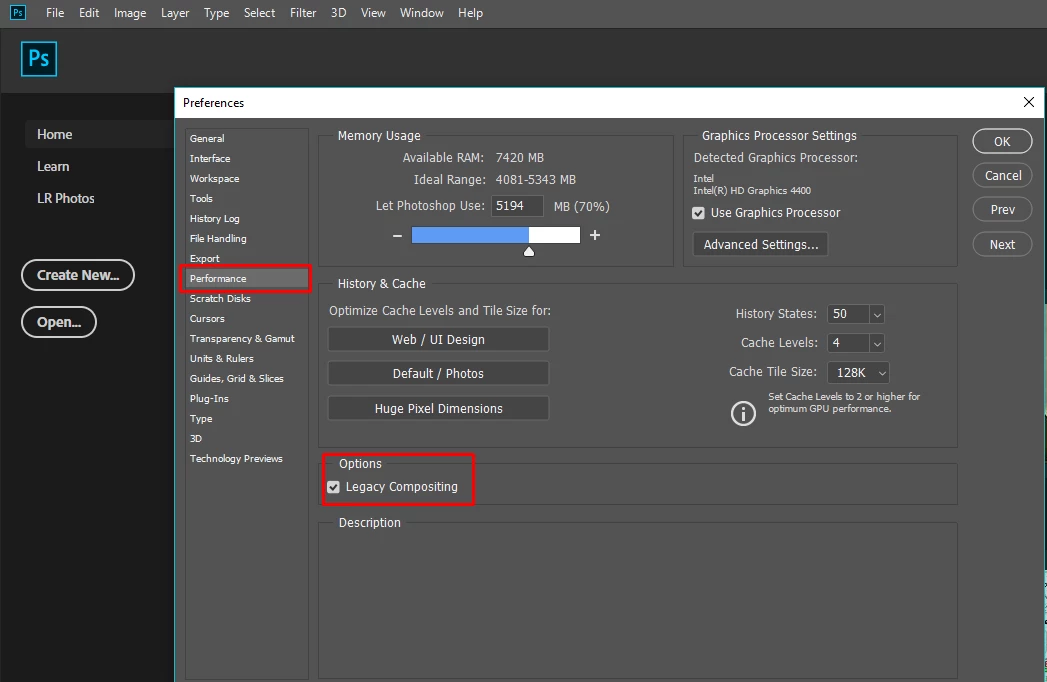
Try turning off Use Graphics Processor" in Preferences performance and restart. If that works , turn it back on and try each of the drawing modes in "Advanced" and Reboot your photoshop.

Check the Legacy Composting option in the Preferences> Performance > Legacy Composting

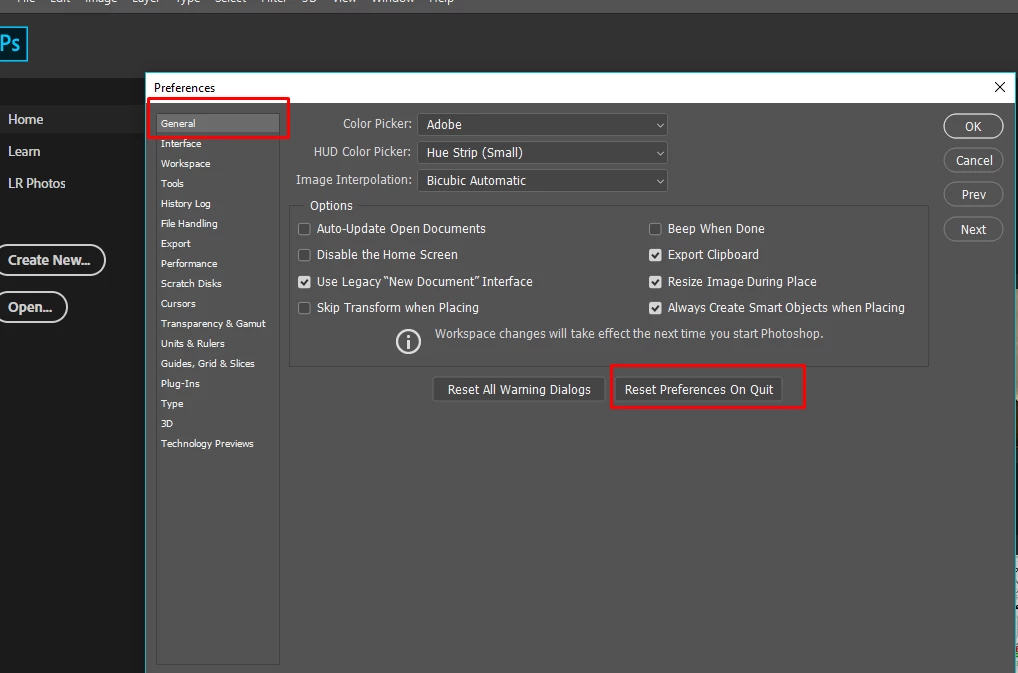
If it solve your issue that will be Great. Otherwise kindly reset photoshop preferences.

1 reply

Muqqarib Hassan
Muqqarib HassanCorrect answer
Inspiring
November 1, 2018

Hi, It seems like issue with GPU Please try following methods.

Troubleshoot Photoshop graphics processor (GPU) and graphics driver issues

Try turning off Use Graphics Processor" in Preferences performance and restart. If that works , turn it back on and try each of the drawing modes in "Advanced" and Reboot your photoshop.

Check the Legacy Composting option in the Preferences> Performance > Legacy Composting

If it solve your issue that will be Great. Otherwise kindly reset photoshop preferences.

Known Participant
November 2, 2018

Thank you Muqqarib!
Turning off - Use Graphics Processor not but checking of the Legacy Composting option fixed my problems.

Muqqarib Hassan
Inspiring
November 2, 2018

That's Great! 

Best of Luck!