znarls
Participant
September 2, 2020
Question

Photoshop 2020 crashing upon opening on Windows 10

  • September 2, 2020
  • 1 reply
  • 661 views

Updated to the newer 2020 verson and just started having this problem. Photoshop tries to open then it crashes. Uninstalled and reinstalled several times. OS is Windows 10. I would rather not go back to the previous version. Any ideas on what to do?
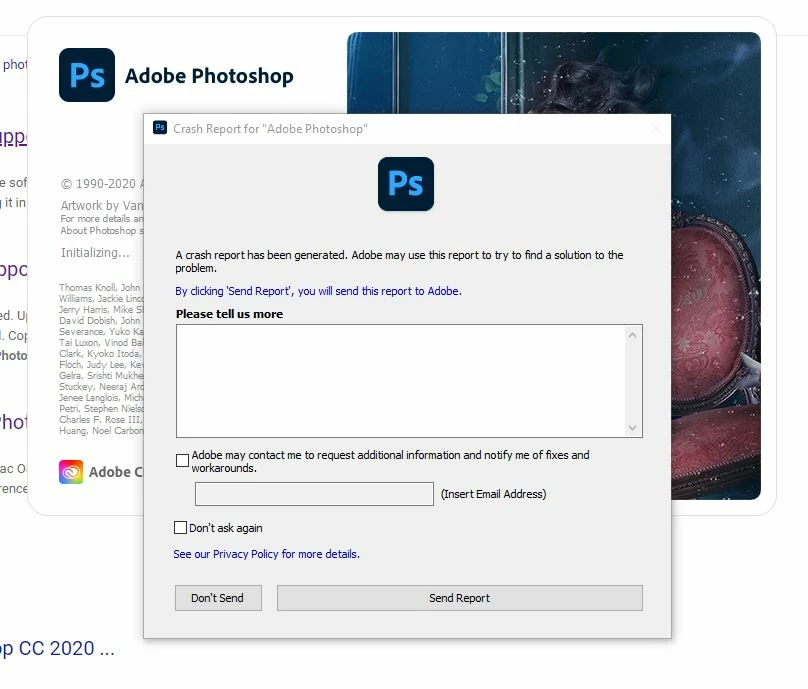


{Thread title edited by moderator}

This topic has been closed for replies.

1 reply

nikunj.m
Legend
September 2, 2020

Hi,


We're sorry about the trouble with Photoshop 2020. Please ensure you have all available Windows updates installed on the computer. Also, please try uninstalling and re-installing the Graphics card drivers.


You can try to reset the preferences of Photoshop using the steps mentioned here: https://adobe.ly/2Qzc0K3

Please backup your settings prior to resetting the preferences. You can check: https://adobe.ly/2vNz6FG


Let us know how it goes!

Regards,

Nikunj

znarls
znarlsAuthor
Participant
September 3, 2020

All drivers are up to date. Uninstalled and reinstalled the graphics card drivers.I can't reset preferences in Photoshop because the program will not open. It starts to the the Crash Report pops up. Loghtroom is still working and I can use an older version of Photoshop which isn't what I want to do.... that's why I subscribe to creative cloud. I also see this is a problem others have. Any other fix for it?