Participant
September 23, 2020
Question

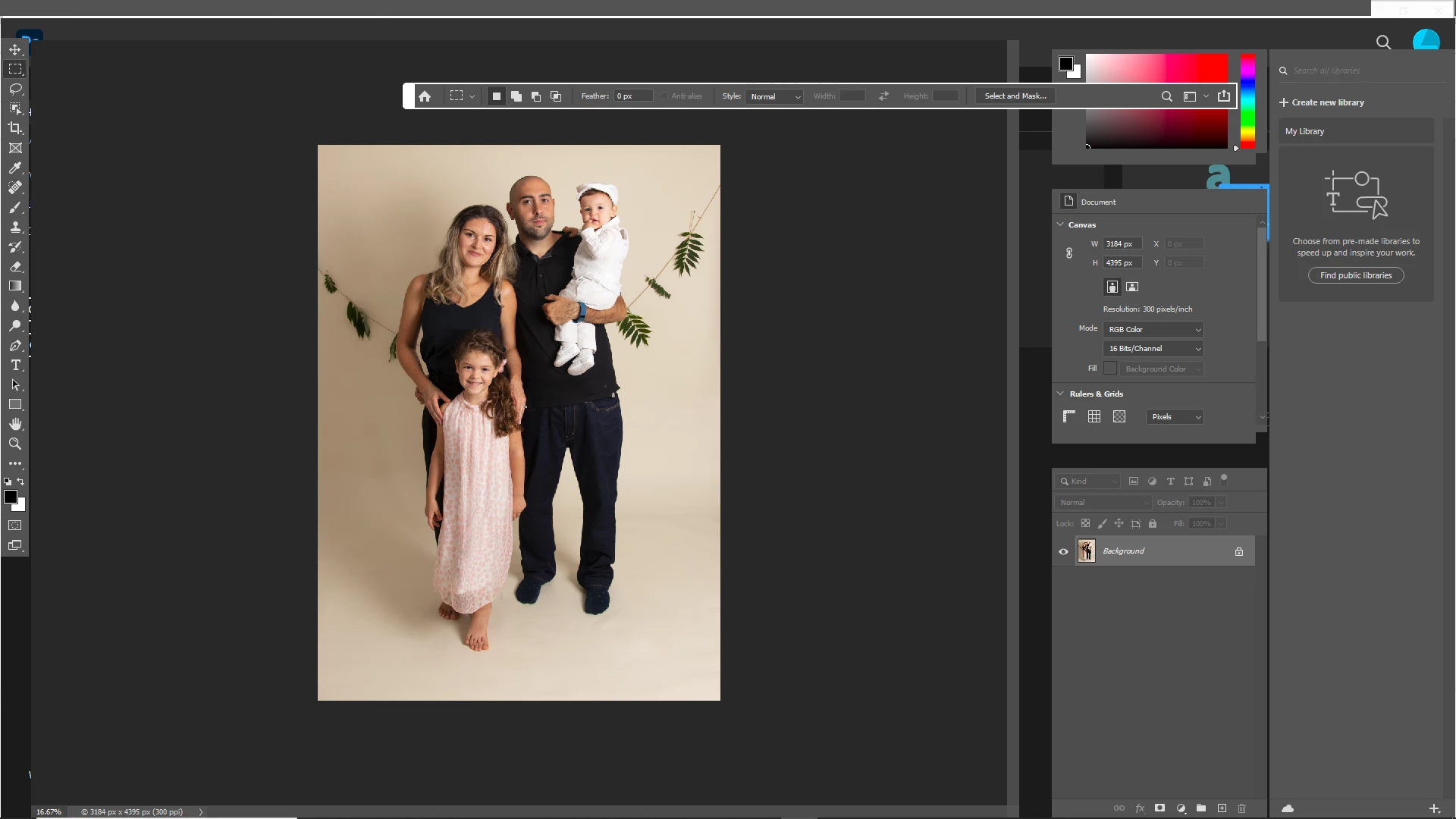
Photoshop 2020 error - can't see the "file" "edit" etc. buttons, and the program cannot function
  • September 23, 2020
  • 1 reply
  • 197 views

Hi, 
I need help with my photoshop software. 

As seen above, it doesn't seem to show up on my screen properly. There are no "file" "edit" etc. tabs, also no "x" for closing the program or shrinking the window in the top right hand corner.

I don't have this problem with lightroom. 
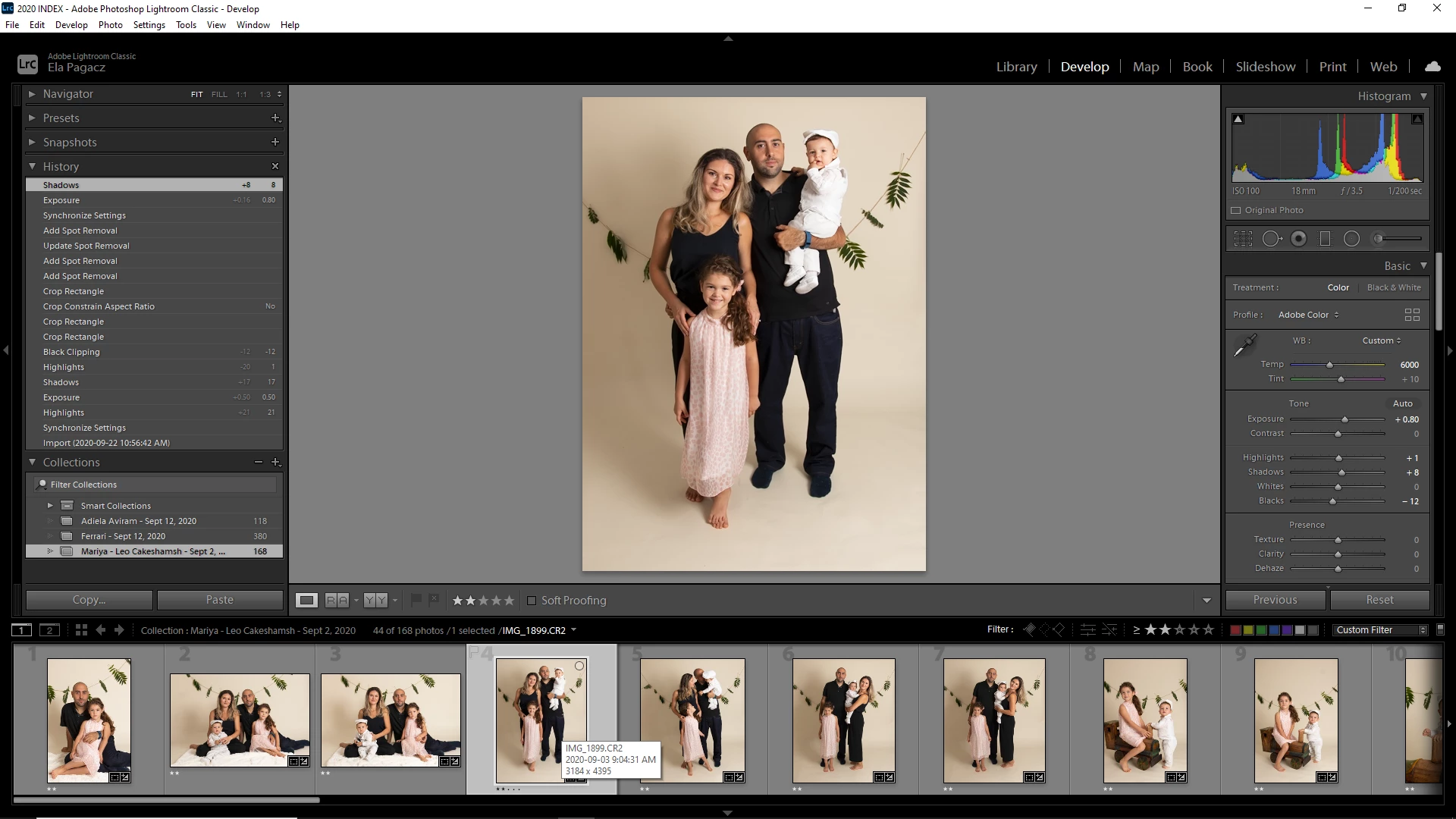
I've uninstalled all versions of PS that I had, as well as LR and re-installed everything from the web, and no change. 

What do I do next to resolve this?


Thanks!


This topic has been closed for replies.

1 reply

nikunj.m
Legend
September 23, 2020

Hi,


We're sorry about the trouble with Photoshop. Would you mind telling us which operating system are you working on?


If you are using Windows, please check: https://feedback.photoshop.com/conversations/photoshop/photoshop-2020-menu-bar-missing/5f5f462c4b561a3d4277eec9


Let us know if it helps!

Regards,

Nikunj

Participant
October 1, 2020

Replying to the automated no-reply email I received. 


No, I did not get the support I needed. I figured out in my own to install an older version of PS. 

I have a high HD and an older graphics card on my system and every time I power off the new PS reboots with the old one. 
I'd like this fixed so I can have access to the version of PS I am paying for.
 
I use Windows.