Participant
May 7, 2020
Question

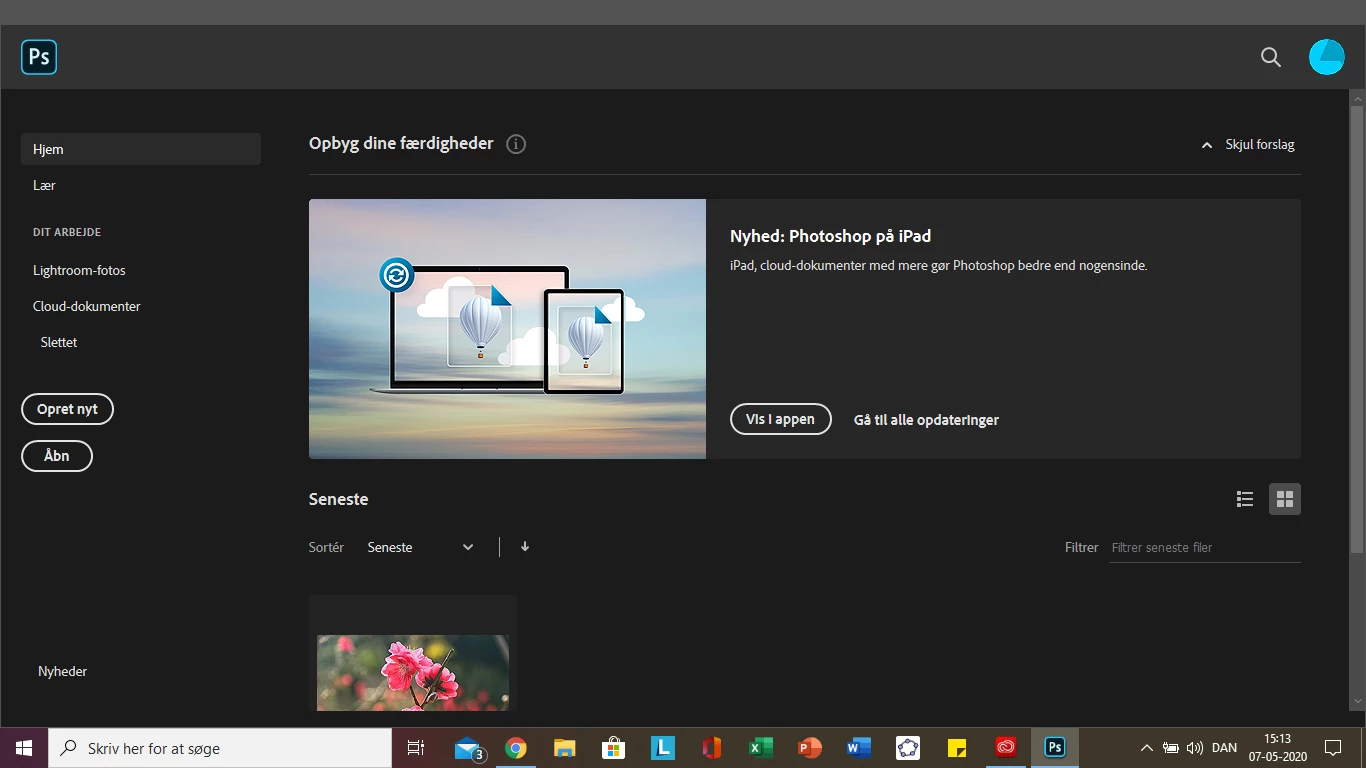
photoshop 2020 is not going futher than this

  • May 7, 2020
  • 1 reply
  • 1138 views

so my photoshop 2020 won't load any more when I come to this place. I have tried to uninstall and restart my computer, deleting the prefs file under photoshop 2020 and I have also tried to just wait but nothing seems to work.

any ideas?


This topic has been closed for replies.

1 reply

Ravi.Shankar
Adobe Employee
Adobe Employee
May 7, 2020

Hi,

Can you tell me how you deleted the prefs? Was it through the ctrl + alt + shift shortcut while launching Photoshop or by going to C:/user/username/appdata/roaming/adobe photoshop 2020/adobe photoshop 2020 settings ?

Also does the application crash or just gets frozen? Please do let me know if you see any errors, Check the event viewer to see if you can find any reports for photoshop as well.

Participant
May 7, 2020

i deleted the prefs by using:
C:/user/username/appdata/roaming/adobe photoshop 2020/adobe photoshop 2020 settings

 It doesn't freeze but more gets stuck. like I can open up a picture, but it doesn't load the settings bar.

neither the minimize make full-screen small screen or the close.


where do I find the event viewer

Ravi.Shankar
Adobe Employee
Adobe Employee
May 7, 2020

I see, that (menubar and windows minimize close etc missing) is a graphic card driver conflict issue. Do you have two graphics cards installed on your computer? You can check that information by going to the Device manager.