
Question
Photoshop 2020 Saving Files to Box Drive
I have noticed an issue since updating to Photoshop 2020 when saving files locally to my Box Drive folder on my Macbook Pro.
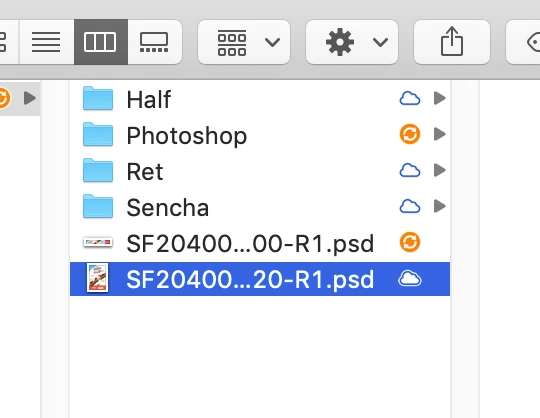
Anytime I save any files from photoshop to my Box Drive folder, Photoshop creates a folder with the directory labeled "Photoshop" with nothing in it. This could cause confusion and organization problems for my work with other users and clients having access to my files. Does anyone know why this is happening and if it is more of a setting with Photoshop or Box Drive?
Thanks in advance!
 AdChoices