
辉龙31590282
Participant
May 8, 2020
Question

Photoshop 2020 unknown error when using 'Export as...' on Windows

  • May 8, 2020
  • 1 reply
  • 1639 views

I use Photoshop version 21.1.2 on my PC. sometimes when I use the "export as" function to export photos, an error window will appear (see screenshot). When I switch to another file and then switch back, I can export normally. This problem has been difficult for me. What's the reason?
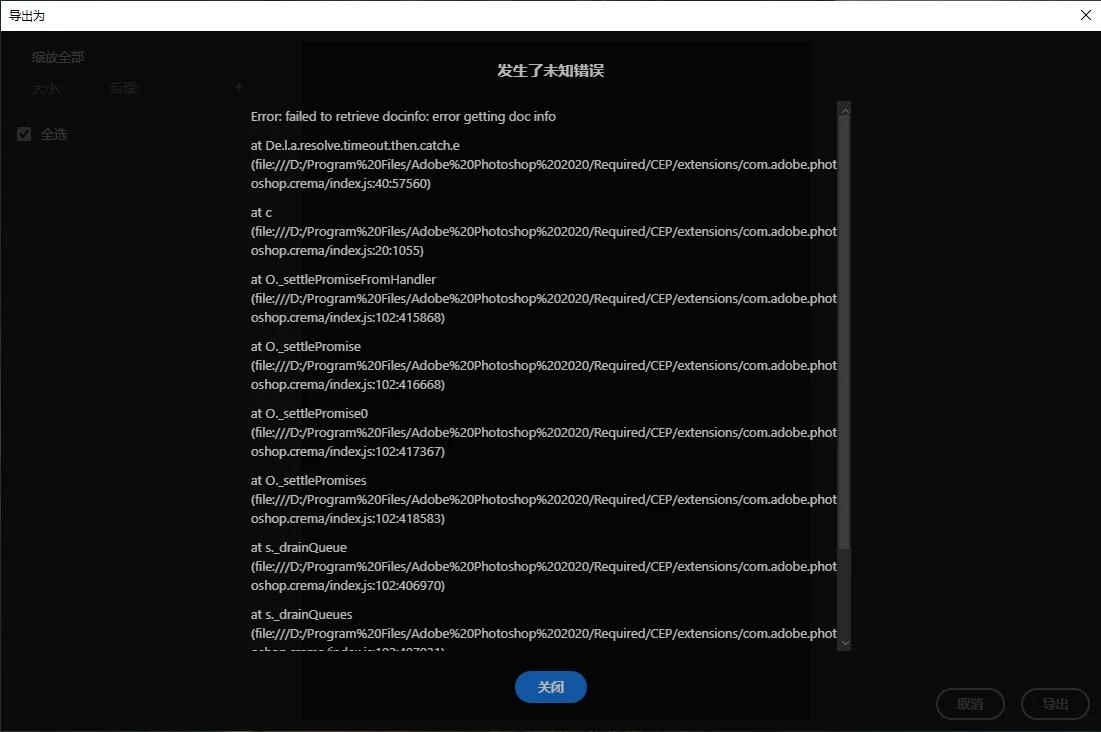


{Thread title modified by moderator}

This topic has been closed for replies.

1 reply

nikunj.m
Legend
May 8, 2020

Hi there,


We are sorry about the experience with Photoshop 2020 on your Windows PC. Would you mind going to the Help menu in Photoshop, then System info and share the information with us here? Do you have the application installed on the system drive of your computer or an alternate drive?


You can try re-installing the application to check if that helps. You can also try to reset the preferences of Photoshop using the steps mentioned here: https://adobe.ly/2Qzc0K3

Please backup your settings prior to resetting the preferences. You can check: https://adobe.ly/2vNz6FG


Regards,

Nikunj

辉龙31590282
Participant
May 9, 2020

Thank you for your prompt reply. I have reset the configuration according to your prompt. I have also reinstalled PS software on the system disk and other disks. Even after replacing the computer, I still encounter the same situation. It's very strange. I can't find the reason.

nikunj.m
Legend
May 10, 2020

Hi,

When you say "after replacing the computer" do you mean you tried installing the application on a different computer?

Are you able to save the file in any format by going to Save As instead of Export As?