

icloudandre
Participant
December 29, 2019
Question

Photoshop 2020 window keeps resizing (going off screen) after switching to other applications

  • December 29, 2019
  • 1 reply
  • 409 views

I'm using Ps 2020 on a Mac (Mojave 10.14.6) 


After I switch to other applications and return to Ps 2020 the window has gone slightly off screen.

To re-center the Ps application requires clicking inside Ps to "wake it up" and centre itself.

See the entire screen, screenshot below.
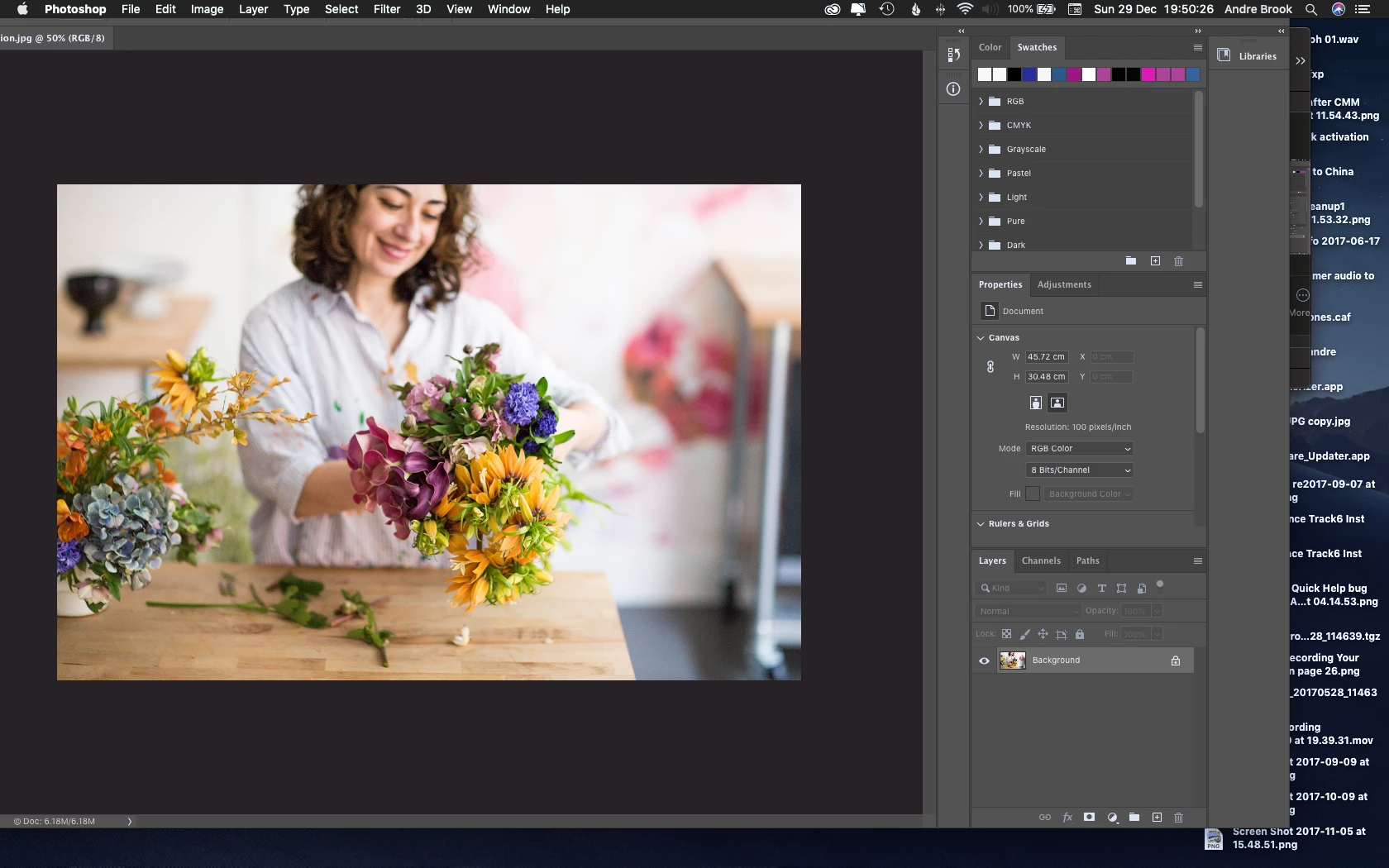
 

Clicking the color swatch (for example) re-centers the screen but its annoying having to do that every time.


Is this happening to anyone else?


Please note: I'm not using Photoshop Elements. I'm using Photoshop (Ps) 2020


This topic has been closed for replies.

1 reply

Akash Sharma
Legend
December 29, 2019

Hi there, 


Sorry that Photoshop 2020 keeps resizing when you switch to different applications. Would you mind enabling the Legacy Compositing option in Performance preferences?
Choose Edit > Preferences > Performance (Windows) or Photoshop > Preferences > Performance (macOS). Select Legacy Compositing. Quit and relaunch Photoshop.
 
Let us know how it goes.
 
Thanks,
Akash

icloudandre
Participant
December 31, 2019

Thanks for your suggestion.


I've checked Legacy Compositing in Photoshop Preferences.


I've restarted MacOs 10.14.6

I've restarted Ps 2020


Same issue exists