Chad Westover
Known Participant
October 21, 2020
Question

Photoshop 2021 Stamp Visible missing

  • October 21, 2020
  • 1 reply
  • 817 views

After updating to the brand new version of PS 2021 today, I tried to make a stamp visible and nothing happened. On further digging it seems that there is no longer a keyboard shortcut or option in the Layers panel like there was in previous versions and as described here:  https://helpx.adobe.com/photoshop/using/layers.html
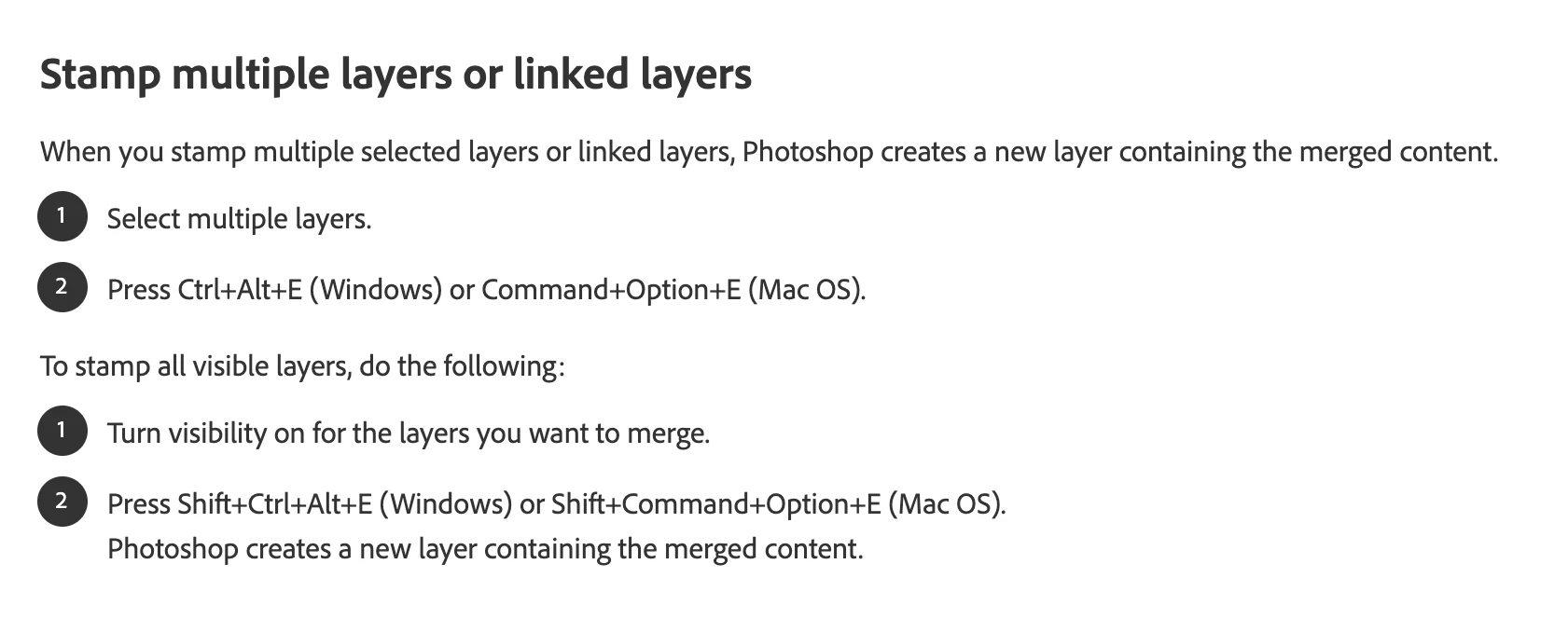
What's more confusing, I reinstalled the previous version to double-check, and stamp visible doesn't work there either now. Any help would be appreciated. This is a command I use on a daily basis.

This topic has been closed for replies.

1 reply

Participant
November 30, 2020

I also ran into this issue after I just did a fresh install on a new machine. Since this is one of my most frequently used shortcuts, this is a big issue for me, as well. Unfortunately, since my previous machine had a HDD crash I can't go back and check whether the functionality disappeared in my previous version, though...

Any help/info as to why this happend or a workaround would be immensely appreciated!

Chad Westover
Known Participant
November 30, 2020

Hi Nils, Since updating to version 22.0.1 it seems to be working again for me. I just tried it on PC and Mac and stamp visible is working again!