
Participant
November 23, 2020
Question

Photoshop 2021 streched fonts

  • November 23, 2020
  • 2 replies
  • 182 views

Hi

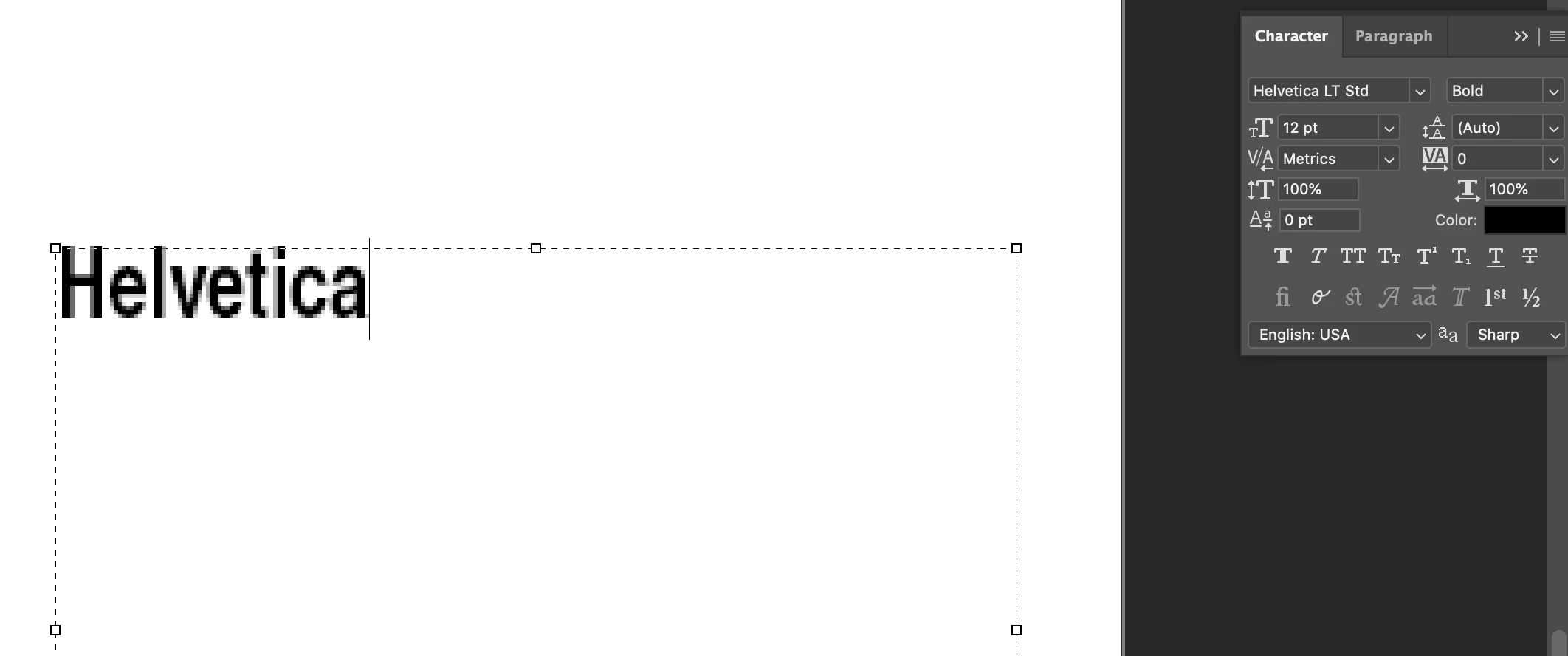
With the new update to photoshop 2021, my fonts are stretched out. It is happening to me and to a co-worker. The panels seem ok image attached. I am using Helvetica as an example but it is happening with all fonts. I've tried all the obvious,  to re-start, re-set preferences,  re-set character ... But nothing works, I will appreciate any help . Thanks!
 

This topic has been closed for replies.

2 replies

Michael Bullo
Community Expert
Community Expert
November 23, 2020

Any chance you might be using non-square pixels?


jane-e
Community Expert
Community Expert
November 23, 2020

I don't see anything in the Character panel. Here's what I would try:

  • Reset the Type tool. Right-click the Type tool in the options bar (not Tools panel) and Reset tool
  • Open the panels for Character and Paragraph Styles. Have any been applied?
  • Draw a square with the Shift key, confirm the W&H, and see if it looks normal or distorted
  • Check your screen resolution at the OS level to confirm it is not set to "stretched"
  • Reset Preferences after backing up Actions, etc., by going to Prefs > General > Reset Preferences on Quit


Is it only Photoshop? Or other applications?


~ Jane