
Participant
November 29, 2021
Question

Photoshop 2022 Lighting Effects greyed out

  • November 29, 2021
  • 3 replies
  • 7675 views

One of my biggest gripes I have right with the latest Photoshop versions is that using the lighting effects proven to be difficult and a source of user toil. It used to work just fine a long time ago when I used Photoshop on Windows 98 but now the feature and its setup has become too cumbersome to use. 


Right now, I have a bug in which, after following the advice on this forum, I was able to get "lighting effects handles appearing in Photoshop 2021." However, after a recent upgrade to Photoshop 2022, now the lighting effects is just plain greyed out without explanation.


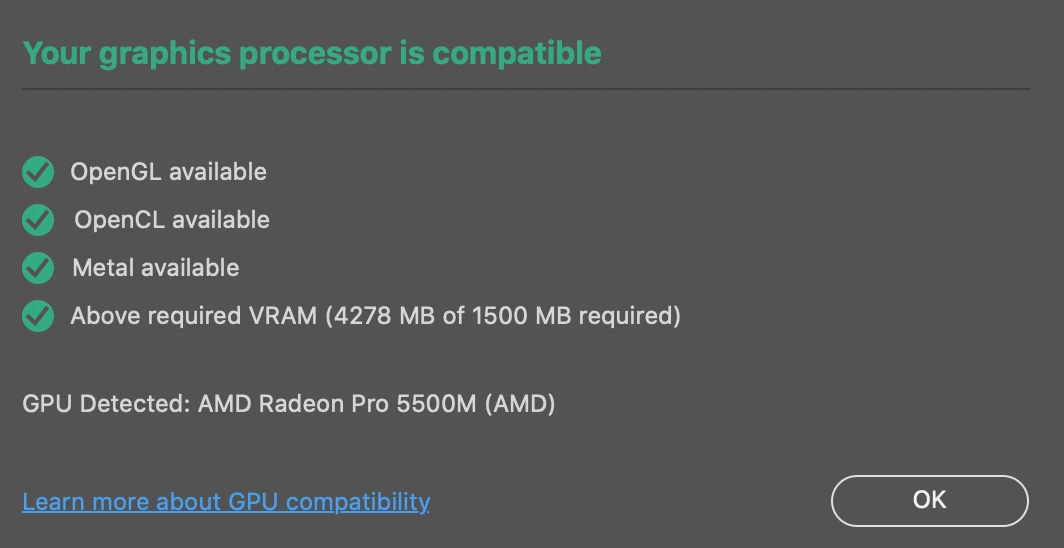
I looked at the posts on GPU compatibility and that doesn't seem to be an issue on my Mac. 


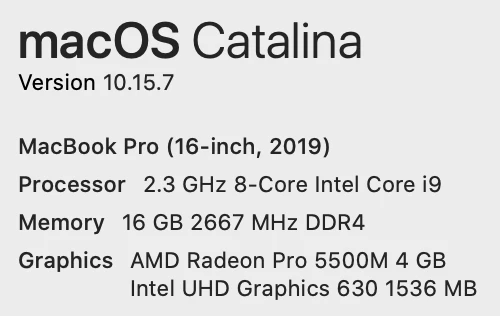
Here's my OS info:
 

Anyone have any ideas?


This topic has been closed for replies.

3 replies

cityshake
Participant
August 5, 2022

Could you please explain why Lighting Effect is being discontinued? I know it is a conversation that is not new. But this feature is very useful. I have been using it on all my photos presenting my art projects. I also think that there is quite a significant number of people in the Adobe community that thinks the same. I think you should make the decision of leaving it and enhancing it. Best,

davescm
Community Expert
Community Expert
January 25, 2023

The decision is explained by Adobe in the link, two posts above yours. I've linked it here again:

https://helpx.adobe.com/uk/photoshop/kb/3d-faq.html


Dave

Participant
December 16, 2021

Please please bring back Lighting Effects ASAP - and please no work arounds ..I'm paying good money for this to work flawlessly


Pat Coffey

Participant
January 25, 2023

Are you foolish enough to believe Adobe values their customers? 


davescm
Community Expert
Community Expert
November 29, 2021

Lighting effects uses the 3D engine which is being discontinued in Photoshop.

https://helpx.adobe.com/photoshop/kb/3d-faq.html


You may be able to get it working by going to Preferences > Performance and checking Disable Native Canvas. Then click OK and close and restart Photoshop. However if that is not succesful then you may need to re-install v22.2 or earlier from the CC desktop app.


Dave