
Participant
November 30, 2021
Answered

Photoshop 2022 random lines

  • November 30, 2021
  • 2 replies
  • 889 views

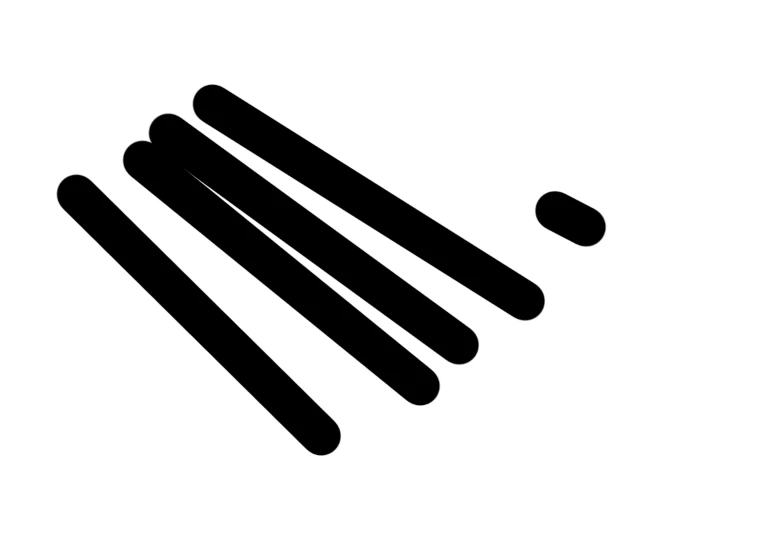
I'm using Windows 10 laptop and Photoshop 2022, and this is a problem that did not happen before updating to 2022. Whenever I try to draw a dot using the brush tool, it draws a line connecting from the cursor to somewhere on the left top corner. How many times I click, the distance for the line seems to be similar as in the picture, and the line gets longer the longer I press on the mouse. It also happens in the selection tool and the erase tool. 

It seems to become less when I set the smoothing to 100% which is how I got the shorter line on the right. I tried to find solutions posted on the Adobe Community but couldn't solve it.
 

This topic has been closed for replies.
Correct answer Sylvia Lee_gl1953

I found that my DPI settings were too high and was resulting in the mouse cursor bit far from where it actually is!! Fixed this problem by changing the DPI setting for photoshop.

2 replies

Sylvia Lee_gl1953AuthorCorrect answer
Participant
December 4, 2021

I found that my DPI settings were too high and was resulting in the mouse cursor bit far from where it actually is!! Fixed this problem by changing the DPI setting for photoshop.

Michael Bullo
Community Expert
Community Expert
November 30, 2021

When using tools like the Brush and the Eraser, holding down the Shift key will connect with a line the "dots" made with consecutive clicks of the mouse. Could you or the system be simulating the Shift key in some way?


Have you tried resetting the Photoshop Preferences? They can be found in the Photoshop menu on a Mac and the Edit menu on Windows. Within the General tab is the button Reset Preferences On Quit.

Participant
December 4, 2021

I'm guessing the shift key is not held down because in other adobe programs such as Illustrator, the shift key works only when I'm pressing it down. The shift key also works with Photoshop, connecting the line to whatever previous point I had. The bug is a little different because it doesn't all connect to a same point, but each dot drawn in a different place creates a line with similar angle and length every time.


I resetted the Photoshop Preferences and brushes and everything separately too, but it's the same.