
Photoshop (21.2.1) display glitch with layers
This started happening in the update previous to 21.2.1 - anytime I'm working in photoshop and I'm not directly working it a layer the entire composition turns grey, I have to zoom in/out or move something around for the design to show again. So stupid and frustrating.
I saw a post thread that recommended going to the Performance tab in Preferences then toggling on or off 'Legacy Compositing' or upping avaliable RAM. Both steps made no difference. I'm not working with complex images, don't have multiple files open or doing anything taxing on my system. My computer isn't the newest but it is maxed out on RAM and used to work fine before CC 2020. So tired of Adobe coming up with new, promising features to their software only to have the most basic functions struggle after an update.
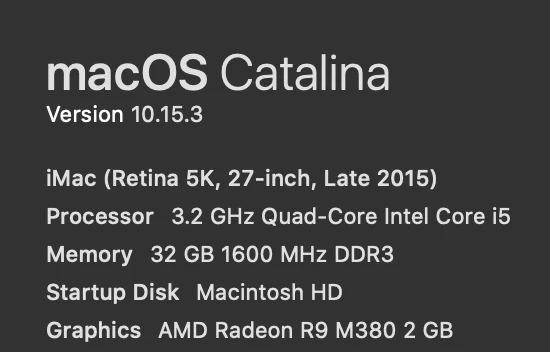
Any suggestions or tips? Screenshot of my specs below -
{Thread renamed by moderator}
 AdChoices