
Known Participant
November 8, 2020
Answered

Photoshop 22.0.0 Content aware crop does not work

  • November 8, 2020
  • 1 reply
  • 654 views

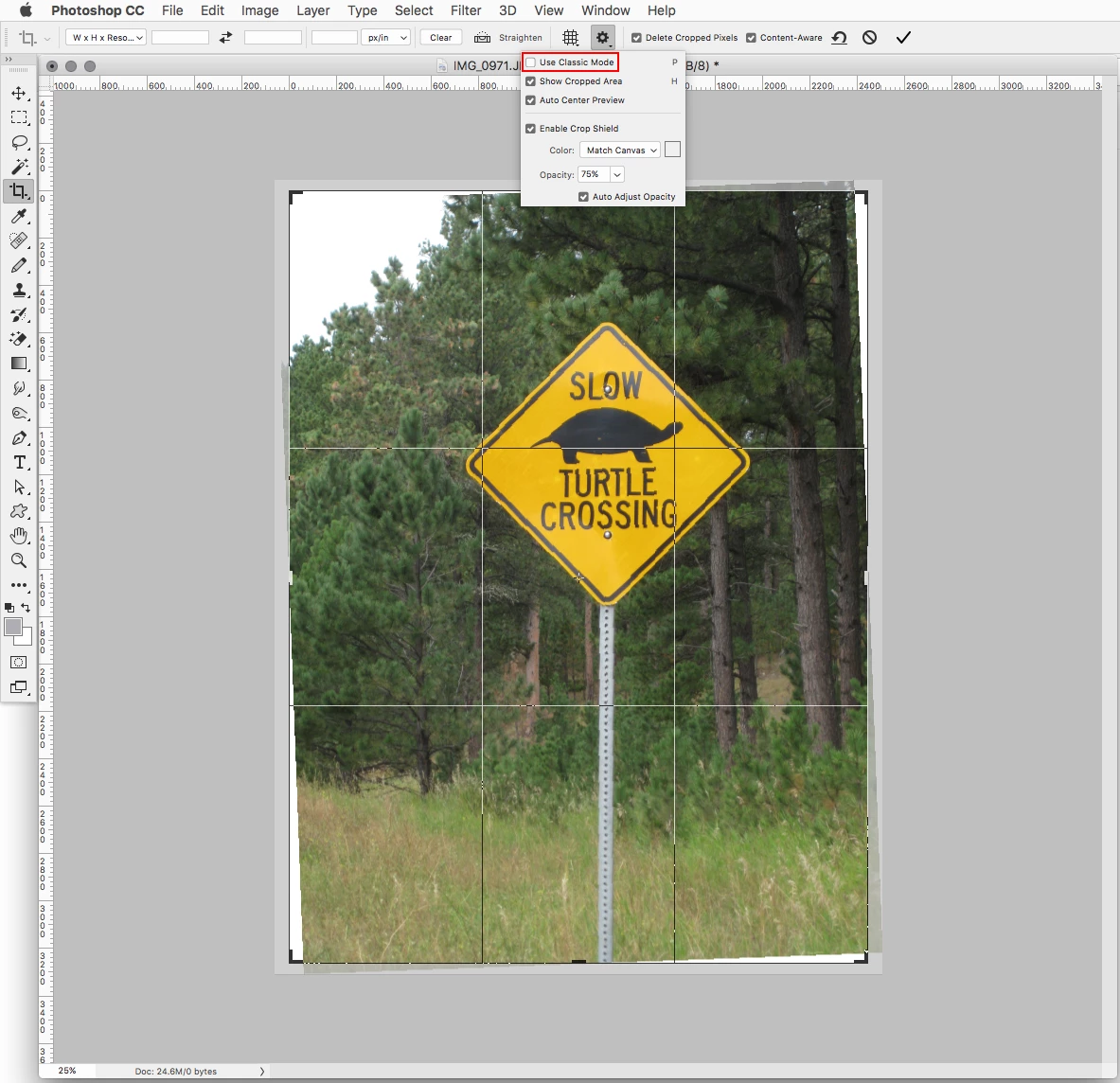
Any ideas here - trying to use the content aware crop, following the on-line tutorial as per https://helpx.adobe.com/uk/photoshop/how-to/content-aware-crop-fill.html but every time I try the "content aware" option unchecks itself.  A short video showing what's happening is attached.

Does anyone have a fix or can tell me what I'm doing wrong?
This topic has been closed for replies.
Correct answer Jeff Arola

Looks like you have Use Classic Mode enabled.  Uncheck Use Classic Mode and see if that works.


1 reply

Jeff Arola
Community Expert
Jeff ArolaCommunity ExpertCorrect answer
Community Expert
November 9, 2020

Looks like you have Use Classic Mode enabled.  Uncheck Use Classic Mode and see if that works.


Known Participant
November 16, 2020

Apologies for the radio silence - I only got a notification that my community request had been replied to last night.

Your answer perfectly identified the issue, I'm now able to get the behaviour I need.


Cheers,

Sean