Photoshop 22.1 program errors (saving and healing brush)
Recently (since the last update to 22.1), I've been regularly receiving program errors while using Photoshop.
Most worrisome is the program error I just received while trying to save a file. I have not figured out a work around yet. There is nothing unusual about the file. It resemembles many other files I've worked on earlier today and in the last week, all of which have saved without problems.
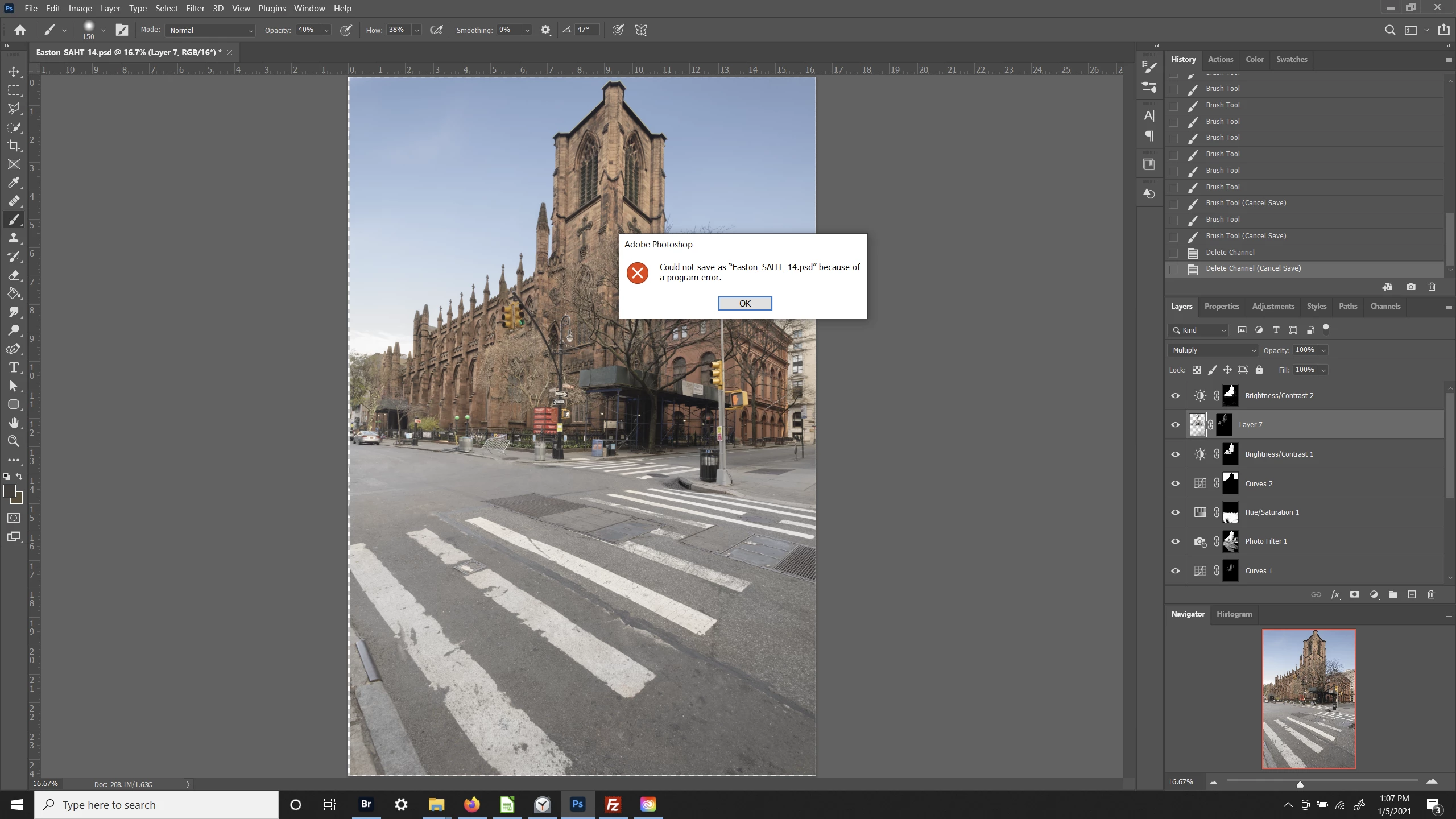
More commonly though, I receive a program error when I am using the healing brush. It will work maybe 20 times and then, for some unknown reason, it will not work on a single are of the image. I can continue to use the brush on other parts of the image (even some very close by that have the same texture, such as clear blue sky), but it consistently won't in that one spot of the image. To solve the problem, I just switch over to the clone tool instead. It has been a regular pain, but not the end of the world.
Whatever is going on, I've not seen these problems in Photoshop before and I'm especially worried about losing an hour or so of work. I may try to solve the problem by leaving Photoshop open for another hour, hoping it will auto-save, and then force quit the program so Auto Recover will come up next time.
In any case, any ideas? I want to avoid all these problems in the future. I tried disabling the GPU for processing, but that did not work.
For reference, I'm using a Windows 10 Pro system. Lenovo laptop with a Intel HD Graphics P530 card. My system regularly updates on it's own, and Photoshop is fully updated.
 AdChoices