

Photoshop 23.5.1 - Graphics hardware acceleration does not work
I have an issue with PS 23.5 and 23.5.1 versions: after first launch a GPU check window with incompatibility information appears. There is reported to that GPU driver is out of date, OpenCL is not supported, etc. Then GPU acceleration gets disabled completely (no animation, no anti-aliasing, no scrubby zoom, rotation etc — even no VSync) but all the Performance tab checkboxes remain available, clickable and enabled.
After relaunching the bug stays persisting although the gpu check window says all OK but graphic driver is slightly too old (the latest version).
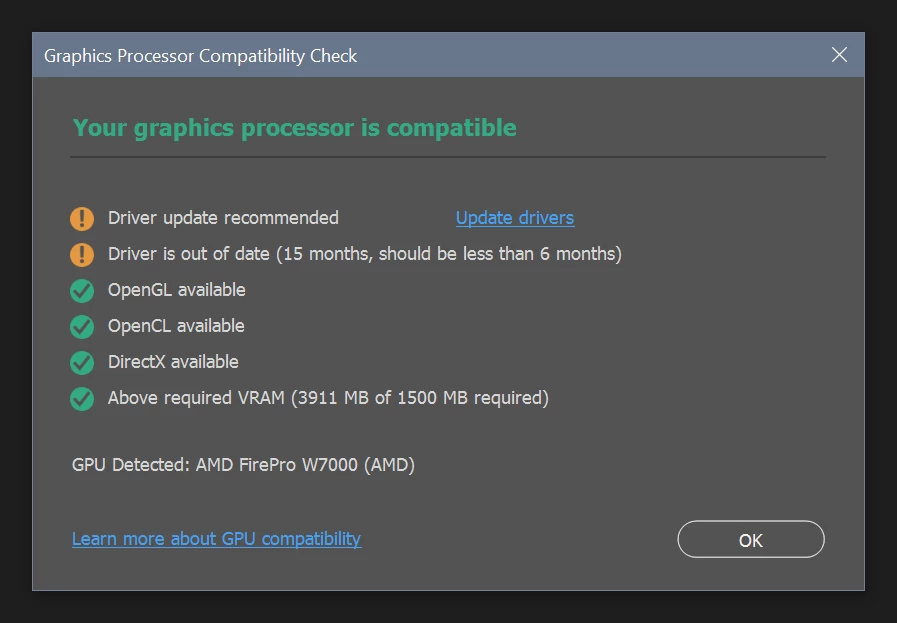
Flushing of the preferences, system reboot, driver and PS tweaking do not help. Reinstalling of PS and GPU drivers do not help too. Changing GPU does help with the same driver but other card (the same year) model.
In the 23.4.2 version all keeps on working OK with any card.
System is Windows 10 21H2 with the last update pack, AMD FirePro W7000 GPU, 21.Q2.1 AMD FirePro Drivers. Altenative (all working OK with the same drivers) GPU is server FirePro S9150 via W7000 as a proxy interface dongle.
There is a similar issue with PS 23.5 version
all the tips from that topic are completely useless.
 AdChoices