


opposecorps
Participant
March 23, 2023
Answered

Photoshop 24.3

  • March 23, 2023
  • 4 replies
  • 389 views

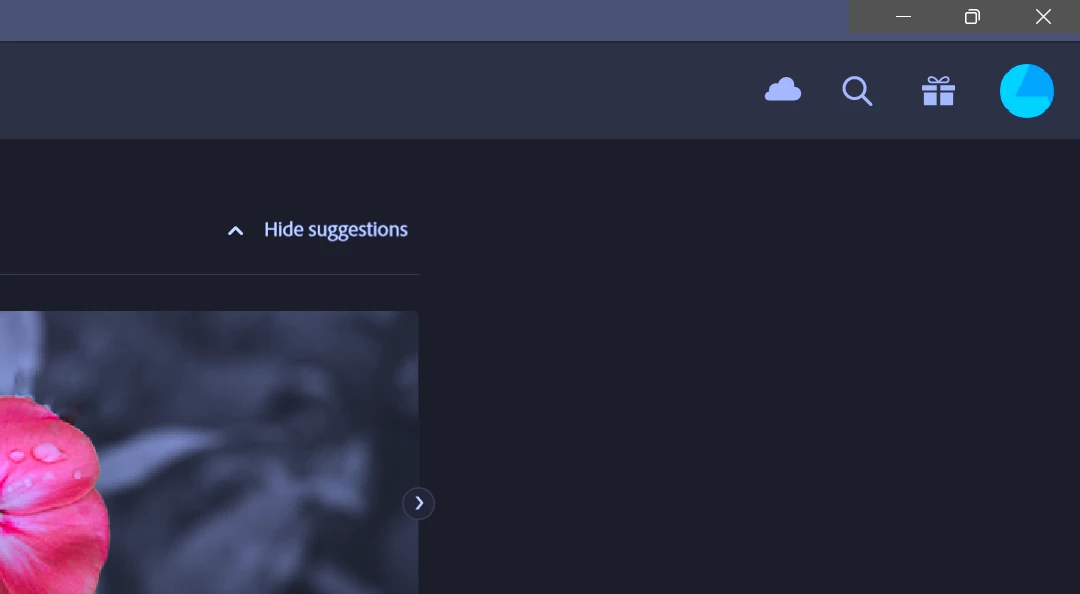
My Photoshop is operating with a blue tint to the interface.  Almost as if the white balance is cool (like in a photo). Even the splash screen is affected by this.  I've looked in the preferences > interface and in many other places.  You can see in the image that the minimize, maximize and close button background is the correct grey color, but the rest has a tint to it.

What do I do here?
 

This topic has been closed for replies.
Correct answer opposecorps

Okay... I figured it out.  Here is my setup.  I am running a Ryzen 5, 5600X 32Gb or Ram, RTX 3090 Ti.  My monitor is a 48in LG Ultragear OLED display.  All I did... was turn off HDR in Windows.  Bam! Fixed!.  Weird.

4 replies

Ged_Traynor
Community Expert
Community Expert
March 24, 2023

@opposecorps I was just going to reply asking if HDR in Windows was enabled, I recall seeing that issue before but forgot about it, glad you figured it out 👍

I'll mark your answer as correct so it can help someone with the same issue, thanks for reporting back with the solution

opposecorps
opposecorpsAuthorCorrect answer
Participant
March 24, 2023

Okay... I figured it out.  Here is my setup.  I am running a Ryzen 5, 5600X 32Gb or Ram, RTX 3090 Ti.  My monitor is a 48in LG Ultragear OLED display.  All I did... was turn off HDR in Windows.  Bam! Fixed!.  Weird.

opposecorps
Participant
March 24, 2023

@Ged_Traynor Well, I tried that.  But it didn't amount to anything.  I don't think it is a colour profile issue because it isn't system wide.  It is uniquily local to just Photoshop.  And the image in my original post shows the color of the window to be accurate behind the close/minimize buttons.  This kinda tips me off that it's not a color profile system wide.  But I cannot find any settings to rectify this within Photoshop.  It is only in Photoshop.  Illustrator and others are not doing this in the interface.  Strange!

Ged_Traynor
Community Expert
Community Expert
March 24, 2023

@opposecorps looks like a monitor colour profile issue, go into the Windows Control Panel > Colour Management and follow the screenshots

Select sRGB