
Inspiring
December 10, 2023
Question

Photoshop 25.2.0: Photos suddenly not editable anymore

  • December 10, 2023
  • 3 replies
  • 240 views

Hello everyone,

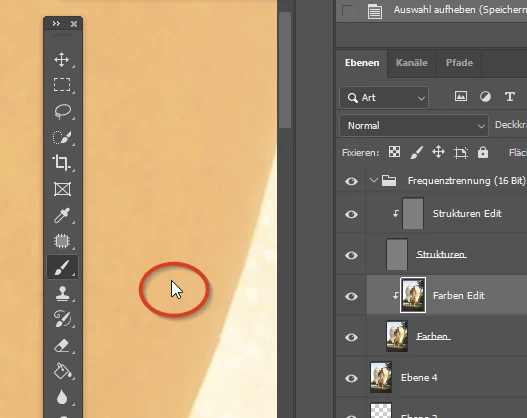
at the moment, I often have the problem, that after certain edits the cursor get's its Windows standard form and the open file is not editable anymore. Because of all the edits already made, I have to save the file a psd and re-open it. Only then I'm able to edit the photo again.
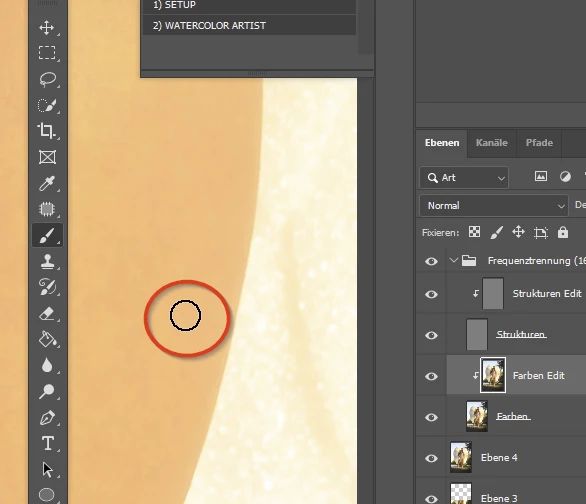
After saving as psd and re-opening:
Has anyone a solution for this problem?

Thanks in advance and best regards
Jens


This topic has been closed for replies.

3 replies

PECourtejoie
Community Expert
Community Expert
December 14, 2023

Guten tag!

1) Are you using third party plugins?

2) Can you setup the status bar at the bottom to show the GPU mode and report if it changes at the same time?

You should see D3D12 on windows: https://helpx.adobe.com/photoshop/kb/photoshop-cc-gpu-card-faq.html#real-time-gpu-status

Inspiring
December 14, 2023

No, not really. There's no pattern. Sometimes I can work for hours without problems, in another situation it happens after 15 Minutes. When I have opened multiple files at the same time, the problem is only existent in this one file, the others can still be edited then.

Semaphoric
Community Expert
Community Expert
December 10, 2023

You say, "After certain edits." Is there any pattern to this behavior? Like, specific tools?