


racheld405366
Participant
March 24, 2020
Answered

Photoshop 3D Extrusion

  • March 24, 2020
  • 3 replies
  • 1313 views

Hi,

I am trying to follow a tutorial on abstract 3D extrusion however after I select new 3D extrusion from selected layer my shapes appear very flat and grey coloured while the example shown maintains white front and generates a solid 3D outcome with shadows see below.
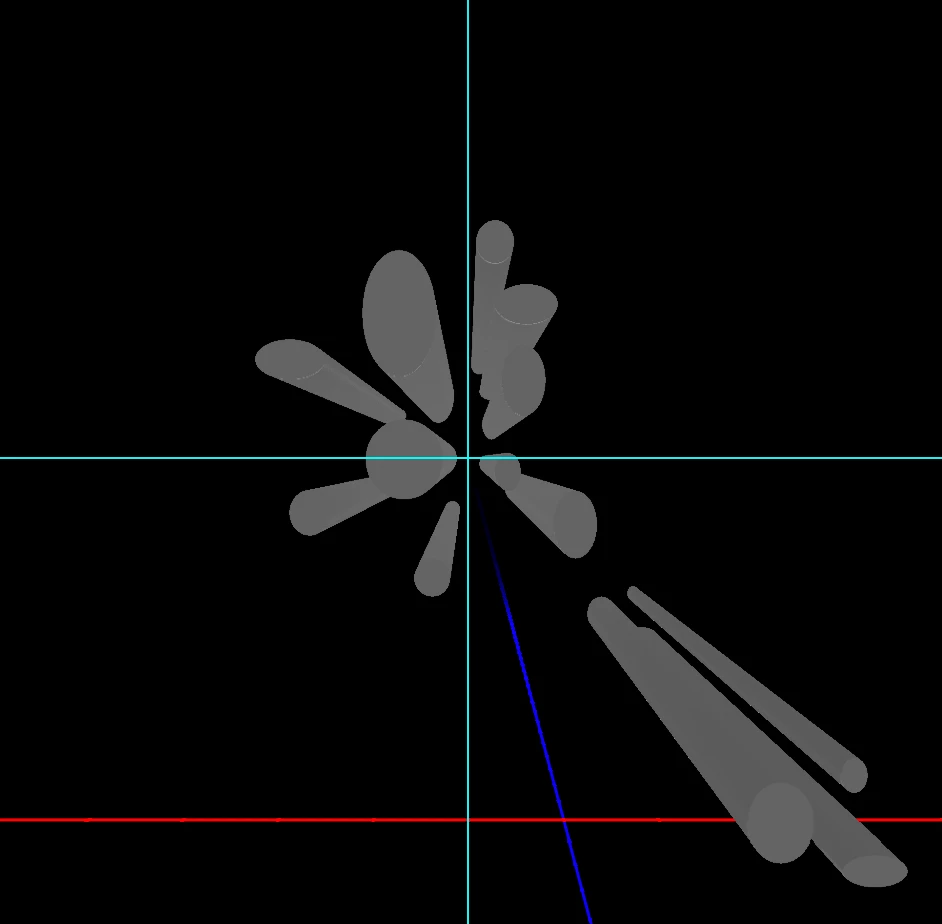
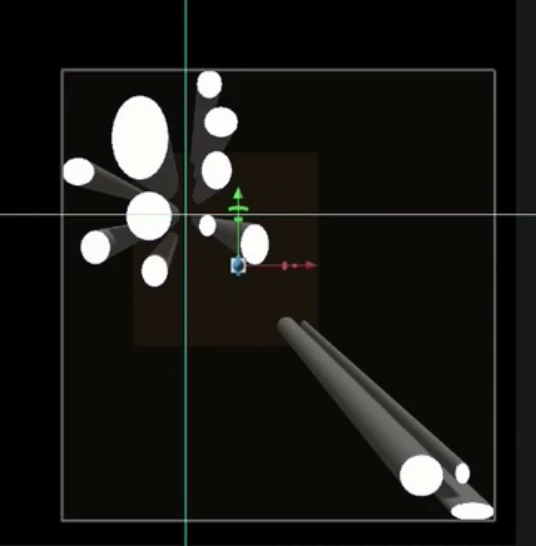
Can anyone tell me how to achieve the above effect?


Thanks!

This topic has been closed for replies.
Correct answer davescm

You haven't given us much to go on.

First go to 3d Scene and in properties check "Remove hidden backfaces"

Then show us :

a. The scene properties panel.

b. Your lighting settings

c. Your material settings


Dave

3 replies

Ussnorway7605025
Legend
March 24, 2020

just fyi its in the last two version and Photoshop 2019 is the best one to use for 3D work

davescm
Community Expert
davescmCommunity ExpertCorrect answer
Community Expert
March 24, 2020

You haven't given us much to go on.

First go to 3d Scene and in properties check "Remove hidden backfaces"

Then show us :

a. The scene properties panel.

b. Your lighting settings

c. Your material settings


Dave

racheld405366
Participant
March 24, 2020

That's it! My backfaces wasn't checked in properties so I couldn't see what I was doing. Thank you!!!

davescm
Community Expert
Community Expert
March 24, 2020

You're welcome. That step should not really be required but there is a bug in the current version which requires that to be checked as a workaround so that the GPU preview works correctly

Dave

JJMack
Community Expert
Community Expert
March 24, 2020

You should post a link to the tutorials you used and note the step you performed and show the screen captures of you Photoshop screen before and after each step you did. All you have told us is you were unable to follow some tutorial.  

JJMack
racheld405366
Participant
March 24, 2020

So far I have not done that much. I have opened a new file, made it black, drawn a number of white shapes using the ellipse tool, merged the shapes onto one layer and then hit 3D/ New 3D extrusion from selected layer which is producing this:


However the tutorial produces this:


I can't go any further because I can't actually see what I'm producing.