vernon_cg
Participant
November 4, 2016
Question

Photoshop 3D Help Please! Bizarre Extrusion UV Map Rendering

  • November 4, 2016
  • 3 replies
  • 2168 views

Hi,

I've been at this same issue for days and I'm really desperate at this point. I've been all over Google, tutorial sites, Lynda.com, Freenode... ughh

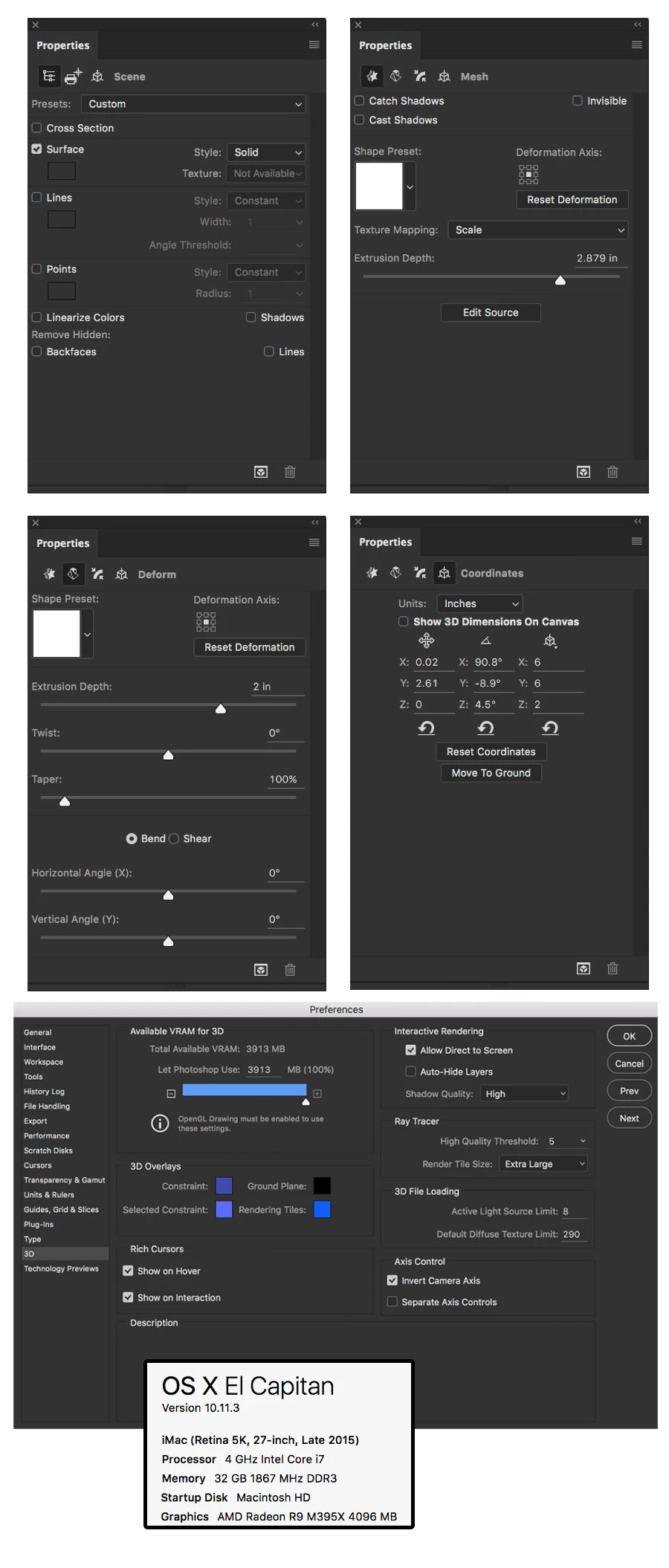
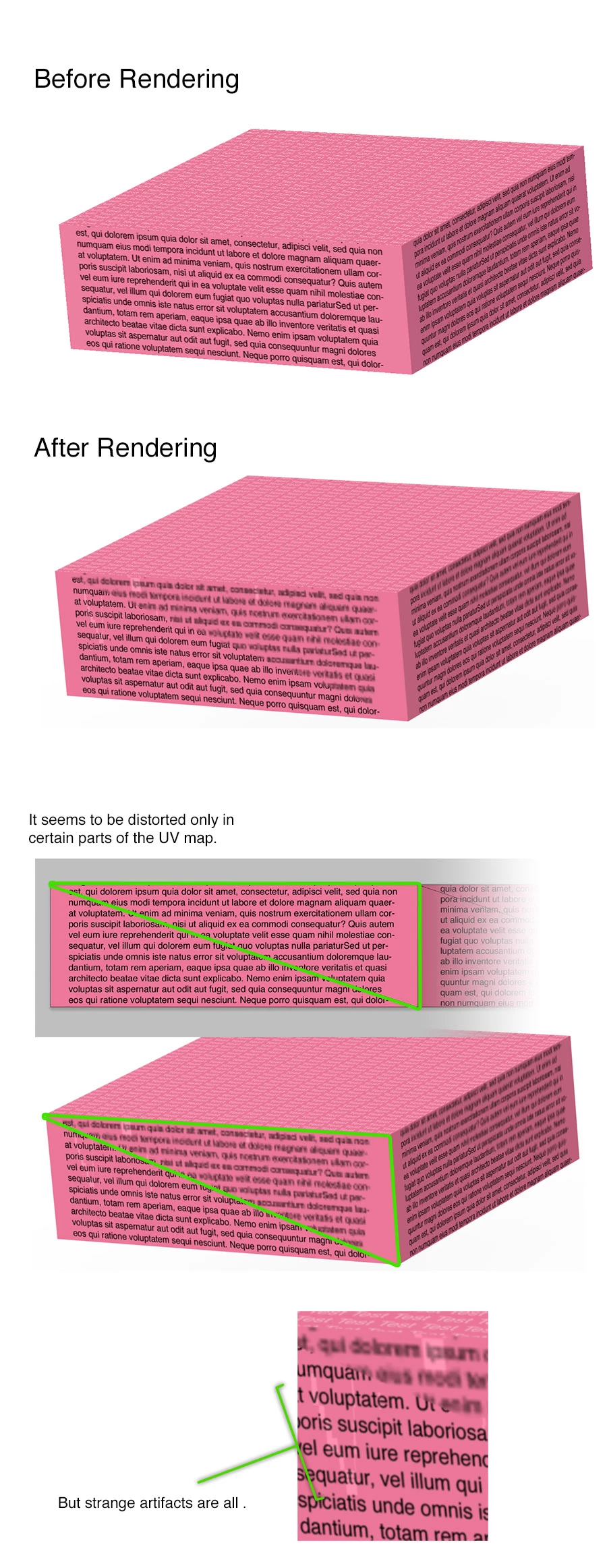
I figured pictures might tell the story better, so I created test image to illustrate my problem. Please see the pictures below.

Note:

It seems to be a problem when texture mapping is set to scale. When I set it to tile or fill it doesn't do this. But that workaround has its own set of problems.

I really hope someone can help me with this! Thanks in advance.

Vernon
This topic has been closed for replies.

3 replies

davescm
Community Expert
Community Expert
November 5, 2016

Also CS6 , CC2015.5.1 and CS 2017 all show the same render

Dave

Known Participant
November 5, 2016

I know that I had the same problem months ago and an Adobe engineer told me, how to avoid it. I just forgot, how that worked (and it did work). Hope he reads this thread.

davescm
Community Expert
Community Expert
November 5, 2016

Hi Stefan - thanks for chipping in - would take any help we can get on this.

I found the issue with the markings on the pink texture it was resolved by changing the setting of the Diffuse
Colour where the intensity was up to max.

Setting the extrusion diffuse color  the same as front surface (reduce intensity and set color to white) cured that issue.

I still haven't resolved the text blurring - but will keep looking.

Dave

davescm
Community Expert
Community Expert
November 4, 2016

If you are able to post a link to your test PSD (in drop box or similar) I would be happy to try it here and see if it renders OK. At least that would narrow it to a system or an image issue.

Dave

davescm
Community Expert
Community Expert
November 5, 2016

Hi ,

Thanks for PM with file. Sorry it has taken a while to get back to you, you file arrived just as I was going out for the evening.

I let it render whilst I was out.

The result is below. The good news is - it is not your system, I am seeing the same issues.

The render showed a softening on the text (see below) albeit to a lesser extent than you saw, and also the a same impact as you posted on  background texture.

Turning off the text layer showed the same impact on the background

However at this stage I cannot see what is causing the text distortion or the pink background issues. I will have a further look in the morning

Dave

davescm
Community Expert
Community Expert
November 4, 2016

Hi

I tried to replicate this (similar 3D preference settings to you but on a Windows 10 PC)

I could not get that distortion. I tried on the front inflation and the extrusion (extrusion shown facing camera)

Dave