
Participant
February 19, 2018
Answered

Photoshop advice

  • February 19, 2018
  • 2 replies
  • 303 views

Hello all,

I'm afraid i'm a complete newby to Photoshop so please go easy on me; especially if I sound dim.

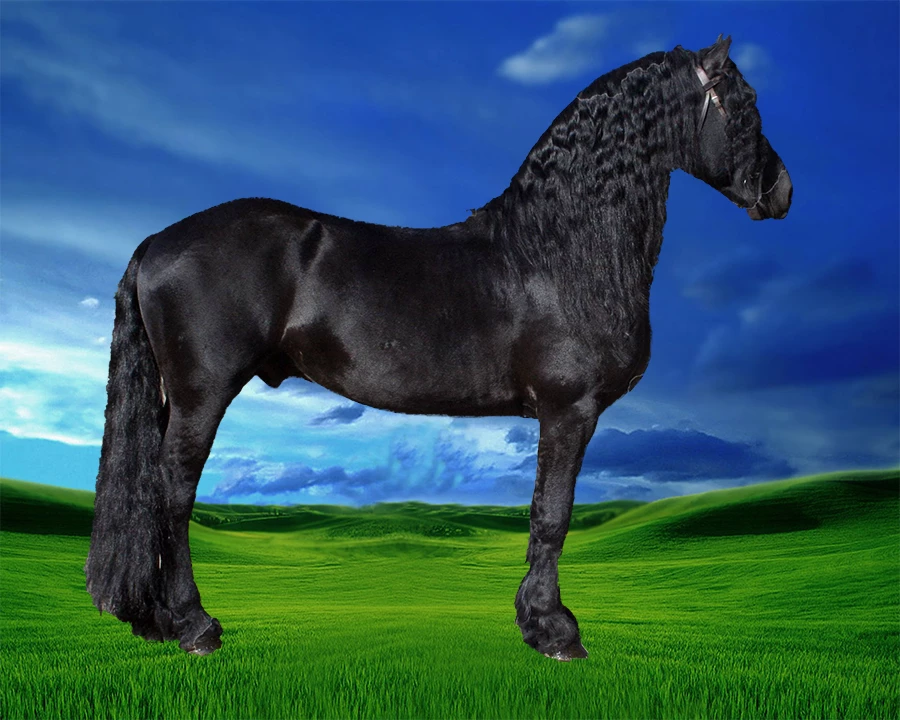
I purchased Photoshop CC today and after roughly 10 hours of tutorials and websites I have finally managed to put one image on top of another (try not to shake your heads) I am now wanting to put a hole in the side of the horse so that I can see the sky through it. Is this doable please?  If so, can someone point me in the right direction? I'd appreciate answers in layman terms - Thanks
    This topic has been closed for replies.
    Correct answer Peru Bob

    If the horse is not on a separate layer, make a round selection (as my previous post) of the sky.

    Right click on the selection and click Layer Via Copy.

    Select the new layer and move the selection to the desired location on the horse.

    2 replies

    Peru Bob
    Community Expert
    Peru BobCommunity ExpertCorrect answer
    Community Expert
    February 20, 2018

    If the horse is not on a separate layer, make a round selection (as my previous post) of the sky.

    Right click on the selection and click Layer Via Copy.

    Select the new layer and move the selection to the desired location on the horse.

    Peru Bob
    Community Expert
    Community Expert
    February 20, 2018

    If the horse is on a separate layer than the sky, highlight the horse layer.

    Use the elliptical selection tool at a fixed size or a fixed ratio (1:1) to make a round selection.

    Select > Transform to adjust the selection's size and move the selection to the desired location and press Enter.

    Click Delete and the sky will show through the circle.

    Participant
    February 20, 2018

    Oh my goodness!! You, Peru Bob, are a wonder! Thank you so very much. I can now finally go to sleep.

    Peru Bob
    Community Expert
    Community Expert
    February 20, 2018

    You're welcome.