bonnies53343475
Inspiring
May 23, 2018
Answered

Photoshop all fonts are condensed

  • May 23, 2018
  • 3 replies
  • 7478 views

Hello,  I have found old posts about fonts/type looking too condensed.

I am having the problem with the current CC Photoshop.  I have tried many things, and

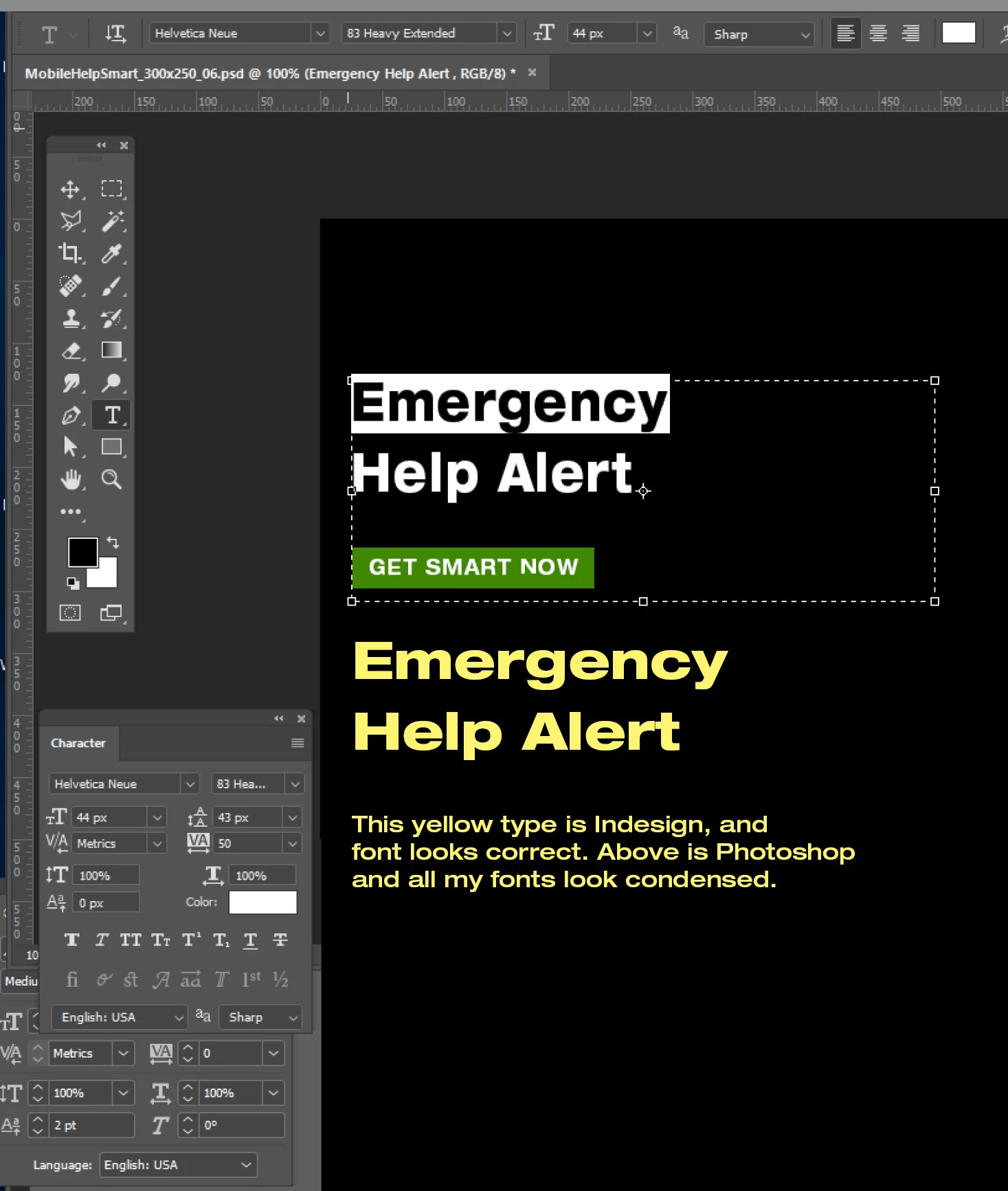
all the fonts I use still look about 70-80% condensed.

Here is a sample of Photoshop compared to Indesign.

I run a PC.

Correct answer bonnies53343475

Resetting the Type Tooland pasting the text into a newly created non-empty Type Layer seems to get rid of the distortion.

I suspect you inadvertently transformed a Type Layer sometime.


Thanks again.

.  We tried several new documents all with new text boxes.

My IT man has been working on this all day.

Two things that SEEM to have finally cleared it up, we hope for good.

There is a "font feature cache" file to be deleted.

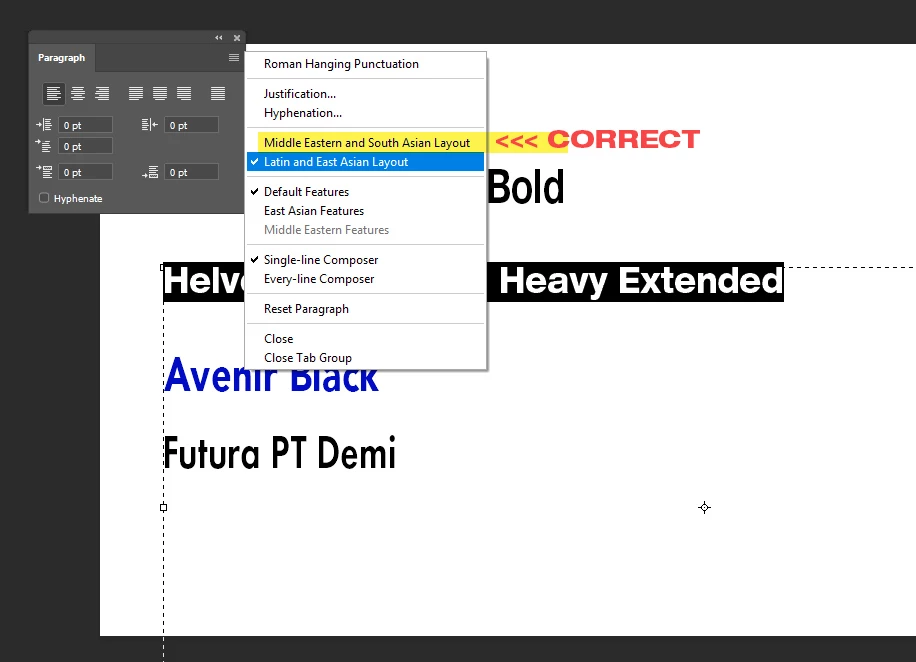
Somehow "East Asian" features got turned on, or made into a default.

Why on earth there is no  "USA, Roman" Layout feature, and the correct setting is  Middle eastern and South Asian Layout -

is totally WEIRD.

See 2 screenshots:
3 replies

Participant
February 1, 2023

Use the "Reset Paragraph" ommand in the paragraph menu and it should solve the type problem.


c.pfaffenbichler
Community Expert
Community Expert
May 23, 2018

Has the Type Layer been transformed?

When you copy the text and paste into a new Type layer is it distorted, too?

Please post s screenshot with the Character Panel and the text actually selected.

Theresa J
Community Expert
Community Expert
May 23, 2018

Helvetica Neue is a large font family. The yellow type looks like it is an Extended face and the Photoshop text looks like it’s a normal one, meaning not condensed or extended.

bonnies53343475
Inspiring
May 23, 2018

If you look carefully,  I am using Hel 83 Extended Heavy in both samples.

This happens to all of my fonts as I stated.

Theresa J
Community Expert
Community Expert
May 23, 2018

I tested the same font on my computer and it matches perfectly. The black text is a screen capture from InDesign placed into Photoshop. The red text is Photoshop text.

Next I scaled the text box in Photoshop using transform with the move tool. This squeezed the text similar to yours. The character panel however does not reflect the scaling. I think this is what happened to your Photoshop text.