Photoshop and Lightroom with new Macmini M1
Hi,
I've recently copied all my content from my old Macbook Pro over to a new MacMini M1. This included Photoshop 2022 and Lightroom Classic,( both up to date), plus all the associated plugins I use with these applications.I transferred the content via a timemachine backup from an external drive during the MacMini setup process.
I was not prompted to download Rosetta to open lightroom. I was prompted to download Rosetta to be able to open Photoshop. ( This in itself confused me as I understood both ran natively on M1 machines now).
Both Photoshop and Lightroom seem to be working although, some plugins, eg, the original Nik collection, aren't running smoothly as they were before.
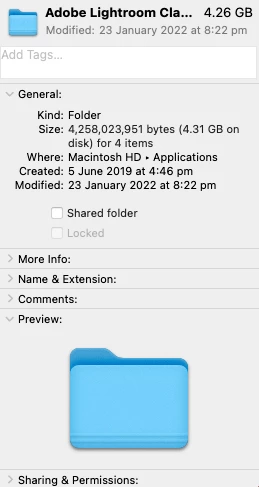
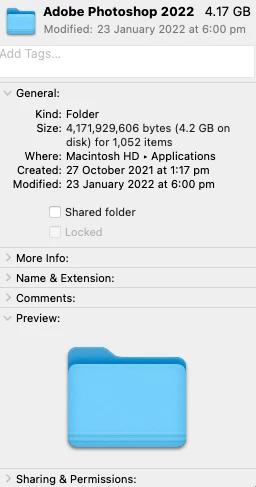
I read I should be able to open the "get info "screen for Photoshop and Lightroom and see check boxes to enable and disable Rosetta as well as seeing other infomation. I can't see any of that on my M1 machine,(see attachments. Why next to "kind" is folder shown? I read it should be "universal or intel or something.
I that normal? Have I somehow transferred across compromised versions of Photoshop and Lightroom which may not utilize the M1 chip ideally? As mentioned, all the programmes were up to date when transferred across and are current and up to date on the new machine.
I'd just like to know that all the programmes are working optimally, because, at present, I have no idea.
Sorry for the rant.
James
 AdChoices