ilx2
Participating Frequently
August 30, 2017
Answered

Photoshop animated fire action is missing

  • August 30, 2017
  • 2 replies
  • 1371 views

hi,

can anyone direct me to the animated fire action?
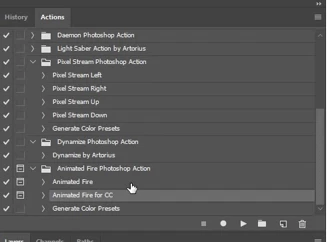
it is missing,
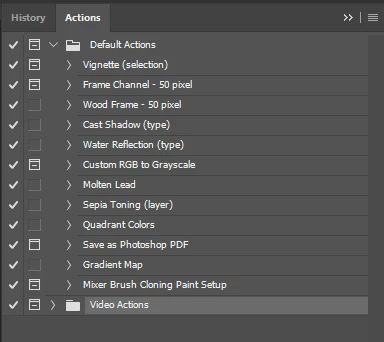
can it be misplaced in the Adobe Photoshop folders? [...\Adobe\Adobe Photoshop CC 2017\Presets\Actions]
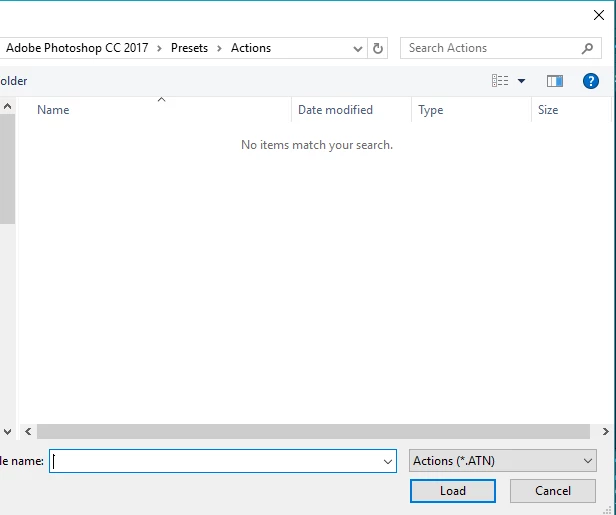
or is it not a part of the predefined actions in this Photoshop version?

I appreciate your help.

thanx 🙂

ilil

This topic has been closed for replies.
Correct answer angie_taylor

I don't think this is a default action. Here's a link to the Action online;

https://graphicriver.net/item/animated-fire-photoshop-action/19171775

Hope this helps,

Angie Taylor | http://www.creativecabin.co.uk

2 replies

angie_taylor
angie_taylorCorrect answer
Legend
August 31, 2017

I don't think this is a default action. Here's a link to the Action online;

https://graphicriver.net/item/animated-fire-photoshop-action/19171775

Hope this helps,

Angie Taylor | http://www.creativecabin.co.uk

Participating Frequently
August 31, 2017

Did you, maybe meant the filter Flame?

You find this filter in the Filter menu under Render / Flame

ilx2
ilx2Author
Participating Frequently
August 31, 2017

hi

thank you for your reply

the filter I know, I was looking for the animated action for this filter

thanx

ilil

c.pfaffenbichler
Community Expert
Community Expert
August 31, 2017

or is it not a part of the predefined actions in this Photoshop version?

What gave you the idea it is one of the default Photoshop Actions?

ilx2
ilx2Author
Participating Frequently
August 31, 2017

Since in the studio I use to work, I had the 'action' as part of the Photoshop actions