
Participating Frequently
November 27, 2019
Question

Photoshop Animation "Dispose" not working.

  • November 27, 2019
  • 1 reply
  • 879 views

Hi Guys,


For some reason, the dispose button on my photoshop animation is not doing anything. its supposed to dispose of the previous frame to show the next frame thus making it animated.... but for me it still just shows all of the frames once it plays the frame the frame stays there instead of disappearing like its supposed to!!
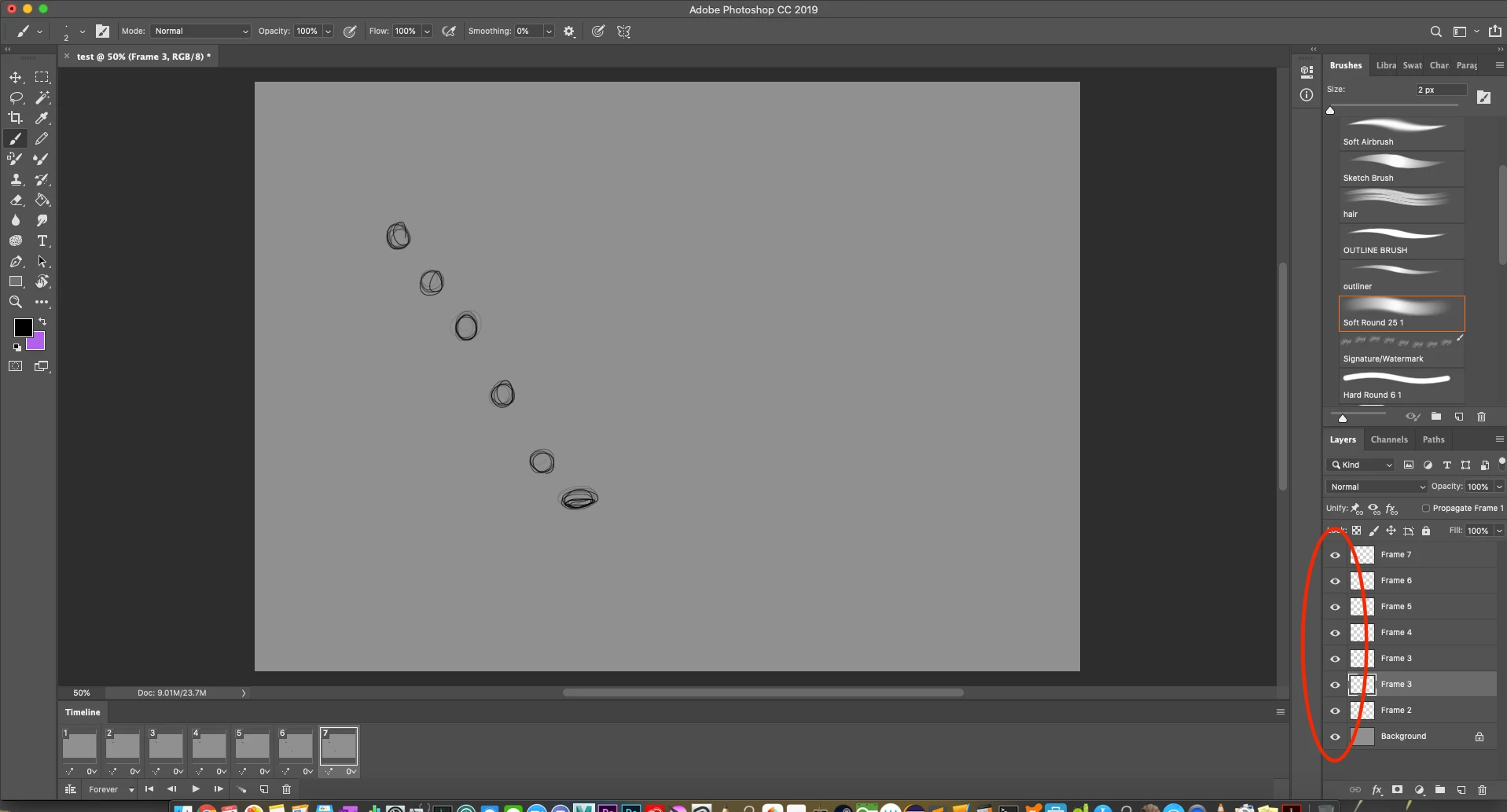
 

See? on the right side, all the frames are showing despite the fact that it is on frame 7 and ONLY fram 7 is supposed to be showing, all the others are supposed to be hidden.. i should only see the squished ball and nothing before that unless that those frames are being played!


Please help, thank you in advance!!

This topic has been closed for replies.

1 reply

JJMack
Community Expert
Community Expert
November 27, 2019

I do not see a problem like that one my windows machine.

Supply pertinent information for more timely and effective answers. The more information you supply about your issue, the better equipped other community members will be to answer. Consider including the following in your question:

  • Adobe product and version number
  • Operating system and version number
  • The full text of any error message(s)
  • What you were doing when the problem occurred
  • Screenshots of the problem
  • Computer hardware, such as CPU; GPU; the amount of RAM; etc.


JJMack
Participating Frequently
December 3, 2019
  • Adobe product and version number - Adobe Photoshop CC 2019 20.0.6 Release
  • Operating system and version number - Mac OS Catalina Version 10.15.1 (19B88)
  • Screenshots of the problem (shown in the first comment)