Participant
May 26, 2020
Answered

Photoshop Artboard Exporting Error, White blocks covering layout

  • May 26, 2020
  • 1 reply
  • 725 views


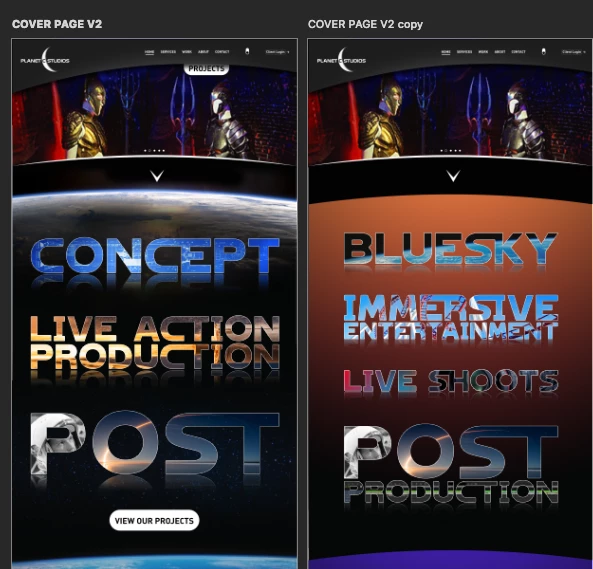
Hi everyone, I'm trying to export some Artboards out for review with my client. For some reason when exporting, there appears to be giant white blocks over my layout. I would think it woud be in the export settings but I have tried both "include Overlapping Areas" and "artboard content only" on diffrent exports.  With the same result. Does anyone have any suggestions?



This topic has been closed for replies.
Correct answer james 123

SOLVED THIS. I had a stroke on my Group layers and when it merged for the output it created the artifacts. Just had to merge group earlier and reaply the stroke + Layermask

1 reply

james 123AuthorCorrect answer
Participant
May 26, 2020

SOLVED THIS. I had a stroke on my Group layers and when it merged for the output it created the artifacts. Just had to merge group earlier and reaply the stroke + Layermask