
Participant
March 11, 2021
Question

Photoshop Auto-Select Adjustment Layer Issue

  • March 11, 2021
  • 1 reply
  • 1117 views

Hello Adobe forums,


I was wondering if anyone could help me.


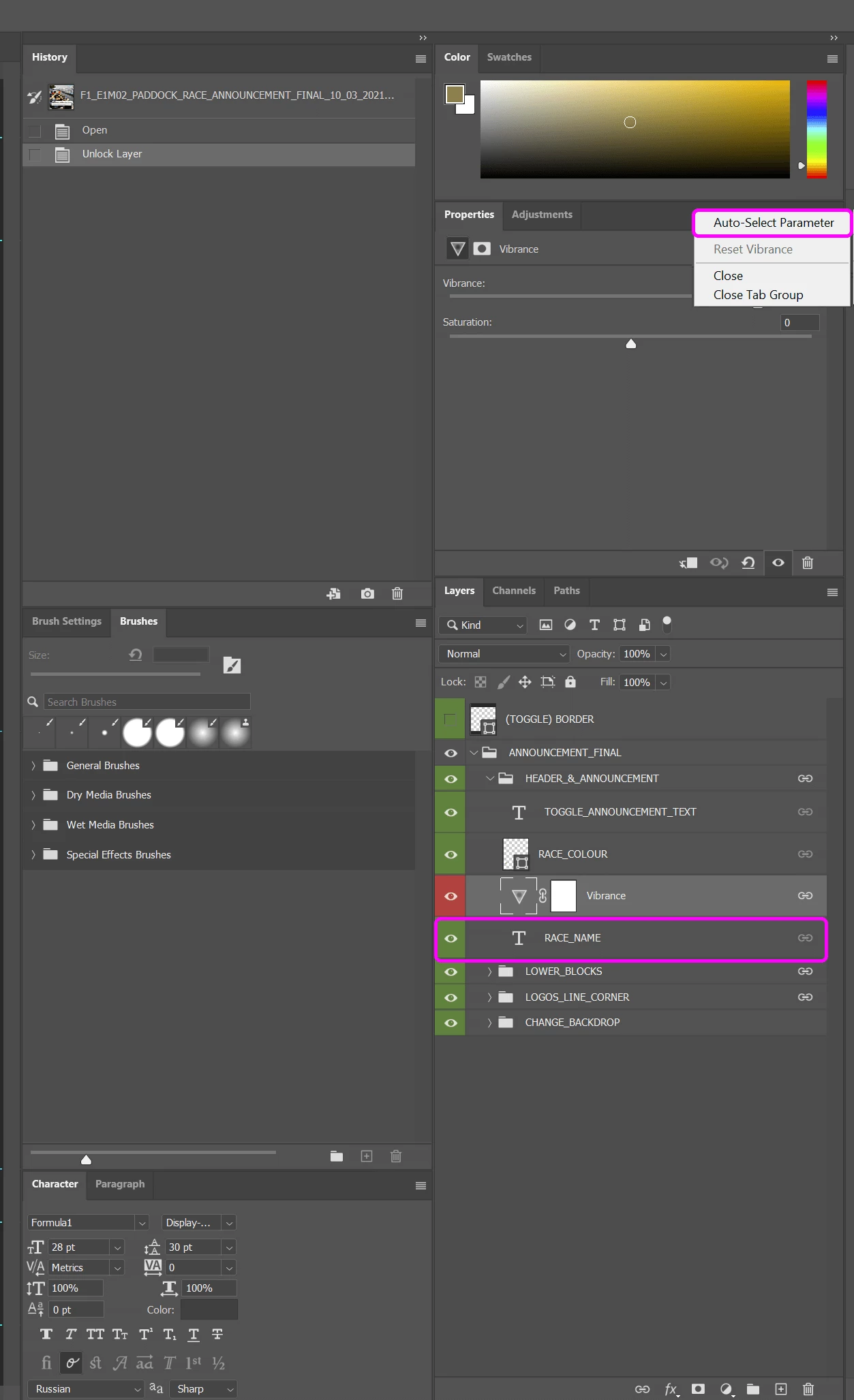
Recently my Photoshop has been auto-selecting the adjustment layers within my documents. I have the 'auto-select parameter' turned off but it's still selecting the adjustment layer that I want it to ignore.


On the below image I've clicked the 'RACE_NAME' layer and as you can see it's selected the 'Vibrance Adjustment Layer' which I want it to ignore.


If anyone could help I'd really appreciate it. Thanks!
 

This topic has been closed for replies.

1 reply

c.pfaffenbichler
Community Expert
Community Expert
March 11, 2021

Is the Move Tool set to »Auto-Select« in the Options Bar? 

Participant
March 11, 2021

Hello,


Yes it is set to Auto-Select. It's auto-selecting the adjustment layer. So annoying.

War Unicorn
Community Expert
Community Expert
March 11, 2021

Really shouldn't be doing that; only layers with contents like pixels or Smart Objects should be chosen.

Try a tool reset? (You can use "Reset Tool" but to be thorough you can reset them all this way.)

If that doesn't work, a preferences reset might work (but be aware this will reset everything):

https://helpx.adobe.com/photoshop/using/preferences.html#reset_preferences