
Participant
August 8, 2017
Answered

Photoshop automatically changes the width of my image??

  • August 8, 2017
  • 2 replies
  • 4722 views

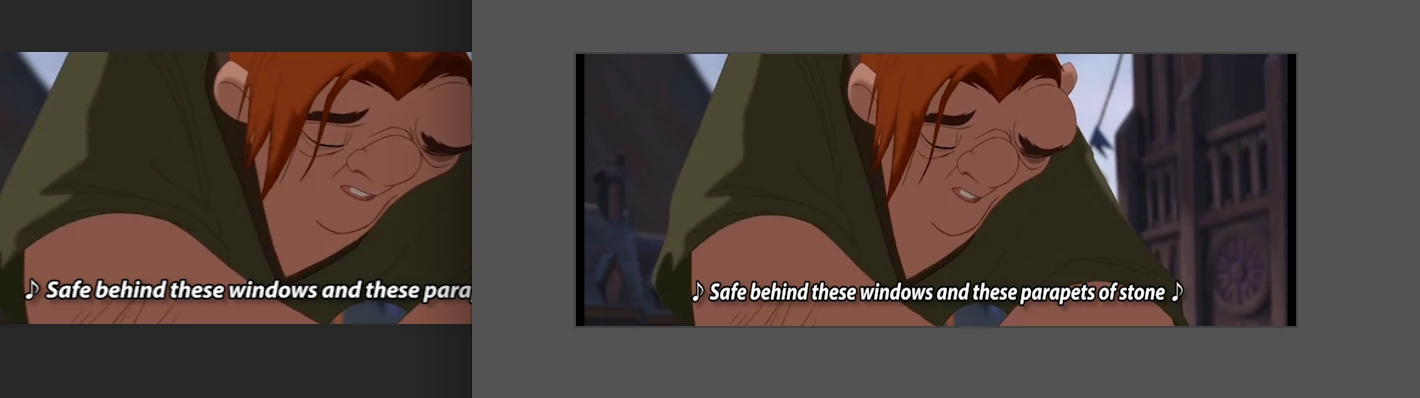
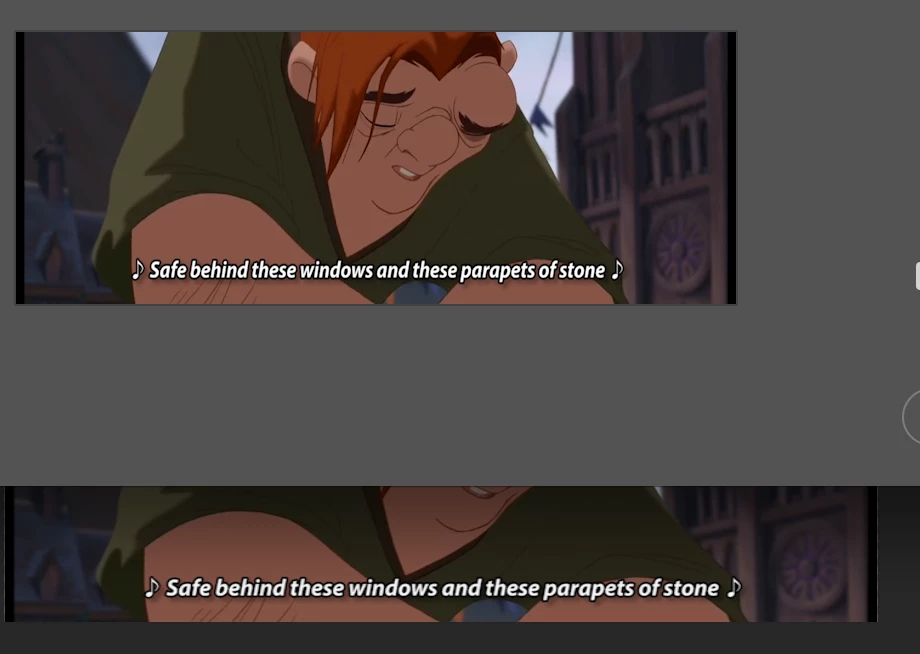
My problem is that when I open a short video in Photoshop that I made in Premiere Pro, it shows the image in the size that it should be, but when I click on image size, it stretches it in width. This is the same when I want to export it for web to make it into a gif.

On the left you see the image as it should be and how I opened it. On the right is the 'image size' option (alt, cmd, I). It clearly shows how the height is the same.

On the other screenshot you see the image as it should be on the bottom, and the 'image size' option above it. The width is not the same, but I didn't do anything to change that.

I have never had this problem before, and I can't remember doing anything different. Can someone please help me, this is extremely frustrating.
This topic has been closed for replies.
Correct answer gener7

View > Pixel Aspect Ratio. In here, select 'square', then save your image, re-open it, it should be normal.

Another idea if this fails...

Click "View", and then unclick "Pixel Aspect Ratio Correction".

2 replies

davescm
Community Expert
Community Expert
August 8, 2017

Hi

Can you show the image size dialogue and confirm is this when you first click image size or when you have resized and clicked OK?

Dave

gener7
Community Expert
gener7Community ExpertCorrect answer
Community Expert
August 8, 2017

View > Pixel Aspect Ratio. In here, select 'square', then save your image, re-open it, it should be normal.

Another idea if this fails...

Click "View", and then unclick "Pixel Aspect Ratio Correction".