Participant
October 14, 2017
Answered

Photoshop brush gets lighter the less i press down on my tablet

  • October 14, 2017
  • 1 reply
  • 1028 views

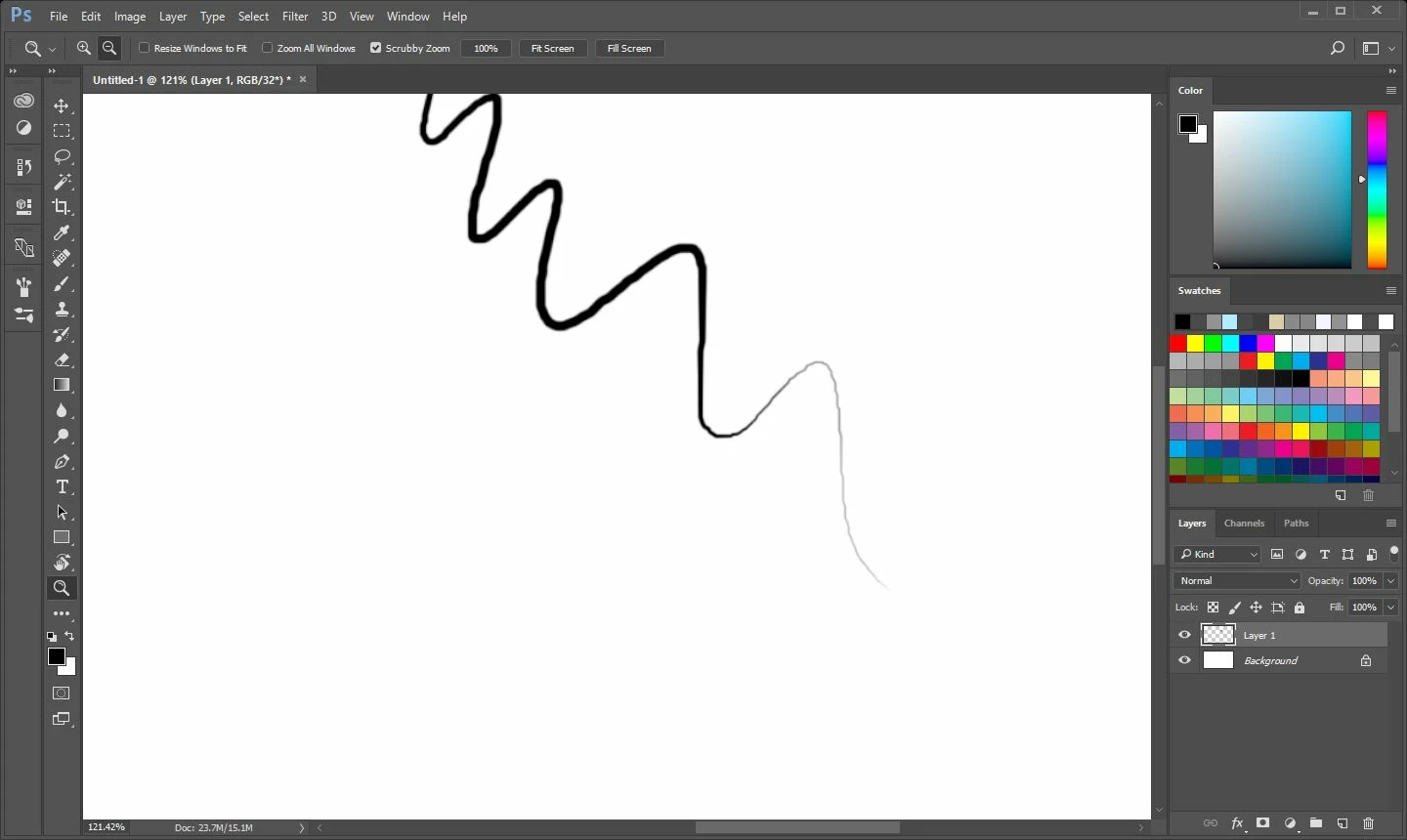
I'm pretty new to photoshop, and and for some reason can not find out why my brush does this when i press lighter with pen pressure on. Is there a way to have the line just change its thickness, and not the opacity of it the lighter i press?

This topic has been closed for replies.
Correct answer davescm

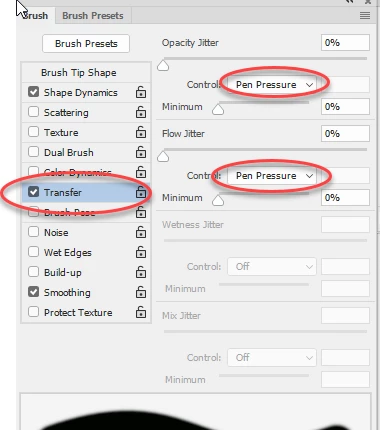
Yes - in the brush panel go to transfer and turn pen pressure off for opacity and flow

Note however that if you click in the options bar you will turn it back on

Dave

1 reply

davescm
Community Expert
davescmCommunity ExpertCorrect answer
Community Expert
October 14, 2017

Yes - in the brush panel go to transfer and turn pen pressure off for opacity and flow

Note however that if you click in the options bar you will turn it back on

Dave

happie_97
Community Expert
Community Expert
October 15, 2017

I agree with Dave, pressure sensitivity tries to emulate how you actually paint or draw. So once you turn off your pressure sensitivity, it should work without any changes or variation of your line.