
Photoshop Brush, Pencil, etc. cursors stuck as icons, not usual shapes like circles
Bought a new Dell tower to get more processing power. See specs below. Running Windows 10. Photoshop CS6 (13.0.1 x64).
All was working well, until last Saturday. Now, in Photoshop, I click on some tools and they displays within my image as an actual icon like to the graphic that appears in its panel. Brush tool displays as Brush, not circle. Sharpen displays in image layer as triangle like panel. Same with Healing Brush, Pencil, Dodge, and Burn. They function normally, such as changing size several ways, including [ - ], drawing, opacity, flow, shape, etc., but difficult to use when cursor is a picture of the tool rather than a circle.. Read many Forums, searches, etc. without finding similar problem. Out of ideas. Would so appreciate a solution.
This is what I have tried:
Windows System File Checker - all OKWindows Deployment Image Service and Management Tool - All OK
Norton Antivirus = All OK
CC Cleaner - no issues
Malware - All OK
Turned off Sync to Windows OneDrive
Caps lock is NOT on, but I toggled it on and off many times anyway
Reset all tools to Default
Checked graphics/video drivers - all up-to-date
Windows 10 - up-to-date
Photoshop -up-to-date
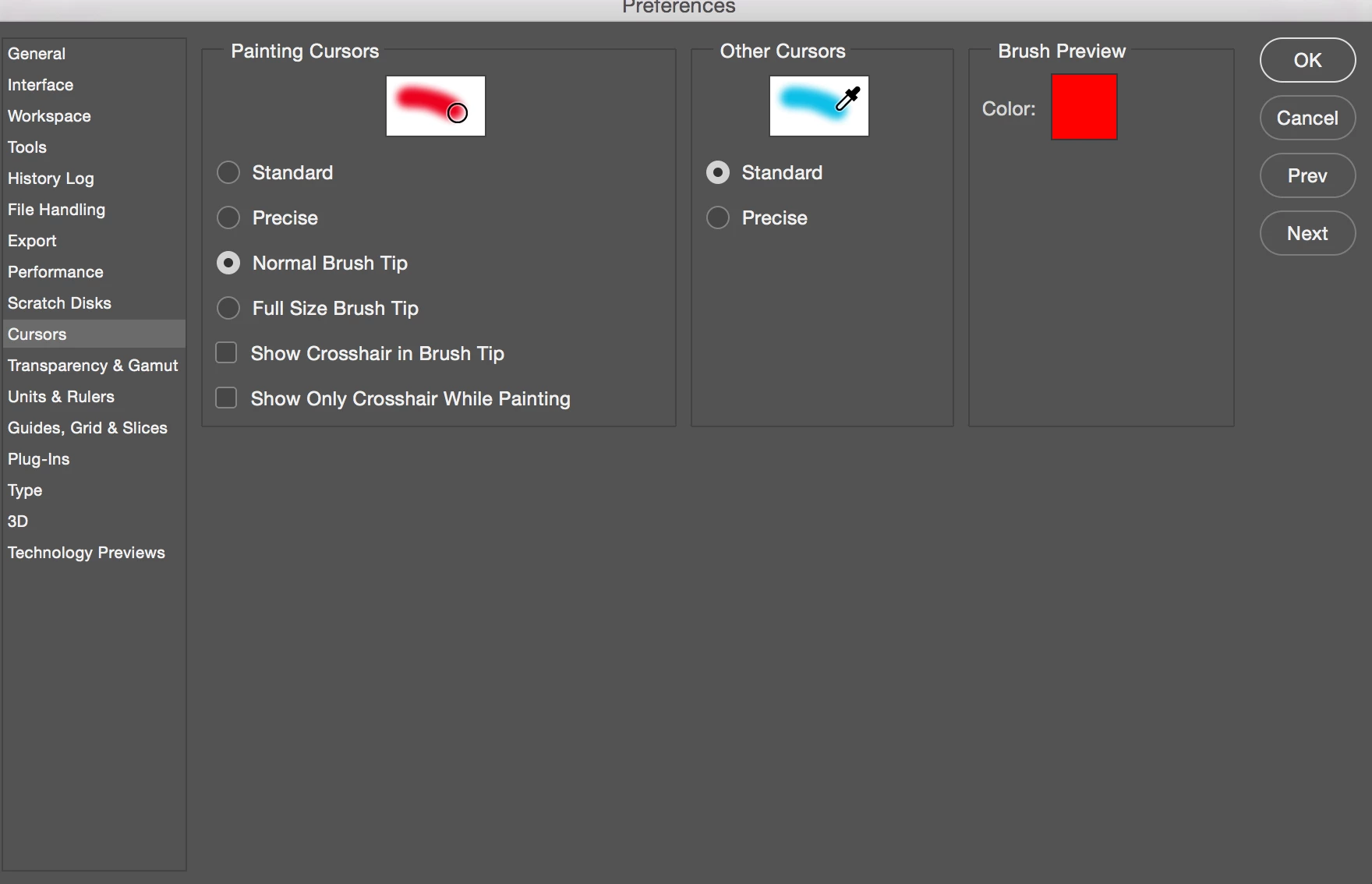
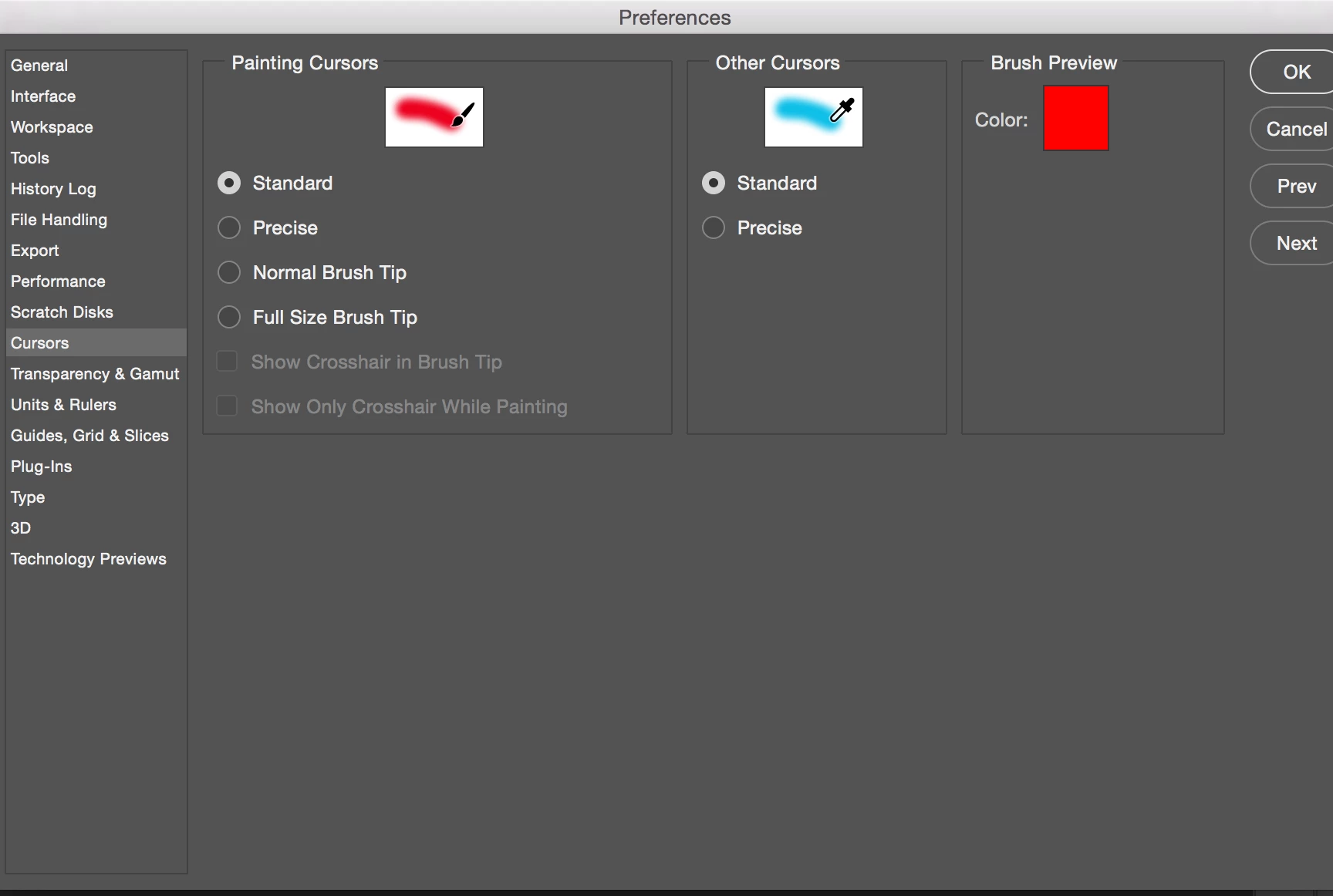
Adobe Camera Raw - up-to-datePreferences>Cursors> Standard and Preferences>Other Cursors>Standard. Tried them with every option
Graphics processor - turned on and off several times
Problem same with mouse and pen - unplugged Wacom tablet, no change
Ran Program Compatibility Troubleshooter - OK
Uninstalled Quicktime - no change
Windows > Workspace > Went back to Essentials> Reset Essentials- no change
Have not deleted and reinstalled Photoshop yet.
Dell Tower Specs
AMD Radeon(TM) RX 480 with 8GB GDDR5 Graphics Memory
BDRE Drive (Reads and Writes to Blu-Ray disks)
6th Generation Intel(R) Core(TM) i7-6700K Processor (8M Cache, up to 4.2 GHz)
Windows 10 Home-HE (64bit) English
16GB (1x16GB) DDR4 2133MHz SDRAM Memory
512GB M.2 Solid State Drive + 2TB 7200 rpm Hard Drive
- 802.11ac + Bluetooth 4.0
Integrated 7.1 with WAVE MAXXAudio Pro
Wireless 3165 driver
Fixed Hardware Configuration
Windows System SW, XPS 8910
Cyberlink Media Suite Essentials without Media
The tool when it is in my editing layer is an actual Brush instead of whatever shape I select, either basic or more complex.
 AdChoices