
Participant
March 20, 2024
Question

Photoshop Brush Texture Setting Question

  • March 20, 2024
  • 2 replies
  • 897 views

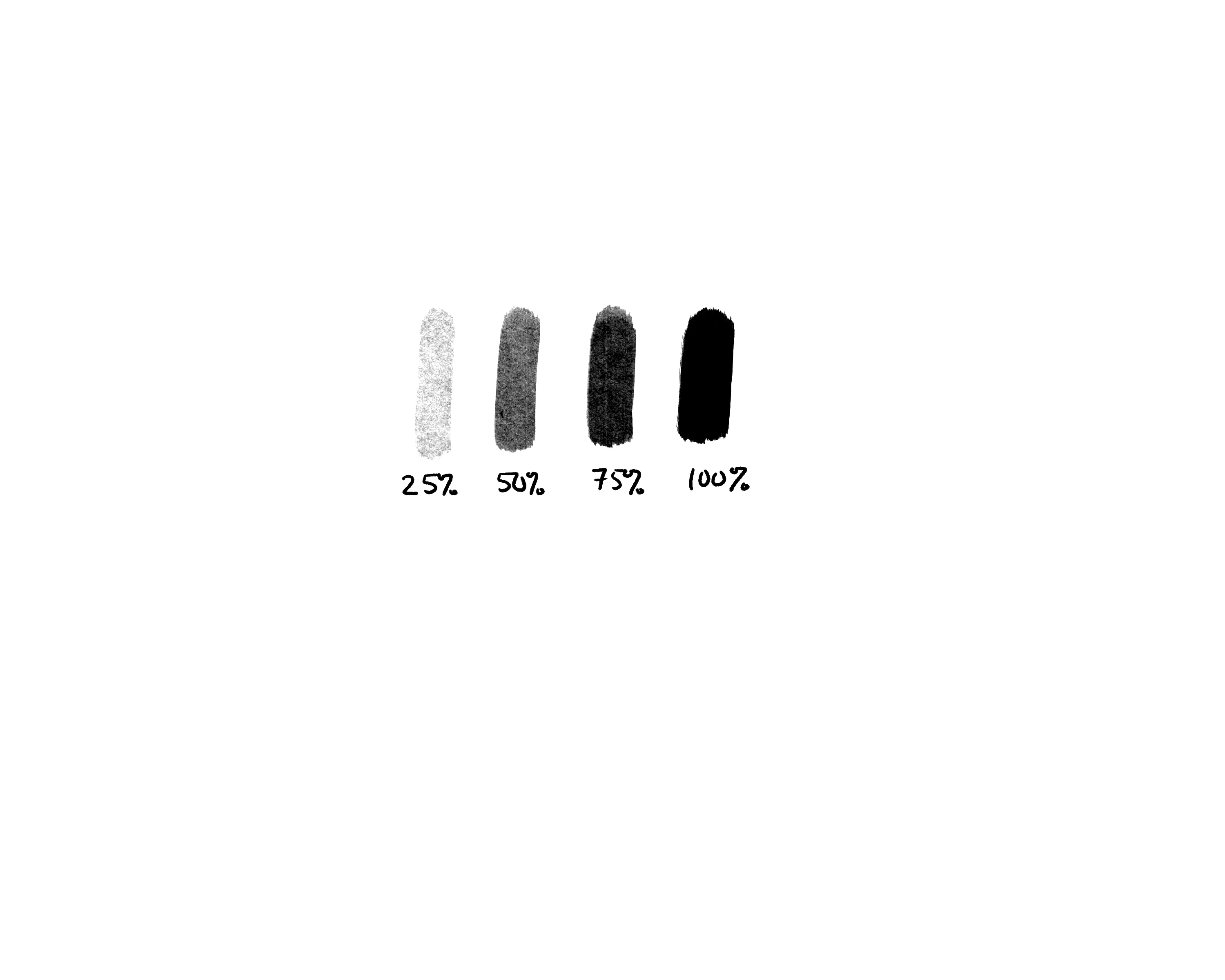
I have attached a photo of a brush I have, that applies more/less "texture" (for lack of a better word) based on how hard I press down.  25% pressure gives a light texture, 50% medium, 75% dark, and then 100% is basically black.


Is there a setting I can change that will give me a constant, repeatable texture?  I am looking to make 3 brushes from my below brush that can give me uniform, repeatable textures - Brushes that will give me 25% or 50% or 75% no matter how hard I press.  Something I can switch back and forth to and get the same, repeatable texture level without having to worry about getting the pressure exactly right.


Any questions/clarifications, please ask!  Any help would be appreciated.
 

This topic has been closed for replies.

2 replies

Trevor.Dennis
Community Expert
Community Expert
March 21, 2024

The texture is the same in every case, but with opacity set to Pen Pressure, the harder you press, the darker the stroke which obscures the texture. 


You can use a curves layer to darken the layer the stroke is applied to

As regards brush settings, we can't control the texture opacity, but you could try setting Depth Jitter to Pen Pressure, and minimum depth to 0%.  I don't know if this would work without knowing which preset you are using.


Another thing you could try is making two copies of the preset, and changing the texture each one uses.  You'd need to experiment, but if you try some existing Patterns to see their effect it would give you a guide. 


Is the preset you are using part of a default or 'get more brushes' set?  If thhat's a yes and you can show us, it would help us try some things out for you.  (We love messing with stuff like that 🙂 ) 


swnebelAuthor
Participant
March 21, 2024

It is part of this brush set:  https://caleatkinson.gumroad.com/l/uHFws

(specifically the "Paint Build 2")

c.pfaffenbichler
Community Expert
Community Expert
March 20, 2024

Could you please post screenshots taken at View > 100% with the pertinent Panels (Toolbar, Layers, Brush Settings [Texture], Options Bar, …) visible? 

swnebelAuthor
Participant
March 21, 2024

Hopefully these will do: