
Participant
August 8, 2022
Answered

Photoshop bug 2021

  • August 8, 2022
  • 1 reply
  • 396 views

Hey! I had Photoshop 2021 installed on my laptop and I upgraded it to 2022. Since the upgrade, I face these kinds of bugs and lags that even made me downgrade to 2021 again! But the problems are still there and donno how to fix them! I checked every thing related to performance in Photoshop settings like dedicated memory size being in ideal range, scratch disk set to SSD drive with at least 100 gigabytes free space and using dedicated graphic card checked! And this screenshot is one of the bugs. when I open a photo, this is how it opens! The new tab is open but it still shows the home screen on the background Anyone knows how to fix it?

App version: 2021  v22.5.8.998 
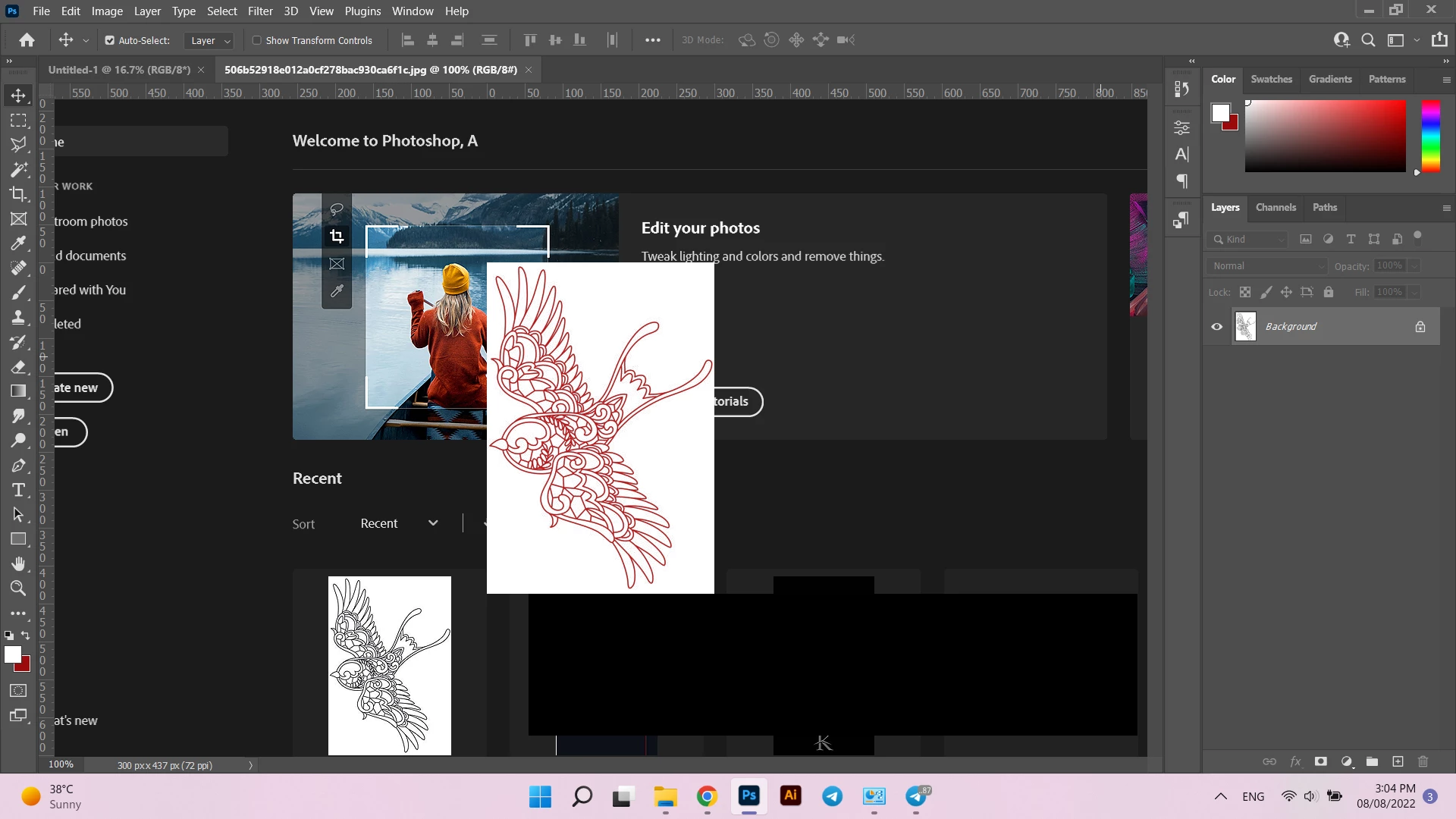
This topic has been closed for replies.
Correct answer ali25384834mvbx

Thanks for your reply. I hadn't turned on the Deactivate Native Canvas when I was on the 2021 version first. Now I turned it on and it seems to be okay. I will check it in a few days and tell you it if it worked

1 reply

c.pfaffenbichler
Community Expert
Community Expert
August 8, 2022

Does turning off »Use Graphics Processor« in the Performance Preferences (Photoshop > Preferences > Performance > Graphic Processor Settings) and restarting Photoshop have any bearing on the issue? 

Does turning on »Deactivate Native Canvas« (Photoshop > Preferences > Technology Previews) and restarting Photoshop have any bearing on the issue? 


Have you tried unchecking »Auto show the Home Screen«? 

ali25384834mvbxAuthorCorrect answer
Participant
August 8, 2022

Thanks for your reply. I hadn't turned on the Deactivate Native Canvas when I was on the 2021 version first. Now I turned it on and it seems to be okay. I will check it in a few days and tell you it if it worked