
Aid81
Participating Frequently
April 14, 2019
Answered

Photoshop Camera Raw flashing histogram over the image

  • April 14, 2019
  • 1 reply
  • 1216 views

I have recently opened a RAW image in Camera Raw, as soon as the image loads the histogram is shown in its ! place, this will then disappear and show the image after about 5 secs, then if I change any of the sliders the histogram will flash over the image and the image over the histogram in the top right.
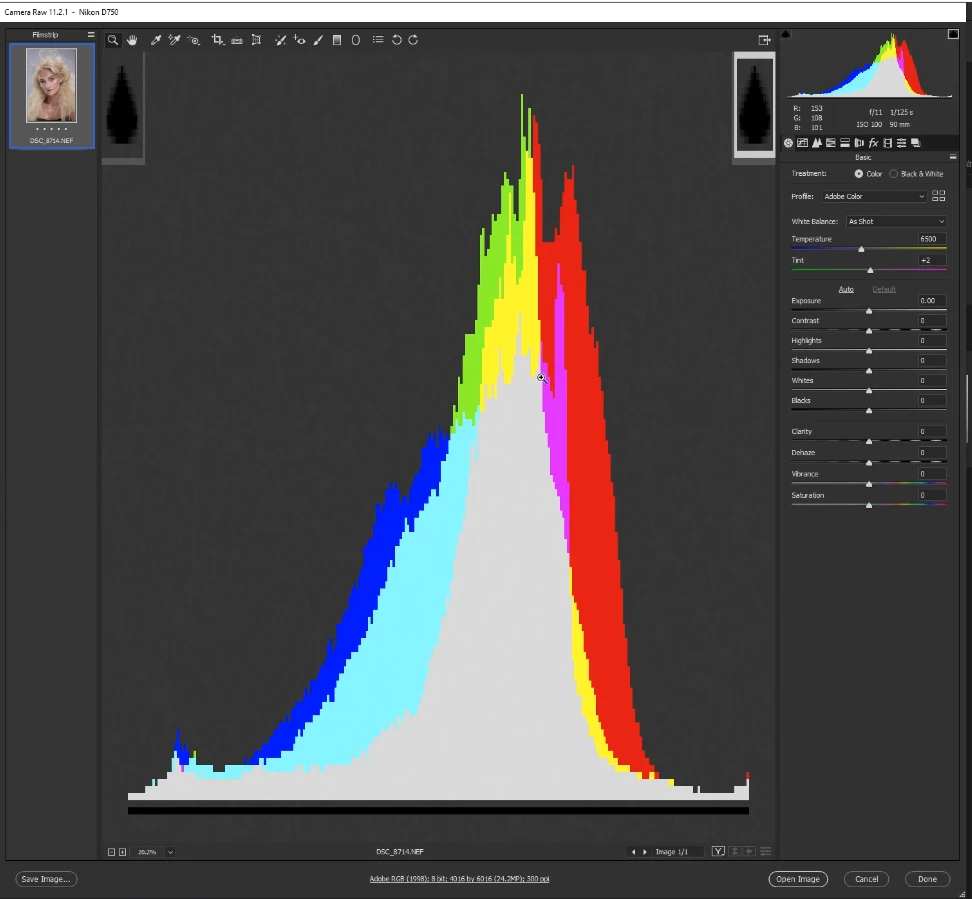
I haven't RAW in a few months so not sure if this is a bug in the latest version of Photoshop, everything else seems to work fine. Has anyone else experienced this same issue? if so were you able to resolve it?

I'm running on Windows 10 x64, dual SLI and 32gb ram.

This topic has been closed for replies.
Correct answer davescm

I've not seen this but try this.

Go to Photoshop - Preferences - Camera Raw and uncheck use graphics processor.

Close and restart then try camera raw.

Dave

1 reply

davescm
Community Expert
davescmCommunity ExpertCorrect answer
Community Expert
April 14, 2019

I've not seen this but try this.

Go to Photoshop - Preferences - Camera Raw and uncheck use graphics processor.

Close and restart then try camera raw.

Dave

Aid81
Aid81Author
Participating Frequently
April 16, 2019

Hi Dave,

You are a legend and a life saver that did the trick. I had tried unticking it under Preferances->Performance but had no luck and completely forgot the option was also under Preferances->Camera Raw also,

Thanks again for your help it was much appreciated

Adrian