Photoshop Camera Raw Suddenly Making Photos Darker
I know there are several posts through the years on this topic. I have researched them and tried all the tips and tricks, to no avail. Here is the rub - this JUST started happening for no known reason. There wasn't an update on windows or PS that affected this. I actually updated to PS 22 with the hopes it would fix, but no such luck. Here is side by side of the photo in window photo viewer and the preview in Camera Raw:
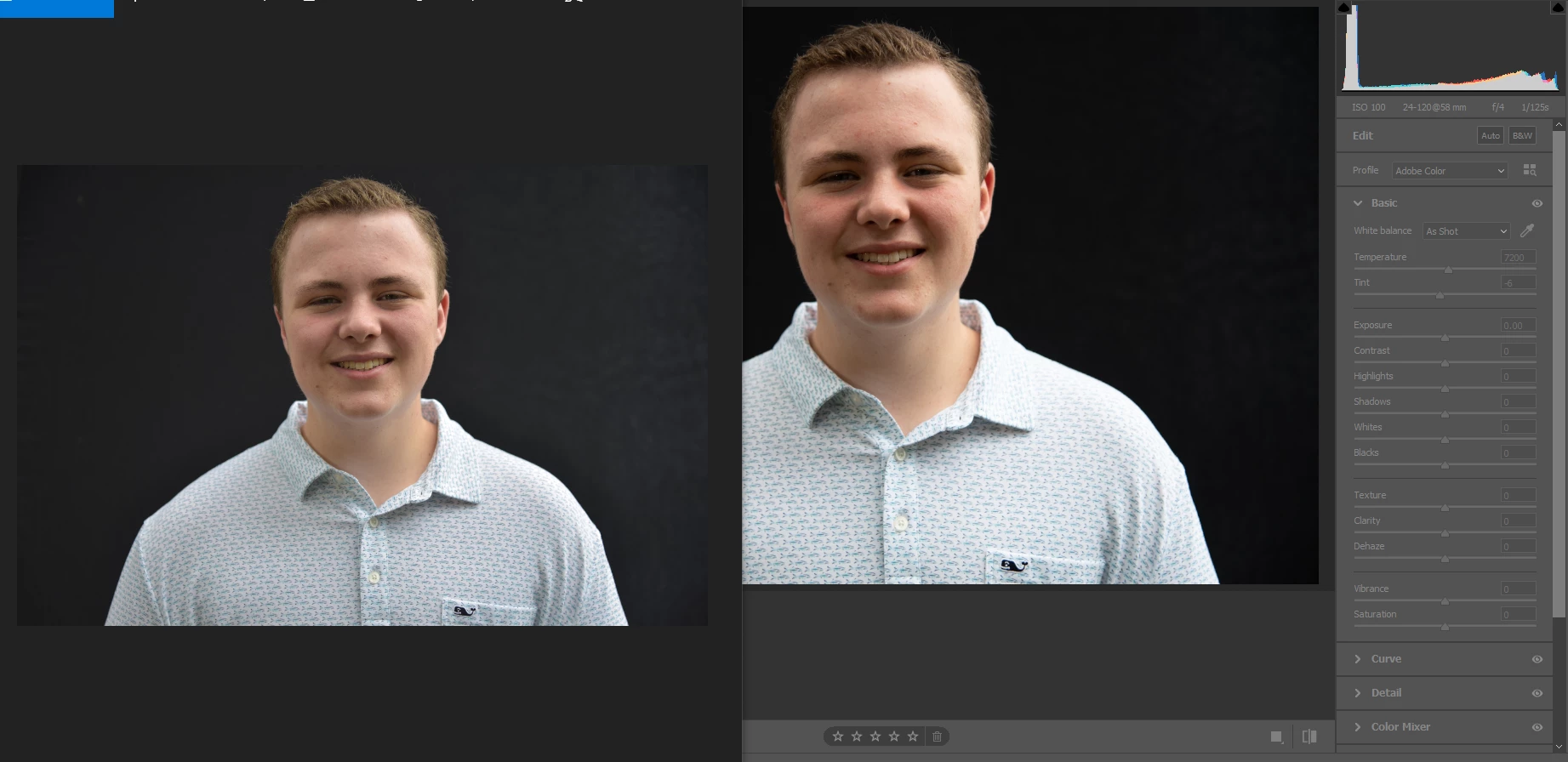
As you can see the ACR preview (image on right) is significantly darker/higher contrast than the windows photo (image on left). The thing to note is that this is the FIRST time this behavior is observed, with no known changes to software or settings. I even went back to older PSD files from past projects and do not see this phenomenon. Here is an example from earlier this year on a project I did, windows on left, ACR on right:
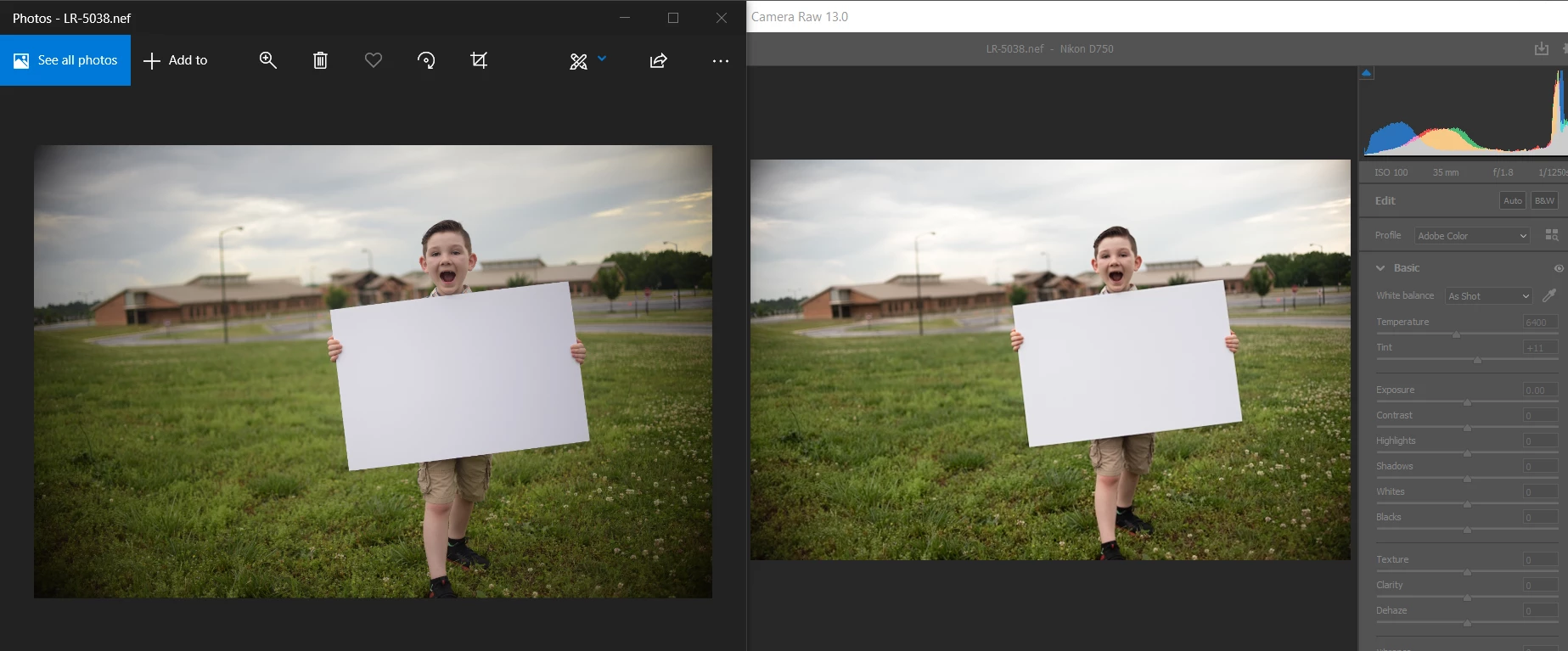
I should note this is same lens and camera as the above image. In this example below the photos and ACR preview are identical (perceptually), so why is it now behaving differently? As mentioned no settings have been updated or changed in windows or PS, same with my Nikon D750 camera. So that is where I am stumped, the last time I was in PS the image imported into camera raw matched what I saw in photo viewer. Now it doesn't. Would really like to understand what is going on, why it happened and what the solution is.
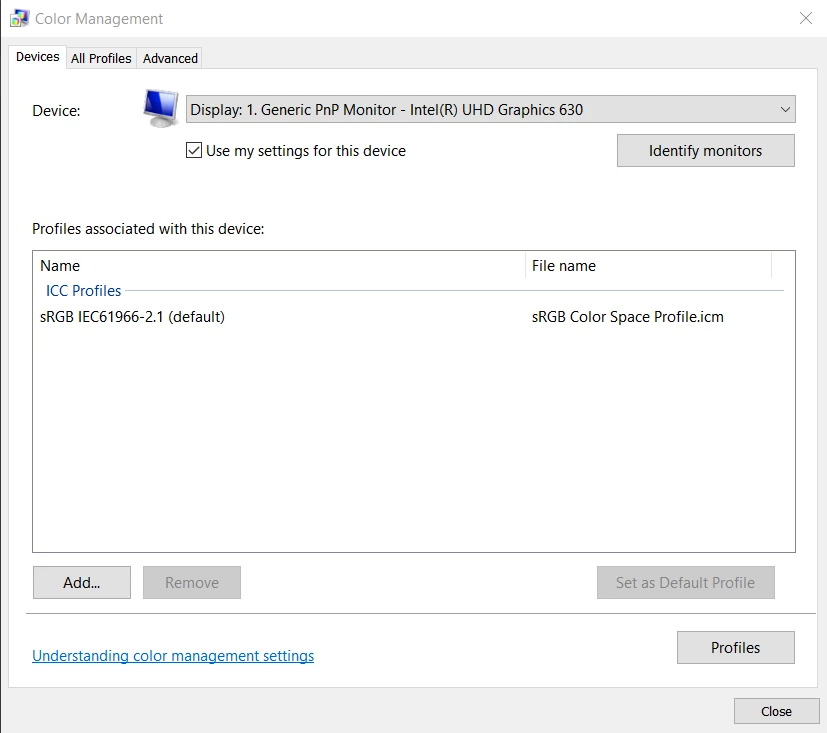
Here are the color profiles for reference:
Nikon shoots with sRGB not Adobe RGB
Windows Color:
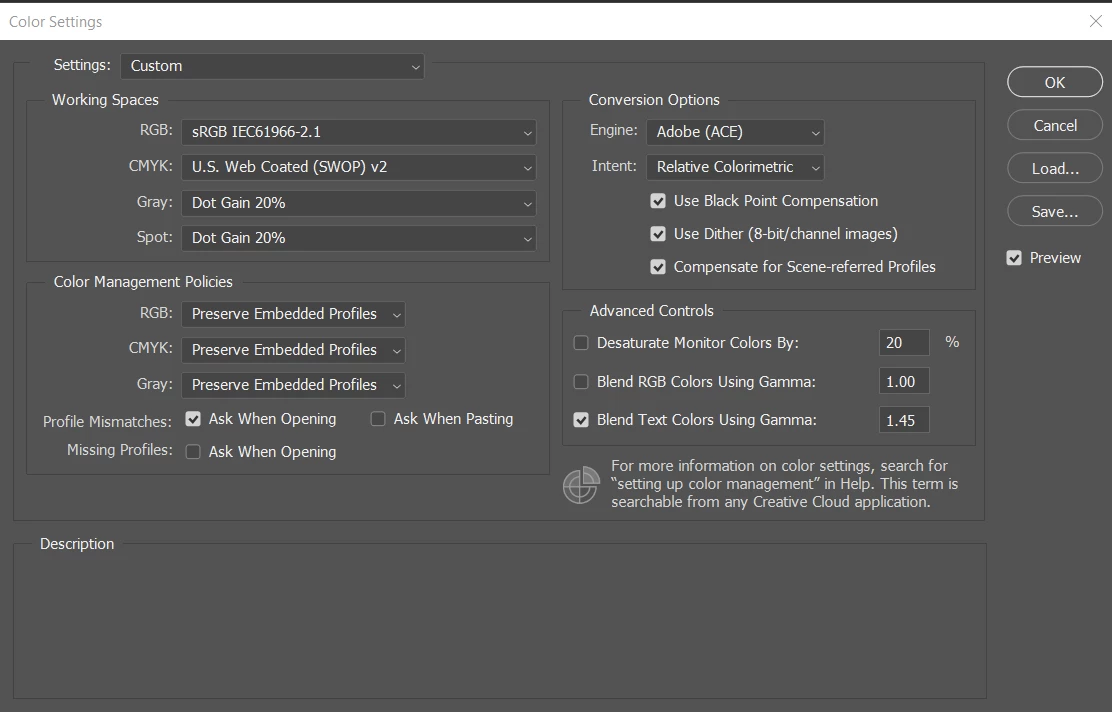
Adobe Color Profile Matches:
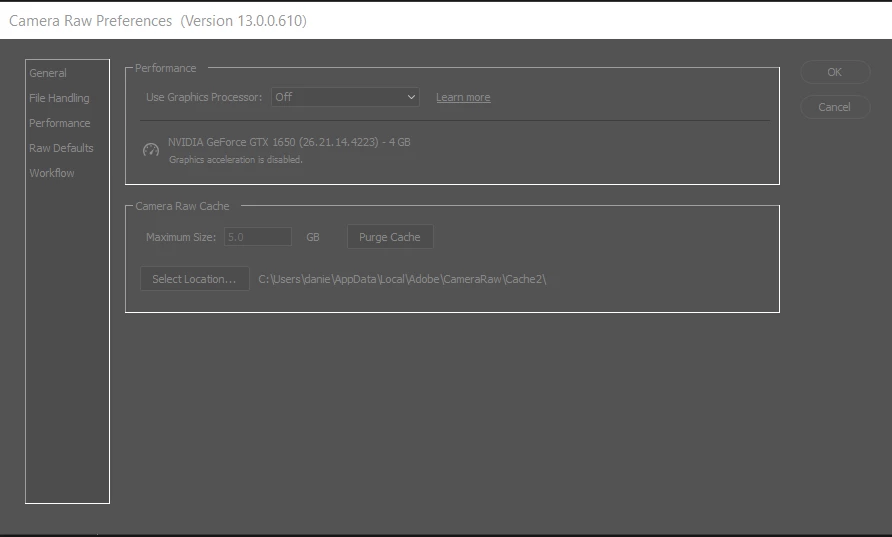
Camera Raw Settings turning graphics processor off work around didn't help (tried all variants of this setting to no avail)
 AdChoices