marionb20966208
Participant
June 26, 2018
Answered

Photoshop : Cannot See Image Thumbnails In Image Processor

  • June 26, 2018
  • 2 replies
  • 814 views

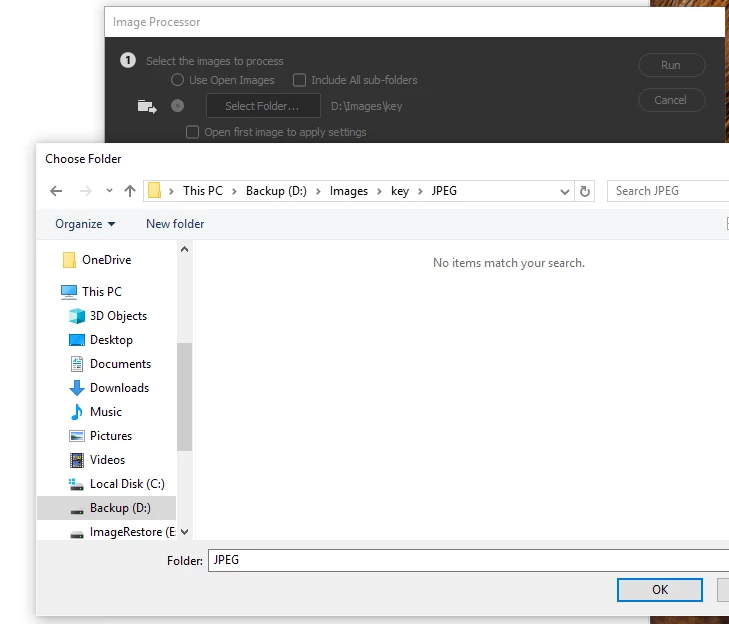
Really strange one....when I browse normally, or open files normally in photoshop, I can see all image thumbnails.....when I try to view in image processor, I cannot see anything - although when I run the processor, it does open an re-size images!!

Very strange one.
This topic has been closed for replies.
Correct answer

Look at this video to see what I mean.....I don´t know if this is modification or bug, but before, I could definitely see image thumbnails when using image processor.

https://rightcasa.tinytake.com/sf/MjcxODU2NF84MTUyNDEx


Hi

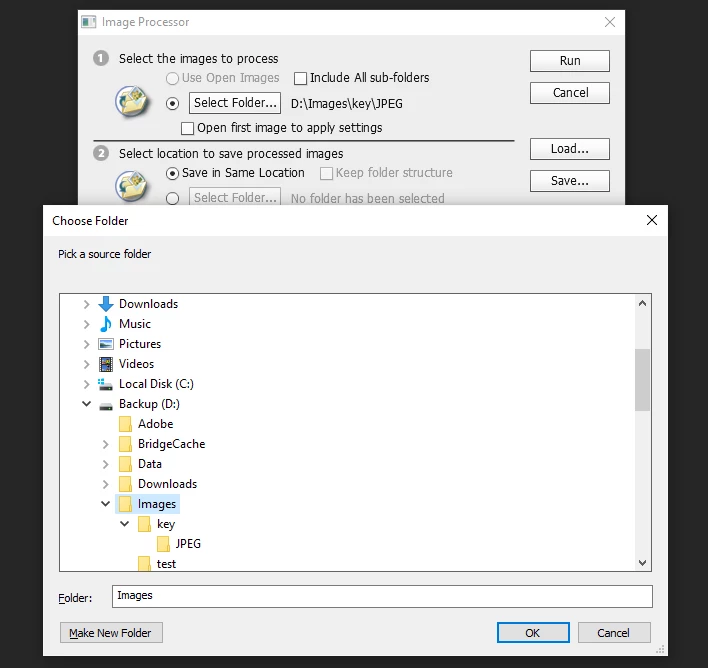
I just installed CS6 just to see whether or not thumbnails were displaying in that version and they aren't so I'm not really sure which version you are talking about, but CC 2018 and CS6 don't show thumbnails

CS6 no thumbnails

CC 2018 no thumbnails

2 replies

June 26, 2018

Hi

When you use Image Processor you're selecting the folder where the images are stored to process, so what you're seeing is normal behavior

Participant
June 26, 2018

Before in earlier versions, I could see the thumbnails inside the folders....now I cannot see any thumbnails at all. 

When I browse using normal file browser, or open using the normal photoshop app, I can see image thumbnails.

Participant
June 26, 2018

Look at this video to see what I mean.....I don´t know if this is modification or bug, but before, I could definitely see image thumbnails when using image processor.

https://rightcasa.tinytake.com/sf/MjcxODU2NF84MTUyNDEx

kglad
Community Expert
Community Expert
June 26, 2018