alexb85669790
Participant
July 17, 2021
Question

Photoshop canvas messed up

  • July 17, 2021
  • 3 replies
  • 351 views

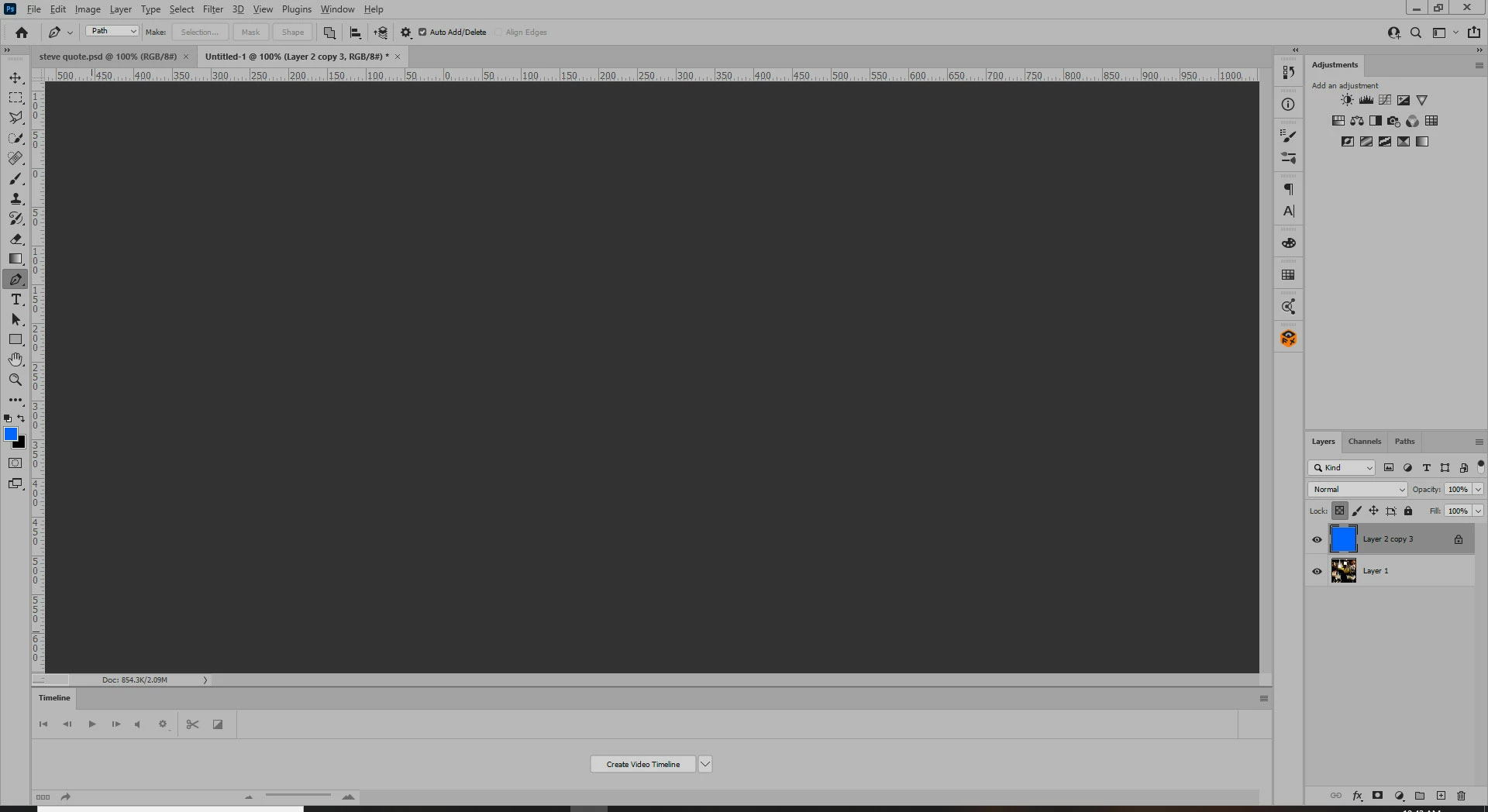
how do i fix this? my cat stepped onto my keyboard and now the canvas is gray. How do i make it go back to its defalt color?

This topic has been closed for replies.

3 replies

Trevor.Dennis
Community Expert
Community Expert
July 17, 2021

Right click the background outside the image window and set it back to your prefered colour.

BTW  My cat loves to help me do some typing if it feels ignored.


gener7
Community Expert
Community Expert
July 17, 2021

The image could have been pushed offscreen. Try Ctrl 0 or View > Fit on Screen, and see if it returns. You might not be looking at the canvas, but the dark area that surrounds the canvas, sometimes referred to as the "pasteboard".

Ged_Traynor
Community Expert
Community Expert
July 17, 2021

Hi

Try resetting your Photoshop preferences

https://helpx.adobe.com/photoshop/using/preferences.html

jane-e
Community Expert
Community Expert
July 17, 2021

In addition, you can also try looking in these panels for clues:

  • History
  • Paths (you are on the Pen tool)
  • Channels

Show screen shots of each if you don't know what you are seeing.


~ Jane