Answered
Photoshop Canvas says [scaled]
When I make a new document, specifically for digital, the canvas size and proportion changes.
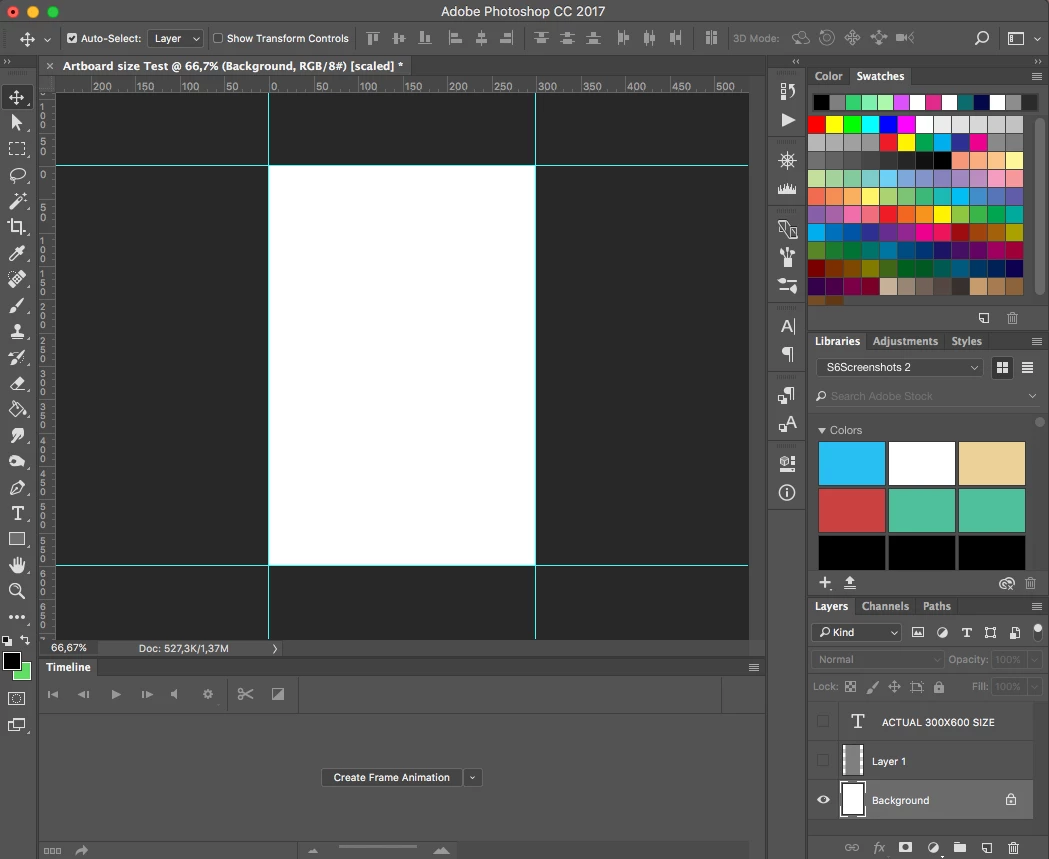
At the top of the document, it says [scaled], however the gridlines are still showing the correct number.
Step 1: Set up document for digital use. Put in sizes 300x600 (see below).
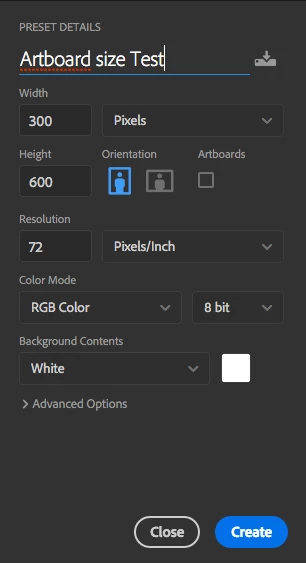
Step 2: Click 'Create'. The Document opens, but I can see the proportions look wrong. I double check with the gridlines, which suggest the document size is right. It also says [scaled] next to the document name now.
Step 3: I double check the document size with an existing file, which I know is in fact 300x600. It is clear that the document being created is actually wider than it should be.
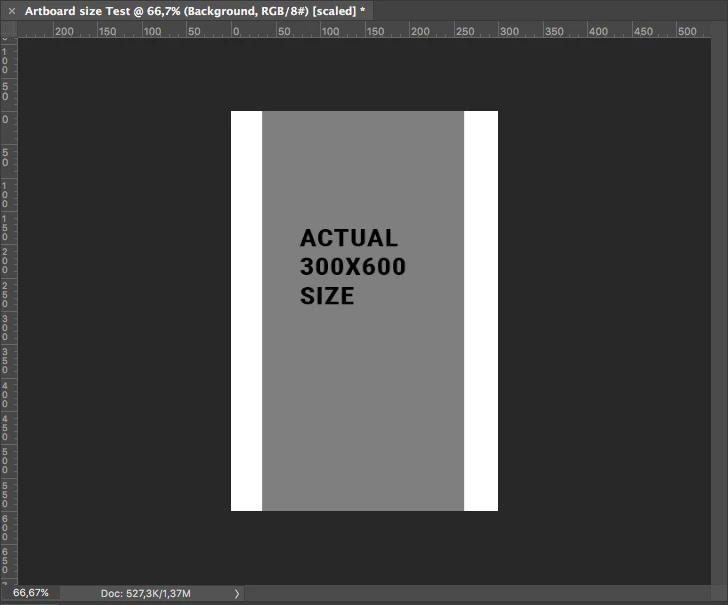
How do I fix this?
 AdChoices