
Participant
January 24, 2021
Resuelto

Photoshop Canvas Size cannot reduce anymore

  • January 24, 2021
  • 1 respuesta
  • 402 visualizaciones

Hello, I am using the latest version of Photoshop and, for some weird reason, Canvas Size refuses to reduce the size of any image. It doesn't even show the "Some clipping may occur" dialog. I'm using Windows 10 x64.
Este tema ha sido cerrado para respuestas.
Mejor respuesta de

Hi

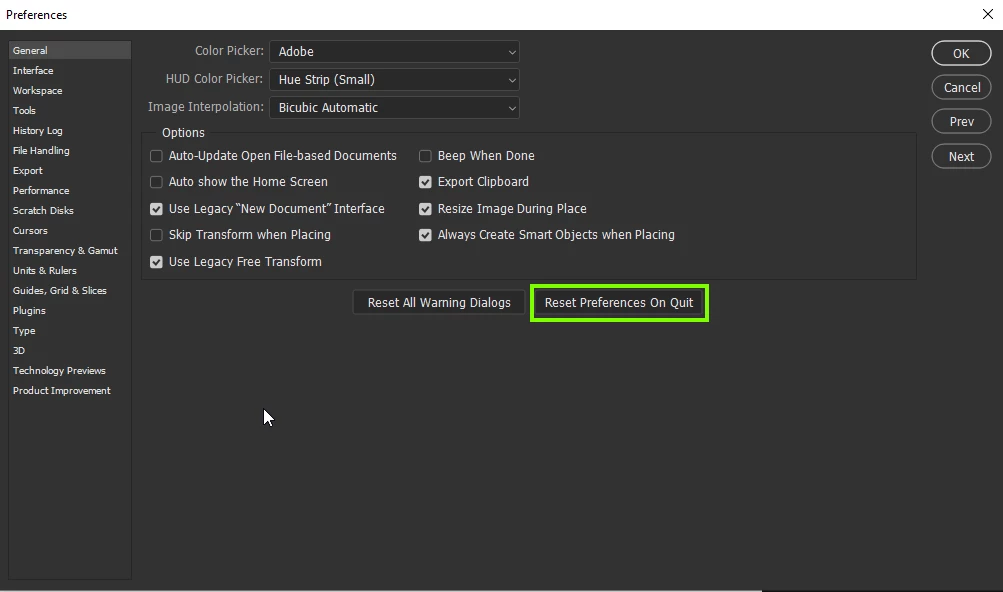
Try resetting your Photoshop preferences, you should backup any custom settings you have beforehand

https://helpx.adobe.com/ie/photoshop/using/preset-migration.html

1 respuesta

Respuesta
January 24, 2021

Hi

Try resetting your Photoshop preferences, you should backup any custom settings you have beforehand

https://helpx.adobe.com/ie/photoshop/using/preset-migration.html

Participant
January 24, 2021

Thank you! That worked!!! You guys are awesome - and very quick, too!

January 24, 2021

You're welcome 🙂