
Inspiring
October 11, 2017
Question

Photoshop cc 2017 Pop up bug

  • October 11, 2017
  • 2 replies
  • 800 views

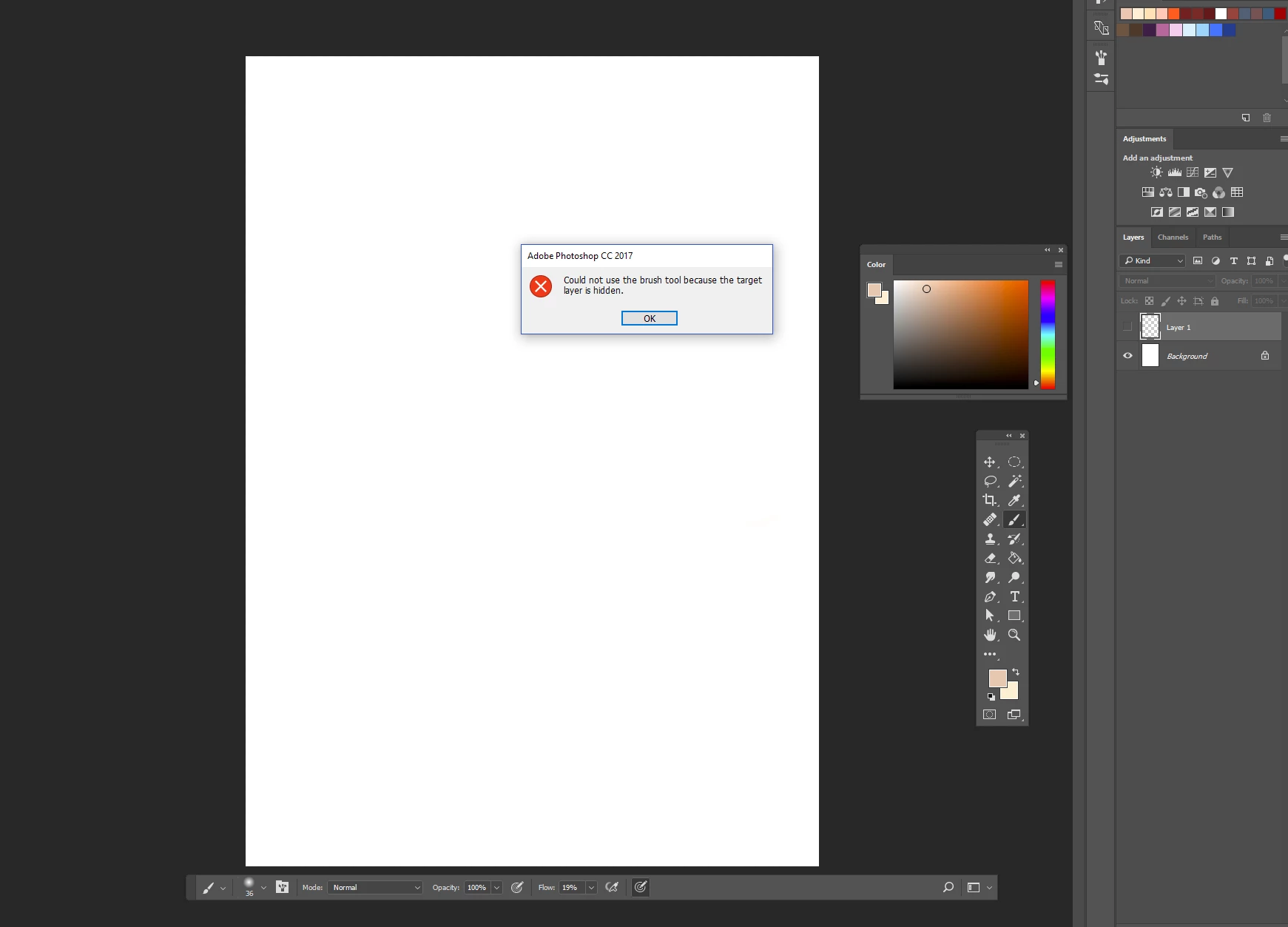
Hi, I bought photoshp  CC 2017  2 weeks ago, I'm using windows10 and I noticed one annoying bug about pop ups.
All pop ups are concerned. They come when you're trying to make something impossible (drawing on a hidden layer ...) or when there is an "error" (about your historical). So, when they come, I click on "ok" and they should be gone, but they actually stay, or sometimes, if I'm lucky they are gone after more or less 1 minute after my click on "ok". But when they don't go I'm forced to close photoshop from the action manager because I can't interact with anything.

Does anyone knows about this bug and could help me please ?
This topic has been closed for replies.

2 replies

Barb Binder
Community Expert
Community Expert
October 11, 2017
~Barb at Rocky Mountain Training
davescm
Community Expert
Community Expert
October 11, 2017

Hi

I have never experienced that , but if I did come across it I would try a Preferences reset. Photoshop preferences can get corrupted and lead to unusual behaviour.

To reset - go to Preferences >General and click Reset Preferences on Quit. Then click OK and close and restart Photoshop.

Dave

Inspiring
October 11, 2017

I just tried your fix, but it still doesn't work for me, pop ups still won't go ='(

davescm
Community Expert
Community Expert
October 11, 2017

If resetting preferences did not work my next steps would be:

1. Uninstall and reinstall ( a fairly straightforward process with the CC desktop app)

if that also did not work

2. Uninstall, run the Creative Cloud cleaner tool , and reinstall

Use the Creative Cloud Cleaner Tool to solve installation problems

Don't forget that, with a current CC subscription, you also have access to Adobe support (link at the top of this forum) who will be able to look at your PC and perhaps see something that remote users on a forum cannot.

Dave