Participant
February 5, 2017
Answered

Photoshop CC 2017 select and mask - very slow and bad quality

  • February 5, 2017
  • 1 reply
  • 2047 views

Hi,

probably it is an hw or an configuration issue, but someone to help?

I'm trying to use select and mask but starting with quick select, which is very, very slow, after that using the 2nd pencil to define the hair structure... very unsuccesful... futhermore the color decontamination changes  colors on 100 % selected part of the hair.....

However I reinstalled my pc (z170 3.5GHz, 4 prozessors, 16GB RAM, SSD start hd,  GTX 750TI with 2 GB) and reinstalled photoshop and lightroom cc again.

Especially because of the slowness at quick mask I'm not sure if I have to search for an configuration issue.

Any ideas?

Thanks in advance

Jürgen
    This topic has been closed for replies.
    Correct answer davescm

    Hi

    The refine edge brush can work well in S&M - but decontaminate colours does not (IMO)

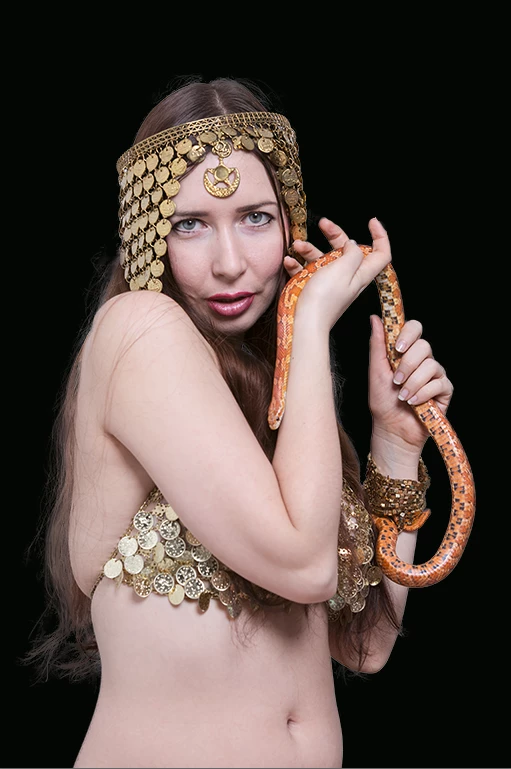
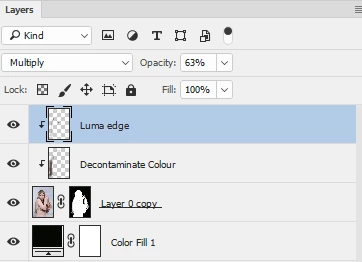
    Below was S&M to mask then two layers above - one set to colour blend and the other to luminance - both clipped to the masked image. Then some light painting with image colour and luminosity to blend the edges. The luminosity layer is often needed when going from a white background to black as fine hair is almost transparent and just looks too light when the background is darkened.

    Finally, I sharpened up the edge of the mask in a couple of places using a black/white brush set to overlay at 50% opacity and painting the edges.

    Dave

    1 reply

    Participant
    February 5, 2017

    now the pictures
    original
    after select and mask
    decontamination without mask

    Zaid Al Hilali
    Community Expert
    Community Expert
    February 5, 2017

    I had a slightly better result than yours, however I cheated by using the classical "Refine Edge" method. Kindly check other post here…Still having trouble with select and mask

    Here is the mask

    and here is the result with black background. Note, I applied Decontaminate Colours too.