Participating Frequently
October 26, 2017
Question

Photoshop cc 2018

  • October 26, 2017
  • 1 reply
  • 371 views

Hi Folks

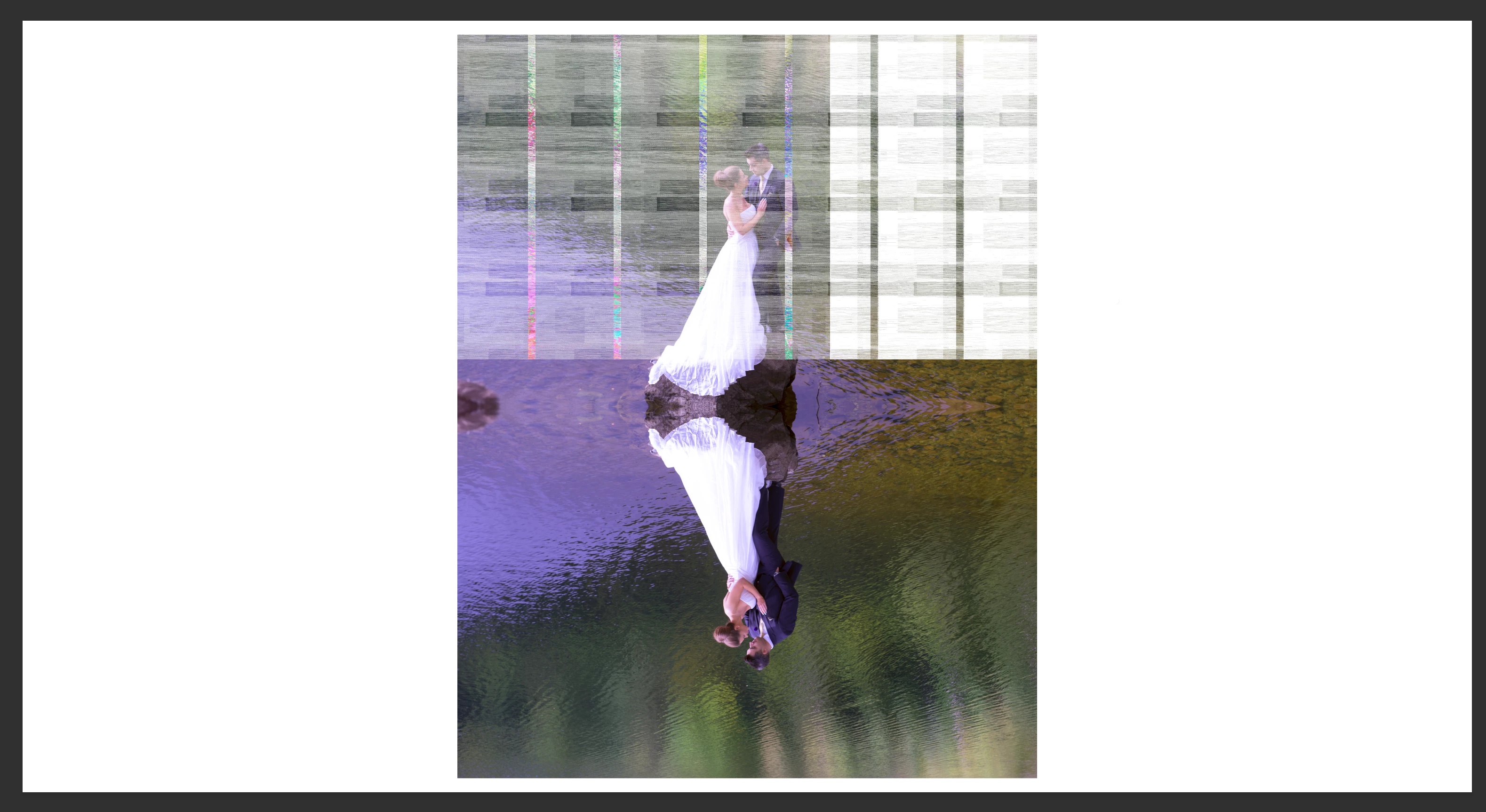
Was working on an image in Photoshop and it suddenly went like this (attached image) - NEVER seen anything like this before

Any help advice would be appreciated

    This topic has been closed for replies.

    1 reply

    happie_97
    Community Expert
    Community Expert
    October 26, 2017

    At first glance it looks like a video card rendering or monitor issue.

    We might need a little more information to help you with this issue.

    Would you tell me exactly what you were doing at the time?

    Did this happen right after you updated to Photoshop 2018?

    If you can answer these questions and provide as many details
    as you can. We can try to help you troubleshoot this issue for you.

    Participating Frequently
    October 26, 2017

    Hi
    Have an iMac 4k Retina dispaly - Video card is AMD Radeon R9 M295X 4 GB. I have contacted apple and they assure me that it is PS to blame not the Video Card.
    At time I was creating 'mirror' of one image (PSD) and had created the 'mirror' below and was about to "tidy" up areas with the "sopt Healing Brush. I only had two layers open. When the image suddenly became pixellated as above. I have attached image of LR "performance" setting in preferences