
Jeff Arola
Community Expert
Community Expert
October 20, 2017
Answered

Photoshop CC 2018 Browse in Bridge

  • October 20, 2017
  • 1 reply
  • 2831 views

Just wondering if anybody else with windows 10 is able to use File>Browse in Bridge from photoshop cc 2018 to bridge cc 2018.

For me using it with bridge cc 2018 open or closed causes the creative cloud desktop app to open like it does if one doesn't have bridge installed.

The Tools>Photoshop commands and opening files into photoshop.doesn't work either.
    This topic has been closed for replies.
    Correct answer D Fosse

    Works fine here in Win 10 pro.

    Did you keep the "remove old versions" checkbox? I'm thinking it could be another side effect of removing old versions after the new one has been installed.

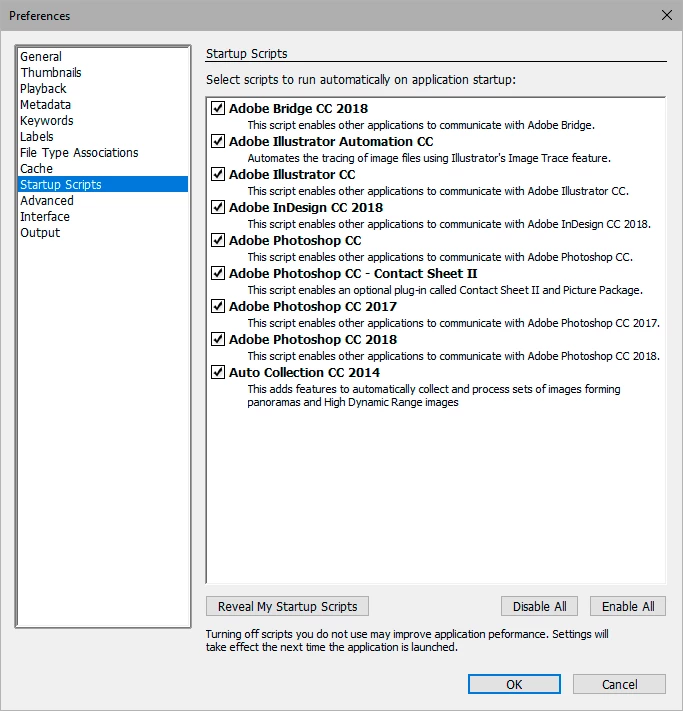
    Also, are all the startup scripts enabled?

    1 reply

    D Fosse
    Community Expert
    D FosseCommunity ExpertCorrect answer
    Community Expert
    October 21, 2017

    Works fine here in Win 10 pro.

    Did you keep the "remove old versions" checkbox? I'm thinking it could be another side effect of removing old versions after the new one has been installed.

    Also, are all the startup scripts enabled?

    Jeff Arola
    Community Expert
    Community Expert
    October 23, 2017

    Thanks for checking.

    After i unistalled/reinstalled both photoshop cc 2018 and bridge cc 2018 a couple of times everything started working.

    Weird since i didn't have the installer remove any previous installs and all the startup scripts were enabled, so maybe a registry entry wasn't getting written for some reason.

    Anyway, thanks again.