Participant
January 18, 2018
Question

Photoshop CC 2018 - problem with adjustments while zooming

  • January 18, 2018
  • 2 replies
  • 458 views

Hi,

I have a very annoying problem in the Photoshop CC 2018 when I'm adjusting an image side to side while I'm zooming, the image starts to have a strange bars/lines in the same color background of the image or sometimes in black/white.

I tried to uninstall/update to the last version but nothing helps.

Screenshot:
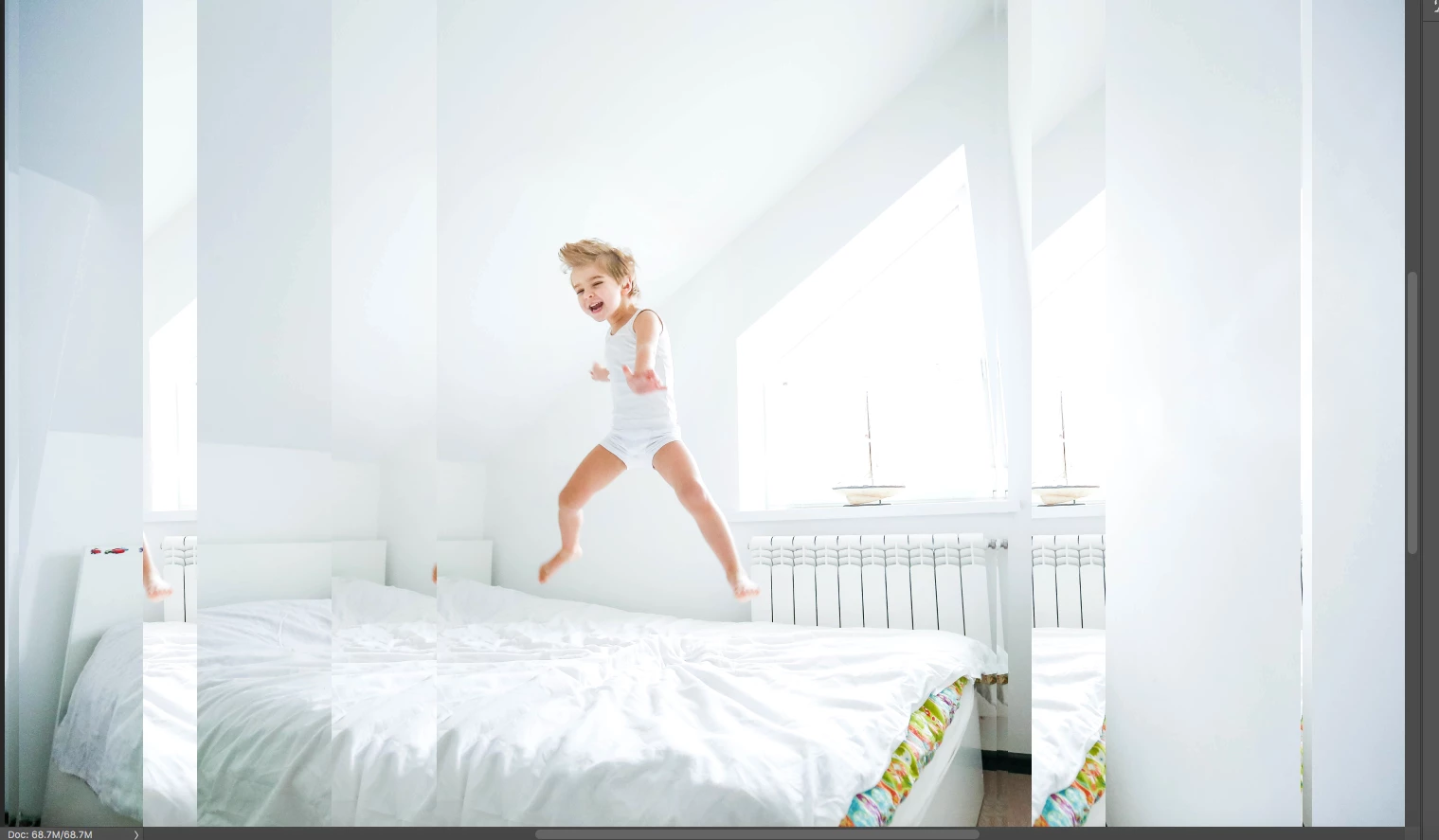
The problem appears on every type of image and only when I'm zooming and make some adjustments side to side with the image.

I'm using MacBook Pro 2017.

Thanks!

    This topic has been closed for replies.

    2 replies

    sharp_hands16B8
    Community Expert
    Community Expert
    January 18, 2018

    As Dave said this looks like a rederaw issue with the video card performance. Possibly a ram issue, or something else. Are you seeing Zoom issues in any other application? And you say it's only sideways scrolling on an image not vertically? Is that correct? That's a veryt specific type of issue.


    Other than Dave's idea of the processor, I would also try turning on and off scrubby zoom and see what effect that has, or maybe try using Navigator and drag the red target box around to see if the issue is persistent. If we can target where it happens specifically there may be a more precise solution.

    davescm
    Community Expert
    Community Expert
    January 18, 2018

    That looks like a Graphics Processor issue. Go to Preferences- Performance and uncheck use graphics processor. Open a document and check whether symptoms remain. If it resolves go back and recheck the item and try different drawing modes from Basic to Advanced.

    On Windows systems the next step would be to try a newer or older GPU driver. However I do not know whether you can do that on  Mac.

    Dave

    Netanel1Author
    Participant
    January 21, 2018

    Hi Dave,

    The "use graphics processor" option was unchecked already, I check this option and the problem solved.

    Now I need to work with the Photoshop when this option marked?

    Thanks!

    davescm
    Community Expert
    Community Expert
    January 21, 2018

    Yes, if it works with it checked then leave it on so Photoshop van use your GPU.

    Dave