
Answered
Photoshop CC 2019 freeze up at random intervals when minimized
This issue is somewhat related to this discussion , but it's also slightly different.
Whenever I start up Photoshop it works fine, but at random intervals after minimizing the program to do other tasks, it sort of hangs up.
I can hover my mouse over the taskbar icon like this: 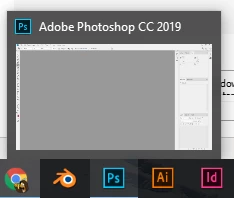 but if I click on the icon the program WILL not open op. Alt+tab'ing to it won't work either. Taskmanager tells me it's using 0% CPU constantly, but lots of RAM.
To get it working again I have to kill the process in taskmanager.
 AdChoices