
Participant
December 8, 2020
Question

Photoshop CC 2020 extremly slow - no solution in sight

  • December 8, 2020
  • 7 replies
  • 3241 views

I am browisng and applying all solutions since few days and trying to adjust the system but this is beyond "settings" and since "Legacy compositing" has been disabled we are all sitting ducs now.  Please provide an actual solution since this is the most ridiclous subscription I have ever signed up for. On same machine C6 blows 2020 out of the water in startup and reacton time.  CC should be able to handle anything with the assigned RAM and GPU power:
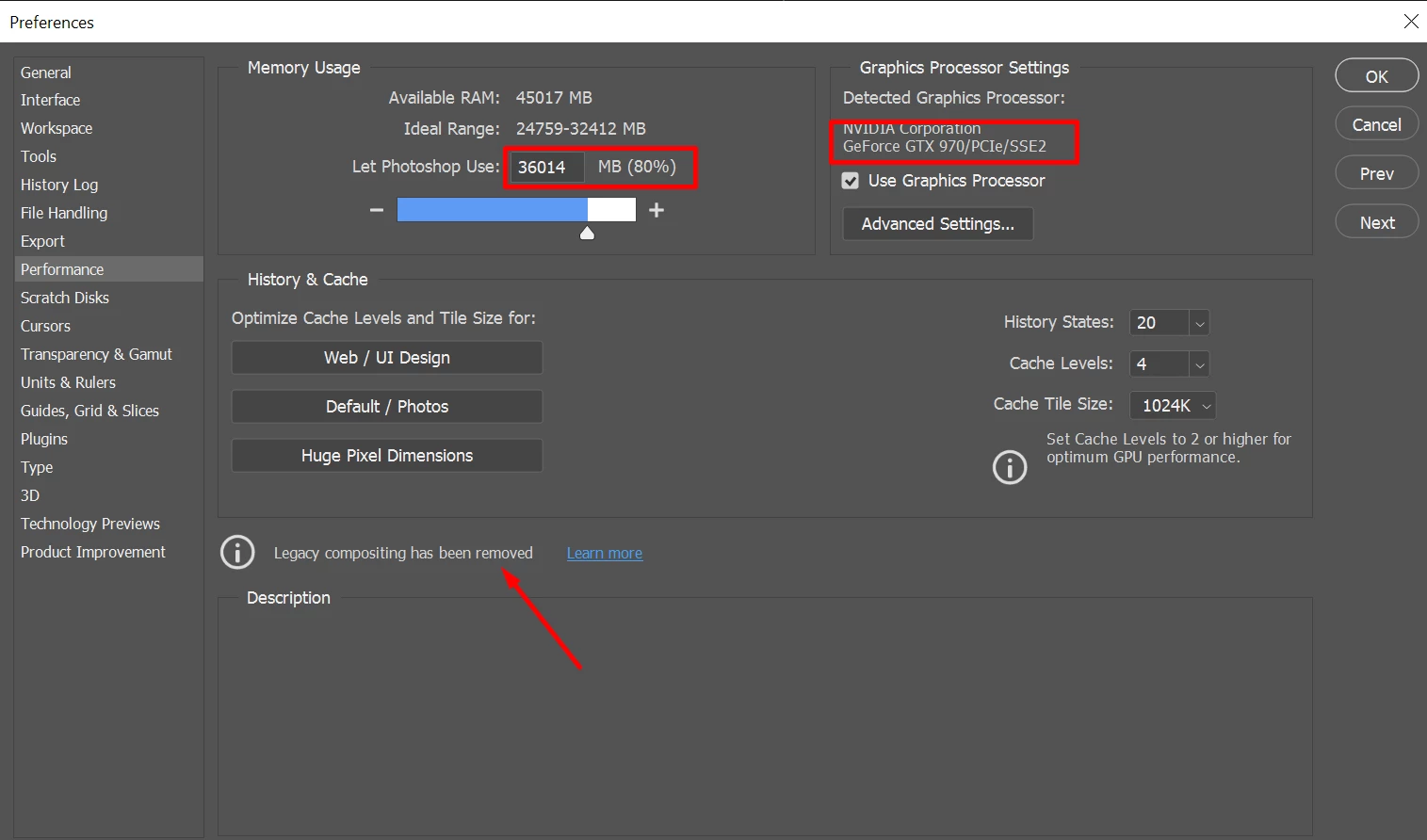


I see many users asking for 2020 fix where others keep on refering to 2019 issues for exmaple https://community.adobe.com/t5/photoshop/photoshop-cc-2020-slow-loading-layers/td-p/10735032?page=1


With this system CC 2020 should fly:
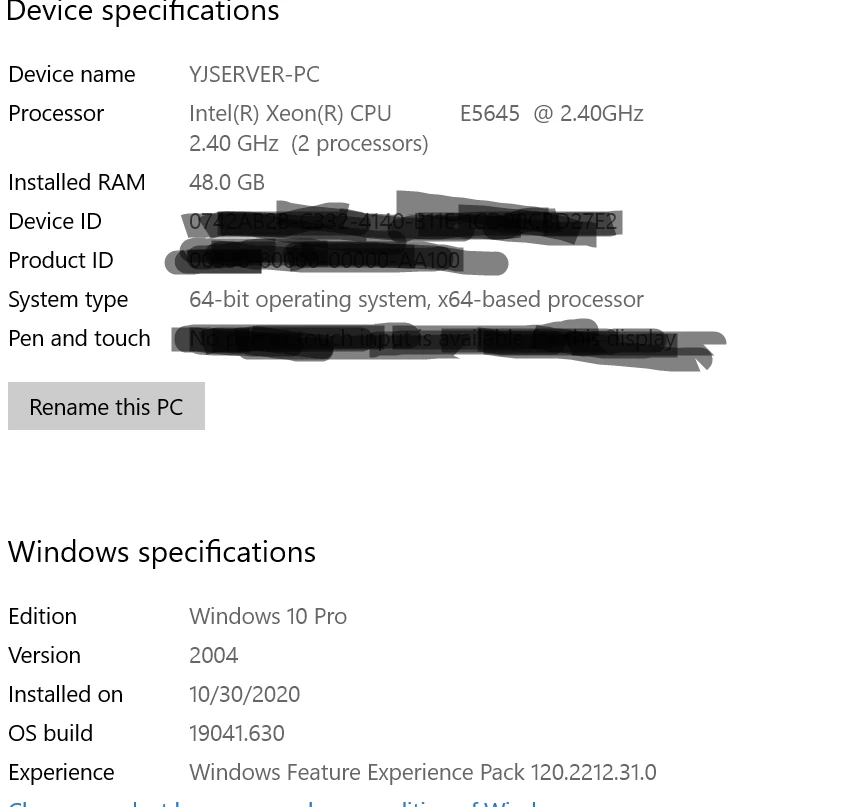


By simply trying to move a layer up by holding shift + arrow or drawing a shape takes forever to render. 

Here is real time video, note that mouse movemant is real but the system reaction makes you think is slowmotion.


Moving layer:
https://monosnap.com/file/g2FBuXoOA7aj8cMirWKBFTWbEPFrks

Creating simple shape: 

https://monosnap.com/file/7bLKt4vdeUuG2hwjKi09ihbD1v9rY7 


This topic has been closed for replies.

7 replies

Participant
May 4, 2022

Bumping for any updates? I too have moved through miltiple machines and upgraded significantly (spending a lot for this specific purpose) to find almost no difference in performance. Honestly my girlfriends macbook air runs smoother on meduium size files than my beefed up pc does. WTF. Am I really going to reinstall CS6? Or do I need to buy a mac? Do mac users have the same issues?

PECourtejoie
Community Expert
Community Expert
May 5, 2022

Hello, in another thread, a user noticed that the font preview was slowing down his machine big time (he had 1000+ fonts installed)

Participant
February 7, 2022

For years I have suffered the same issue you are having and nothing seems to work. I am unsure what steps to take, I believe it is just something on photoshops end, because this is a repeating issue on many high end PCs ive used 

Participant
January 25, 2022

This is a year late, but hopefully this might help some others who come across this; I managed to fix this issue by switching my file's color profile to RGB. Anything in CMYK seemed to be extremely slow ever since they removed the Legacy Composition options in Preference>Performance.


Also, certain nuances of gray on Photoshop 2020 and 2022 that takes a large portion of your canvas seem to slow down the file and will sometimes even crash when you create certain layer effects.


None of these problems appeared on PS19 when Legacy Composition was still available.

Hope that helps.

Participant
October 23, 2021

I'm new to Photoshop (just 10h work on it) and I noticed how inconsistent the performance between different machines is (despite somewhat similar hardware). Importing layers from lightroom to Fotoshop is insanely slow, I can understand that is obvious for my 6y old dual core ultrabook to take 7s per layer, but I can't understand how also a new ultrabook (i7 4/8 16gb ram) and my desktop i7 7700k 16gb ram and gtx 1070 both take the same time. It does not matter the storage because the difference between internal SSD and slow external HDD NAS is non existent! 

I tried to load 10 layers but does not help. I'm now waiting for my 900 layers to load and I hope it won't crash again once I align them (like the last 2 times)

Participating Frequently
September 8, 2021

Yeah, same here, every simple action in photoshop takes way too much time.


Changing tab 5-50sec

Clicking on another layer - same

Scaling - same

Importing some small jpgs into another document sometimes causes system crash or black screen


I'm moving to previous version for now, this is unusable.

PECourtejoie
Community Expert
Community Expert
September 8, 2021

@Tomasz5E36 if you are using Photoshop 22.x, I might split this thread as it might not be related to the problems of the previous version. Can you please post a txt file with the contents of Photoshop's Help>System Info... menu, so that we get to know your OS, its version, the exact version of Photoshop you are running, the date of the GPU driver, etc.

Participating Frequently
September 8, 2021

Sure, here are my specs.

Participant
March 25, 2021

I'm having the same problem and a lot of brush lag. It's unbearable, I havn't been able to get any work done all week and have tried updating and uninstalling several versions of photoshop with no improvement. Might have to go back to CS6! 

Participant
December 8, 2020

Had same issues. Turned out its becouse of G-SYNC problems with Adobe software. If you are using any freesync or gsync feature try to disable it. Not sure if its related with your problem but I have to share this here.