Participant
January 4, 2021
Answered

Photoshop CC 2021 v. 22.1 Black screen
  • January 4, 2021
  • 3 replies
  • 10273 views

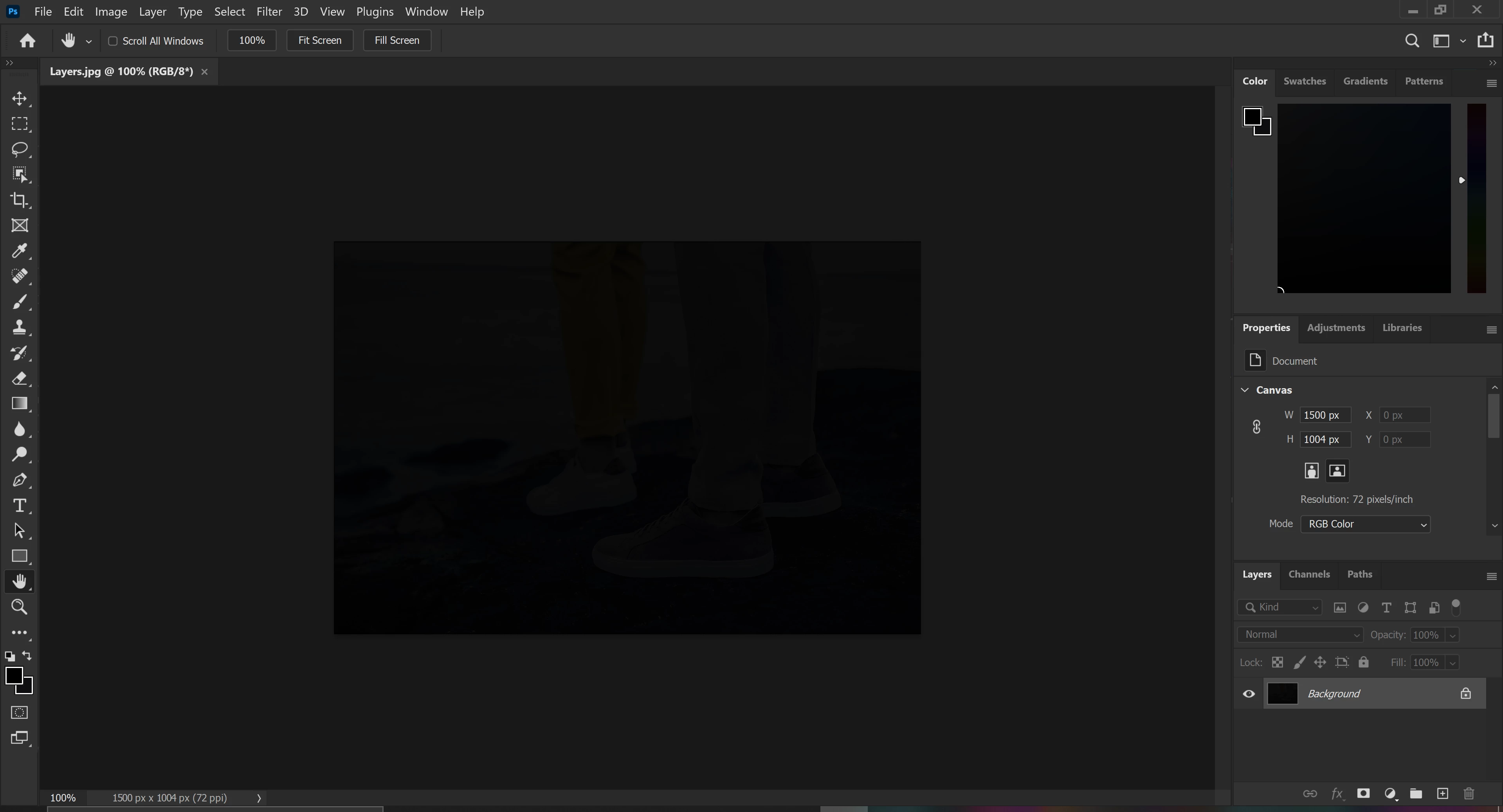
All files open in PS CC 2021 with black screen over them. Need Help! fixing , lastest drivers installed on computer.

This topic has been closed for replies.
Correct answer D Fosse

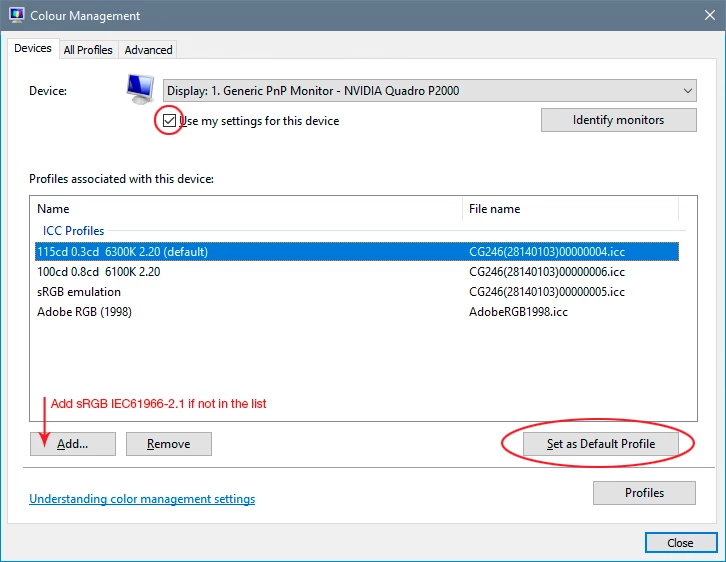
It's a defective monitor profile. Replace your current profile with sRGB IEC61966-2.1. That's a temporary fix; the real fix is to use a calibrator to make a new profile. But sRGB should be close enough for non-critical use. Relaunch Photoshop when done; it loads the profile at application startup.
3 replies

Dheaton
Participant
January 4, 2021

I have tried this 3 times now even restarted my computer but I still get totally black images.  Even when I try to make a new file it still comes up black.  Whats up?


SirPantaAuthor
Participant
January 5, 2021

Did not work for me as well , Follow the instructions that D fosse posted and change color profile that work for me! 

Kevin Stohlmeyer
Community Expert
Community Expert
January 4, 2021
D Fosse
Community Expert
D FosseCommunity ExpertCorrect answer
Community Expert
January 4, 2021

It's a defective monitor profile. Replace your current profile with sRGB IEC61966-2.1. That's a temporary fix; the real fix is to use a calibrator to make a new profile. But sRGB should be close enough for non-critical use. Relaunch Photoshop when done; it loads the profile at application startup.

SirPantaAuthor
Participant
January 5, 2021

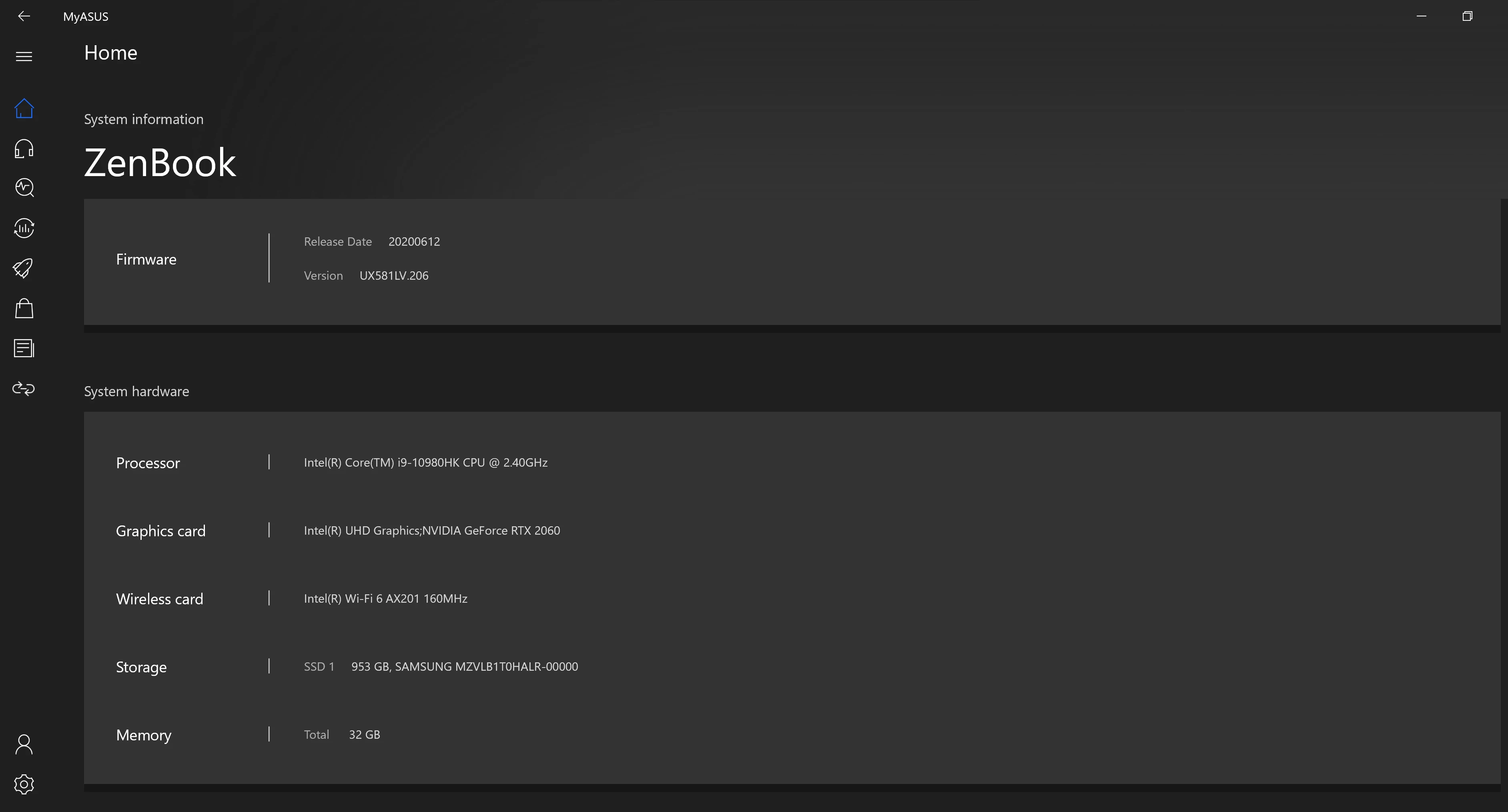
Thanks D Fosse I replaced the profile as you instructed and it work. Even when I contacted adobe support directly they didn't quite solve it, they instructed me to disenable my intel graphic card and only use the nvidia it work however I lost access to my second screen and it enlarged the scale of my display. Right now I just did the temporary fix but I will use the calibrator to create a new profile in the future. Once again Thank you for your help sincerely appreciate it!

Inspiring
July 24, 2021

please don't ever use the sRGB profile as a monitor profile. Use a native one or get your screen calibrated.