
Participating Frequently
May 26, 2020
Frage

Photoshop CC 21.1.3 Cropping makes the image disappear

  • May 26, 2020
  • 1 Antwort
  • 2029 Ansichten

Hi,


Im notice that my photoshop lagging so much after the update while maintaining the same preferences and I don't know how to explain what happen but when I open images it fills with dark grey rather than showing the photo that I open. Please see attach. 
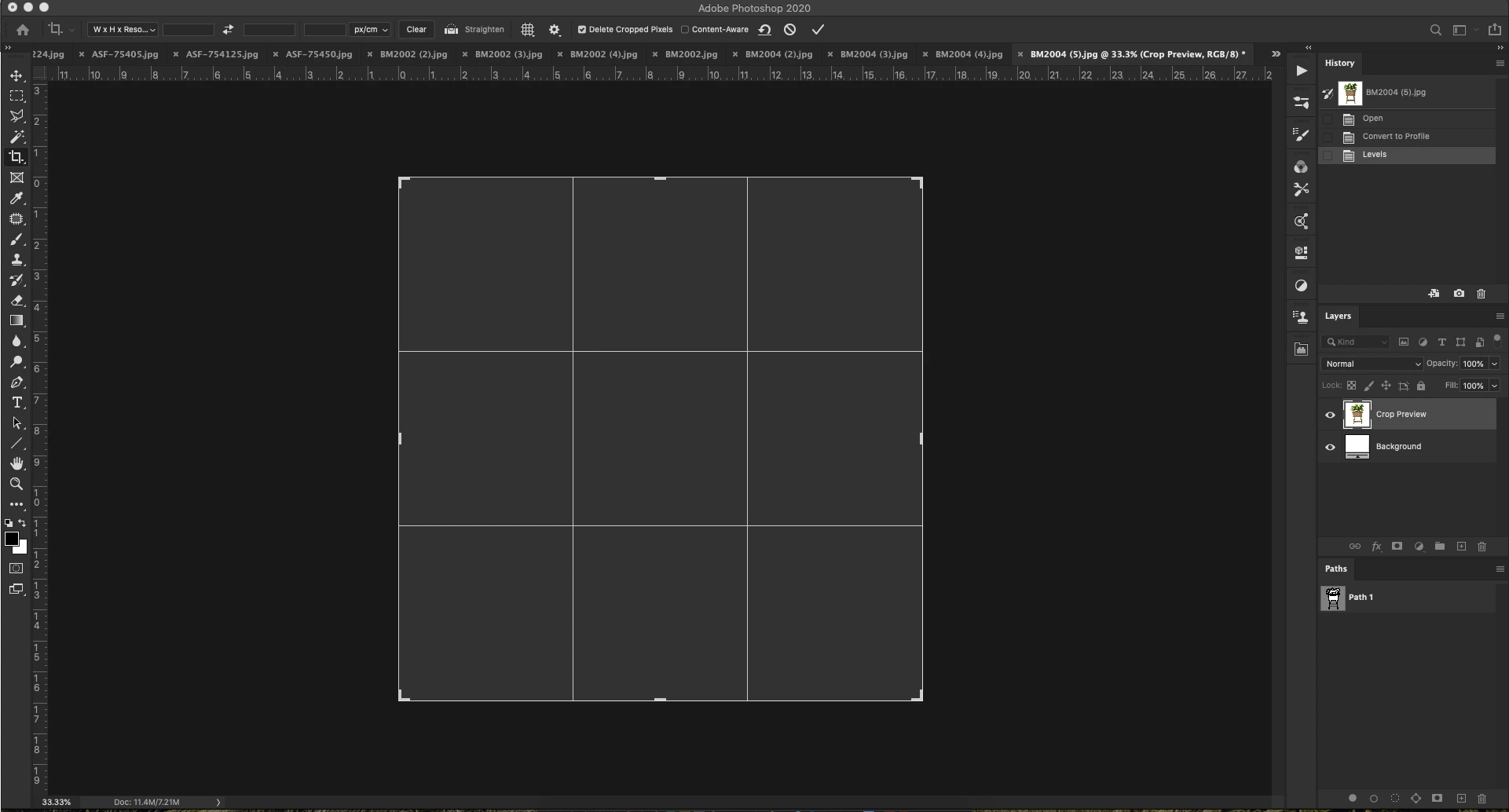
Dieses Thema wurde für Antworten geschlossen.

1 Antwort

Akash Sharma
Legend
May 26, 2020

Hi there,


Sorry that image is getting disappeared while trying to crop in Photoshop 2020. It's really strange and is not definitely not a usual experience. 


Are you facing this issue while working with a specific file? Also, which version of macOS are you running on your computer?


I'd suggest that you try the 2 steps below:

1. Go to the Photoshop preferences, performance tab, turn off the graphics processor option and see if that makes a difference.

2. Reset the app preferences for Photoshop. To restore preferences quickly: 

  • Press and hold Alt+Control+Shift (Windows) or Option+Command+Shift (Mac OS) as you start Photoshop. You are prompted to delete the current settings. The new preferences files are created the next time you start Photoshop.


Let us know how it goes. 

Thanks,

Akash

HLiongAutor
Participating Frequently
May 26, 2020

Thanks for the reply.


I'm using the latest Mac OS which is macOS Catalina 10.15.4 and I have untick and tick the graphic processor as well as reset app preferences.