Known Participant
March 20, 2019
Answered

Photoshop CC Crop Tool - rotating image causes artefacts

  • March 20, 2019
  • 1 reply
  • 911 views

Mac EI Capitan 10.11.6

Photoshop CC v19.1.7

Please see attached image re artefacts (miss alignment of image details and lines) from crop rotation. This tight crop example was taken from a 35 scan 4000 dpi resulting in 300 dpi 16 bit Tiff file - no layers

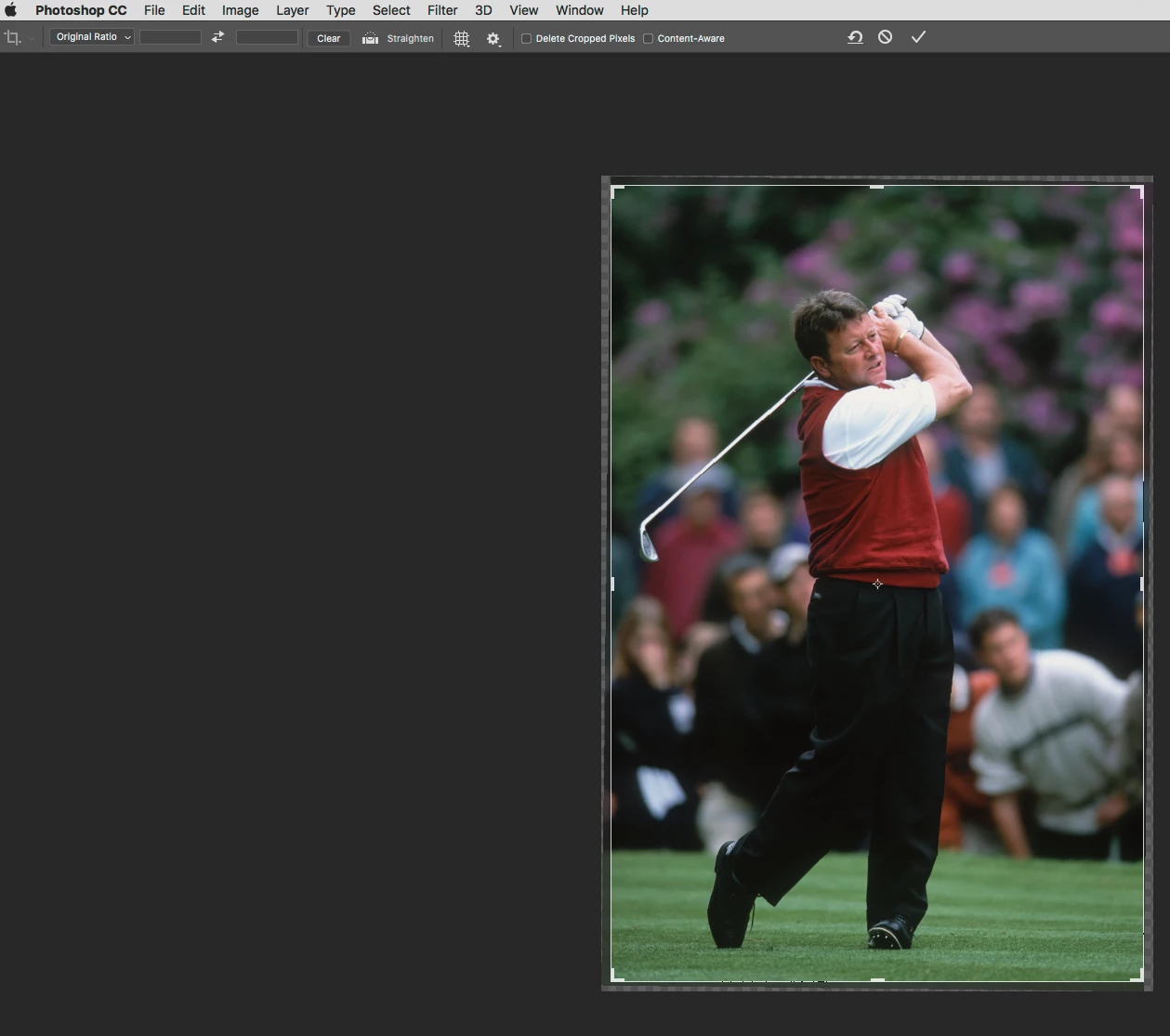
Crop tool set to 'original ratio' no cropping to specific dimensions or changing from 300 dpi. Crop was rotated.

No such errors in old Photoshop V5 or latest Lightroom.
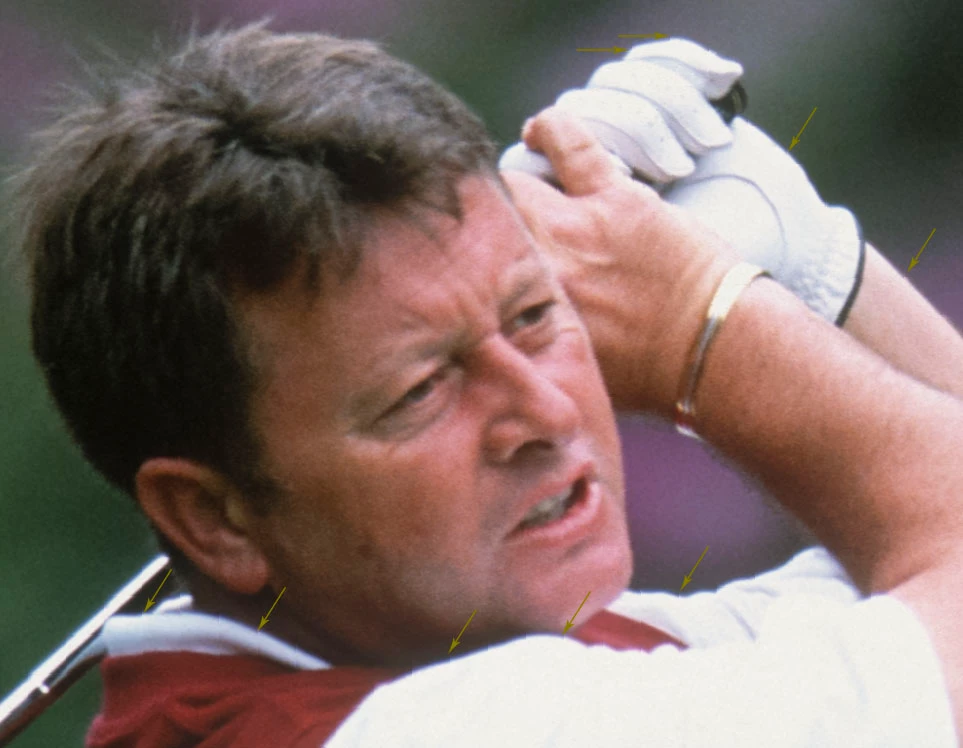
This topic has been closed for replies.
Correct answer Trevor.Dennis

Did you upsize the crop?

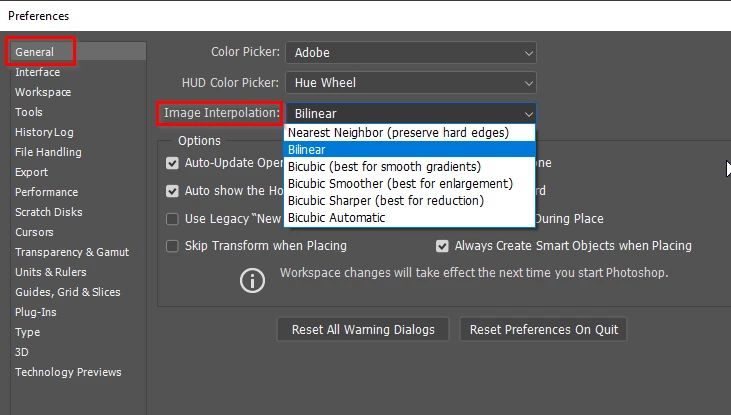
How is Image Interpolation set in Preferences > General?  This setting will have been used when you rotated the image.  I think the default is Bicubic Automatic, and I am not actually sure which option Auto would use to rotate. 

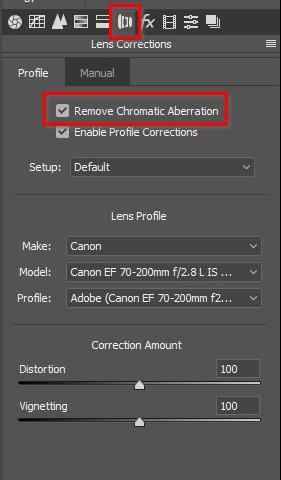
Ahhh... I have now opened your first screen shot, and can see the Chromatic Aberation.  Fix that when processing the RAW file in ACR or Lightroom

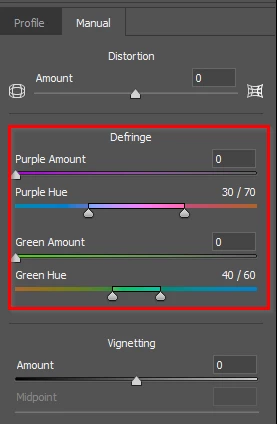
Fine tune with the manual settings if required.

1 reply

Nancy OShea
Community Expert
Community Expert
March 20, 2019

Is that the Crop Preview?  Or is that the final crop result after committing changes?

Nancy O'Shea— Product User & Community Expert
Known Participant
March 21, 2019

Hi Nancy, thanks for taking an interest in my post.

The tight crop is not from the crop tool preview, it's a very small section from the image after the image has been rotated and saved as a 120 meg 16 bit Tiff file.

Trevor.Dennis
Community Expert
Trevor.DennisCommunity ExpertCorrect answer
Community Expert
March 21, 2019

Did you upsize the crop?

How is Image Interpolation set in Preferences > General?  This setting will have been used when you rotated the image.  I think the default is Bicubic Automatic, and I am not actually sure which option Auto would use to rotate. 

Ahhh... I have now opened your first screen shot, and can see the Chromatic Aberation.  Fix that when processing the RAW file in ACR or Lightroom

Fine tune with the manual settings if required.