
Answered
Photoshop CC paint brush masking not working properly
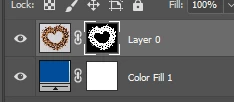
I have been cutting out images using the paint brush masking option. For some reason the white (to show) will no longer work. However, when I switch to black (to hide) it works properly. I have been cutting images out for a while today with no issue and all of a sudden it isn't working. I have even rebooted my computer and even tried saving the file in different locations to see if that would work.
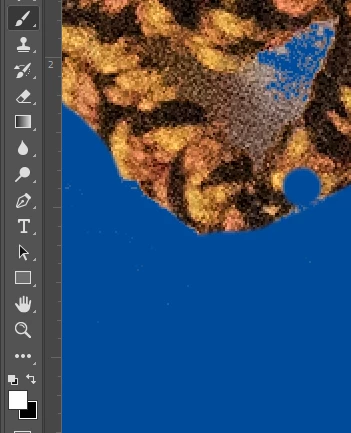
For example, I accidently hid (using black) an area I want to show (the dot area). I switched back to white and it doesn't show it.
 AdChoices