mosala7
Participating Frequently
April 26, 2018
Question

Photoshop cc2018 read only 3gb out of 8gb ram

  • April 26, 2018
  • 4 replies
  • 5621 views

Hello Guys.
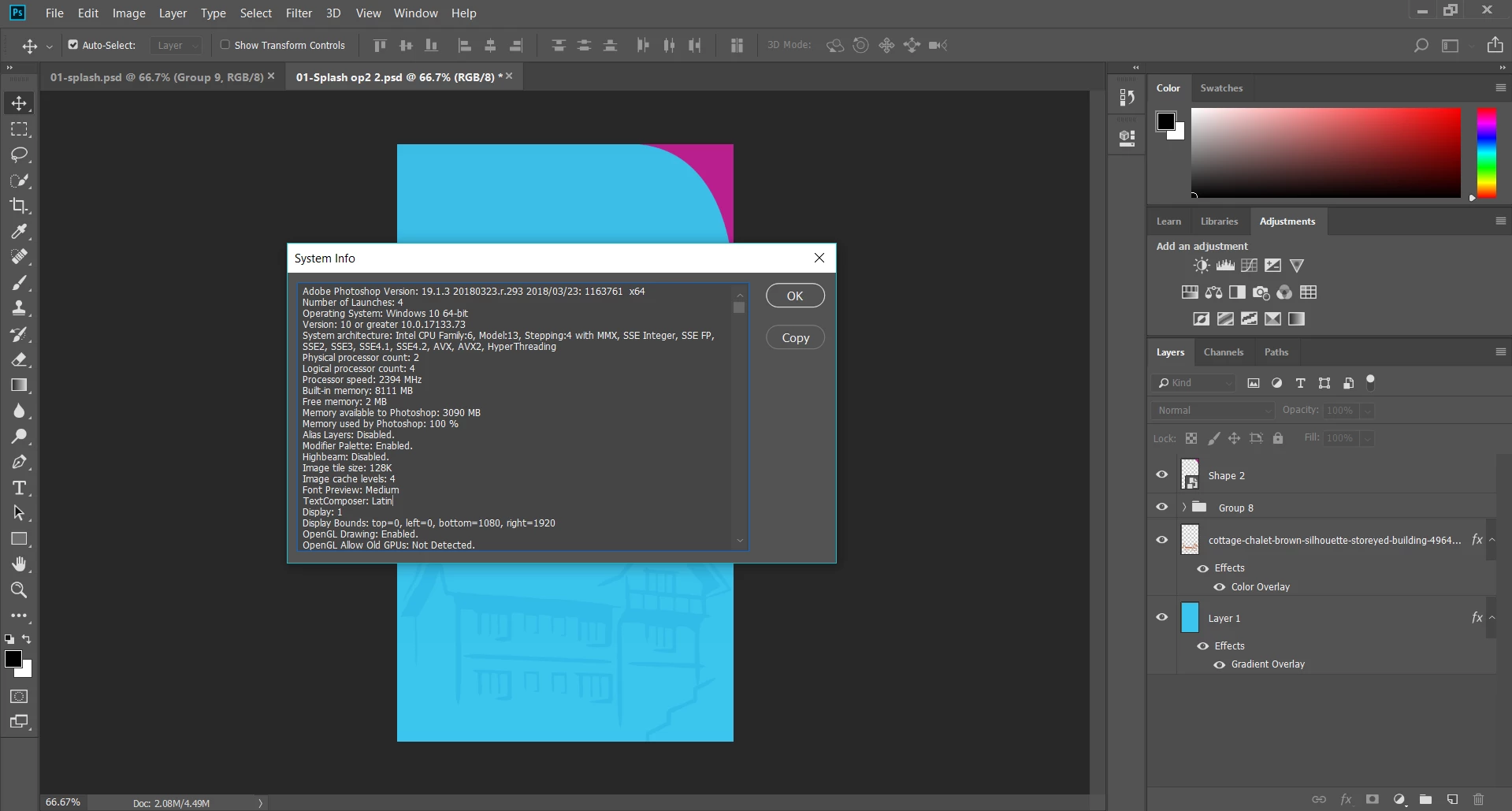
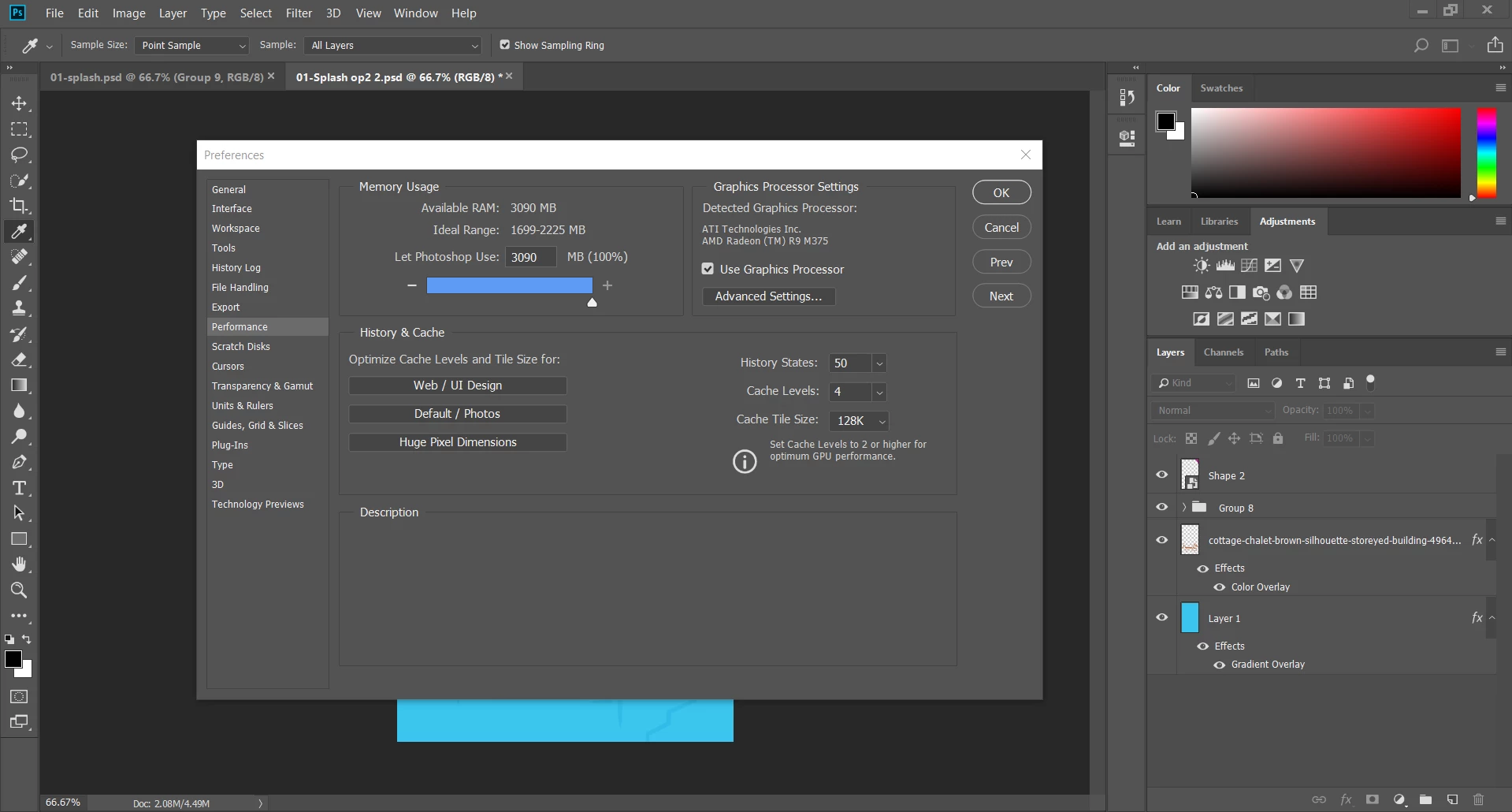
so I've a problem with photoshop cc series which they read only available ram 3gb to be used
and I've 8gb ram
my previous versions of cs series of photoshop was reading +7gb ram

Those two pictures explaining my problem !!
This topic has been closed for replies.

4 replies

Community Expert
April 26, 2018

Also try with unselecting use graphic memory card.

mosala7
mosala7Author
Participating Frequently
April 26, 2018

graphic card processor much faster for rendering and it boost my work

Legend
April 27, 2018

Yes, faster of course. Please try disabling it. We are suggesting ways to discover more about the problem so please try the tests suggested and report the results.

Community Expert
April 26, 2018

Go to Preferences > performance and set how much ram you want PS to use.
more detailed Optimize performance Photoshop CC  here

mosala7
mosala7Author
Participating Frequently
April 26, 2018

Thanks for replying
so my problem is photoshop giving me max 3gb of ram only
as i'am working with 8gb ram and on 64bit os and 64bit photoshop version it should give me up to 6gb ram at least

Trevor.Dennis
Community Expert
Community Expert
April 26, 2018

It sounds like you are using a 32 Bit version of Photoshop, but I am not even sure if CC2018 is still available as a 32 bit version.  The Splash screen does not say, so the only way I can think of knowing (this is for Windows only) is whether it opens from the Program Files (64 bit) or Program Files (x86) 32 bit.

If you are not sure how to find that out, right click the Photoshop icon and choose Properties

Trevor.Dennis
Community Expert
Community Expert
April 26, 2018

OK I have just looked at you second screen shot show Sys Info, and that does appear to show Photoshop is 64 bit.  Best to make the check I mentioned if only to eliminate it.